.svg)
You’re probably in one of these spots right now.
Your app depends on APIs for login, billing, mobile features, partner integrations, or internal services. An auditor asked for evidence of testing. Or your team knows the APIs are critical, but every pentest quote looks overpriced, slow, and packed with vague promises.
That’s the gap. API security testing matters, but most companies either overbuy a giant enterprise process they don’t need, or underbuy a shallow automated scan that misses the flaws attackers exploit. If you want to get secure, keep costs under control, and pass an audit without waiting forever, you need a practical approach.
Understanding Your API Security Risks Today
APIs are where your app exposes the stuff that matters. User records. Payment actions. Device data. Admin functions. Internal workflows. If one endpoint trusts the wrong user, returns too much data, or accepts unsafe input, an attacker doesn’t need to break your whole system. They just need one bad request.
That’s why API breaches feel so unfair. The frontend can look polished, your cloud stack can be locked down, and your login can seem fine. Then one API call lets a normal user pull another customer’s data because nobody checked whether that user should see that object.
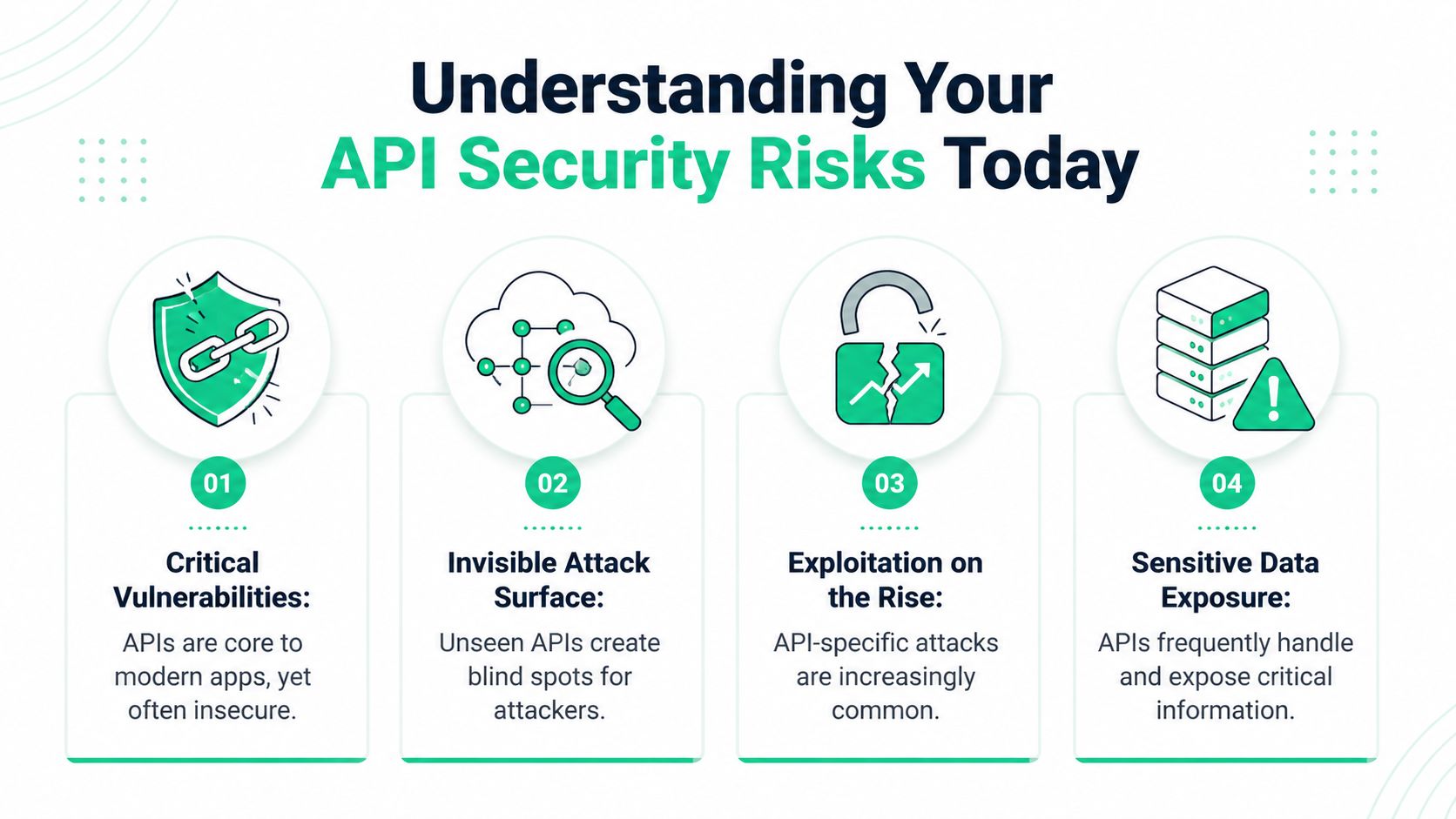
The scale of the problem is hard to ignore. In Q1 2025, 99% of organizations experienced at least one API security incident over the prior 12 months, and 95% of API attacks originated from authenticated sessions, according to CybelAngel’s API threat report. That means attackers often log in first, then move through the API like a normal user who knows where the weak spots are.
Why founders get this wrong
A lot of startup teams still think authentication is the main line of defense. It isn’t. Authentication answers “who are you.” It does not answer “should you be allowed to do this exact thing to this exact record right now.”
That’s the hole attackers love. They don’t always need to bypass login. They just need to abuse weak authorization, sloppy object references, or overly helpful responses.
Practical rule: If your API handles customer data, money movement, health information, admin actions, or account changes, assume it deserves targeted testing.
For regulated teams, this gets expensive fast. If you handle healthcare data, device telemetry, or patient-linked systems, API mistakes can create both security and compliance problems. If that’s your world, this guide for healthcare data engineers is worth reading because it shows how API design decisions can affect real data handling in medical environments.
What the business impact looks like
You don’t need a movie-style breach for API risk to hurt you.
- Customer trust breaks first: Users don’t care whether the issue was “just an API bug.” They care that their data was exposed.
- Audits get harder: SOC 2, HIPAA, PCI DSS, and ISO 27001 reviews get painful when you can’t show credible testing and remediation.
- Releases slow down: Teams start freezing deployments because nobody trusts what’s already in production.
- Engineers lose time: Developers stop building and start chasing auth edge cases, logs, and emergency fixes.
Here’s the blunt version. Your API is the front door now. In a lot of modern products, it’s also the side door, garage, and basement window. If you haven’t tested it properly, you’re trusting hope, not evidence.
The risks that show up most often
The repeat offenders are boring. That’s what makes them dangerous.
- Broken authorization: One user can access another user’s records by changing an ID.
- Injection flaws: The API accepts input it should reject and passes it somewhere unsafe.
- Sensitive data exposure: Responses include fields that never should have left the server.
- Broken authentication flows: Tokens, sessions, or edge-case login paths behave in ways they shouldn’t.
Most teams don’t need more theory. They need someone to manually test the paths that matter, show what’s exploitable, and hand developers a fix list they can use immediately.
How to Scope Your API Pentest Smartly
Bad scoping wastes money. Test everything and you’ll wait too long, pay too much, and drown in low-value noise. Scope too little and you’ll miss the one endpoint that actually matters.
Start with the APIs that can hurt you if they fail. That’s it. Don’t begin with a giant endpoint spreadsheet and don’t let a vendor sell you a bloated checklist before you’ve identified your crown jewels.
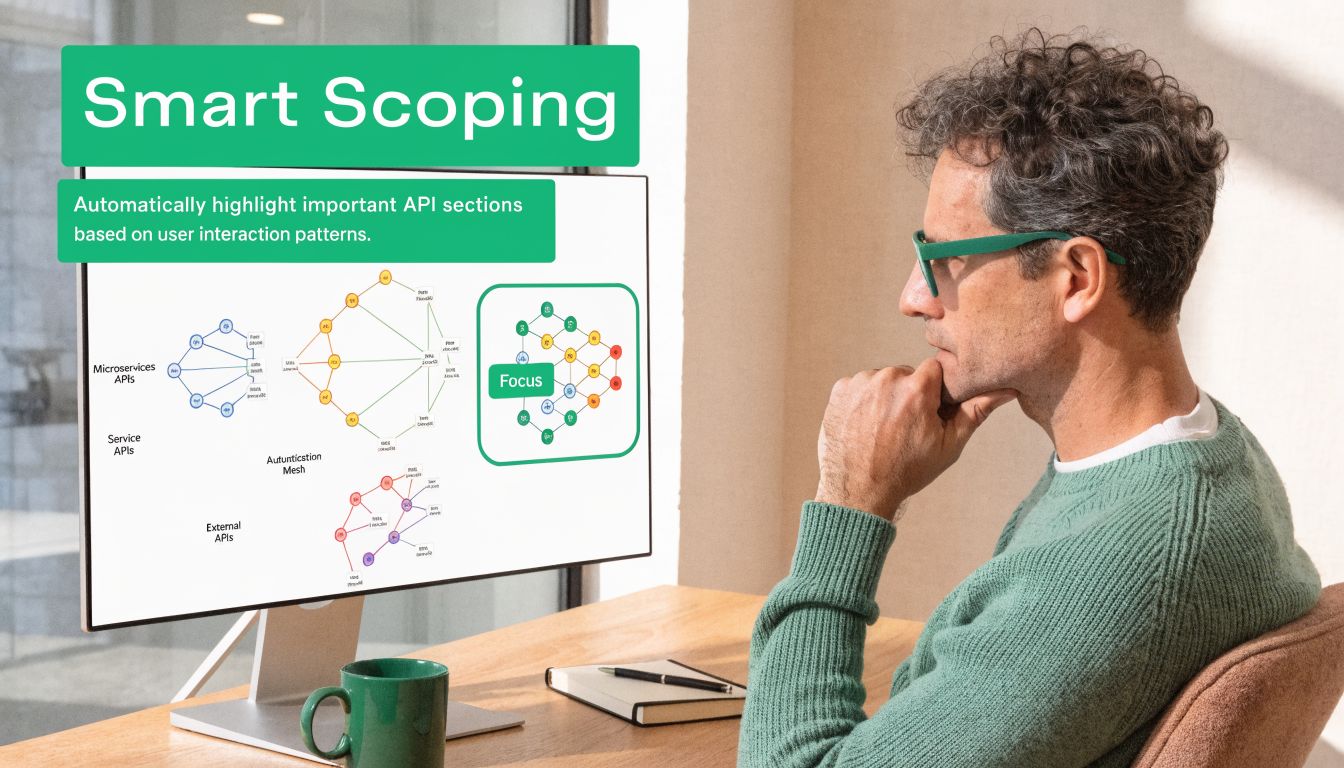
A smart scope matters even more because Traceable’s 2025 Global State of API Security report projects that API-related incidents will account for over 90% of web-based attacks by 2025. If you’re going to be selective, be selective around internet-facing, high-risk APIs, not random low-impact endpoints.
Start with the crown jewels
Ask four simple questions about every API or endpoint group.
Does it touch sensitive data
Customer records, payment details, health data, internal business data, and admin metadata belong at the top of the list.
Can it change something important
Login changes, privilege changes, billing actions, device commands, and workflow approvals deserve close attention.
Is it exposed externally
If a mobile app, web app, partner, customer, or third party can hit it from outside, raise the priority.
Would an auditor care
If the answer is yes, include it early. Auditors care a lot about data access, authorization, and change functions.
What to hand your pentester
A good scoping packet doesn’t need to be fancy. It just needs to be useful.
- API docs if you have them: OpenAPI specs, Postman collections, route lists, or engineering notes all help.
- Test accounts with roles: Give separate user, manager, admin, and support roles if your app uses them.
- Environment notes: Say whether testing is for staging or production, and note any rate-limit or monitoring concerns.
- Known concerns: If your team already worries about one workflow, say it up front.
Don’t pay a pentester to guess your app structure when your team already knows which endpoints move money, expose records, or control permissions.
How to avoid the test everything trap
A lot of SMBs think complete coverage means listing every path and parameter. That’s not realistic for a fast, affordable penetration test. It also isn’t necessary to get meaningful risk reduction.
Use a tiered scope instead.
| Scope Tier | What belongs here | Why it matters |
|---|---|---|
| Tier 1 | Auth, account access, admin actions, sensitive data APIs | Highest impact if broken |
| Tier 2 | Core business workflows and partner integrations | Business logic issues often hide here |
| Tier 3 | Low-risk utility endpoints and older features | Test if budget and time allow |
That structure gives you something you can execute. It also lets you phase testing instead of pretending one engagement will cover your entire architecture forever.
Questions that save you money
Before a pen test or penetration test starts, answer these clearly.
- Which endpoints are public-facing
- Which roles exist and what should each role do
- Which APIs process regulated data
- Which old versions are still live
- Which third-party APIs matter to core workflows
If you can answer those, you’ll get a cleaner engagement and a better report.
A lot of teams also benefit from a basic prep checklist before the testing window starts. This how to prepare for a penetration test guide is useful because it forces the operational questions early, before the test starts burning time.
What smart scoping looks like in practice
If you run a SaaS platform, don’t start with your marketing form endpoint. Start with login, password reset, user profile access, admin APIs, export functions, billing, and any endpoint that returns customer-specific records.
If you run a healthcare or fintech app, put any endpoint tied to records, consent, transactions, or device actions near the top. If you run a B2B platform, test tenant isolation hard. One customer seeing another customer’s data is the kind of issue that creates security, legal, and sales problems all at once.
Smart scoping is simple. Prioritize impact, exposure, and audit relevance. That’s how you keep api security testing focused, fast, and affordable.
Key API Security Testing Methods Explained
A real API pen test is not just “run scanner, export PDF, send invoice.” A certified tester should attack the API the way a real attacker would. That means checking whether the app trusts the wrong user, leaks the wrong data, or behaves badly when inputs and requests get weird.
The core methodology is straightforward. Pynt’s API security testing guide describes a practical approach that includes testing broken authentication and authorization, fuzzing endpoints with injection payloads, analyzing error handling for information leaks, and validating rate limits to prevent denial of service. It also notes that manual testing is critical for finding business logic flaws that automated tools miss.
Broken auth and access checks
Here, good testers earn their keep.
A scanner can tell you a token is missing. A human tester checks whether a low-privilege user can do admin things, whether one tenant can touch another tenant’s data, or whether changing a record ID exposes someone else’s information. That’s the classic BOLA problem. In plain English, your API trusts the request more than it should.
A manual test often looks like this:
- Log in as User A
- Request an object like an invoice, profile, order, or file
- Change the object ID to one known to belong to User B
- Repeat the same action with different roles
- Check read access, update access, and delete access separately
If any of those work when they shouldn’t, that’s a serious finding.
A lot of teams think “users are authenticated” means “data is protected.” That’s the wrong mental model. Attackers love authenticated APIs because the app already trusts them enough to talk.
Injection and input abuse
Some APIs still accept dangerous input in ways that can break queries, commands, parsers, or downstream systems. The tester’s job is to send malformed, hostile, and unexpected input and watch how the API responds.
This doesn’t have to be complicated. If an endpoint expects a number, the tester may send a long string. If it expects JSON with fixed fields, they may add extra fields, nested objects, or invalid types. If a search field accepts free text, they may try payloads that reveal unsafe handling.
Manual testing matters here because context matters. A scanner can spray payloads. A human tester notices that one field feeds a report export, another hits an internal service, and a third triggers a workflow that behaves differently after approval.
Error handling and data leakage
Bad APIs talk too much.
They return stack traces, internal messages, debugging details, object references, or fields the frontend never even asked for. Sometimes they expose old properties because nobody cleaned up the serializer. Sometimes they return admin-only metadata to normal users because the backend response model is lazy.
A tester will intentionally break requests and inspect the responses closely.
- Missing required parameters
- Invalid data types
- Unsupported methods
- Expired tokens
- Fake object IDs
- Bad content types
The question isn’t just “does it error.” The question is “what did the API reveal when it errored.”
Rate limits and abuse resistance
Plenty of teams forget this part until something gets hammered.
If the API allows endless login attempts, endless OTP requests, endless expensive searches, or endless file generation, an attacker can abuse that even without a deep exploit. A tester checks whether repeated requests get slowed, blocked, or handled safely.
This matters for both security and stability. Rate limiting won’t fix bad authorization, but it can stop easy abuse from turning into a much bigger incident.
Business logic flaws
This is the category that automated-only vendors often miss.
Business logic flaws happen when each step looks valid on its own, but the workflow as a whole is insecure. Maybe a user can create a trial account, call an upgrade endpoint out of sequence, and access features without paying. Maybe an approval workflow trusts a client-side flag. Maybe a support role can trigger account actions that should require ownership checks.
These flaws are hard to script because they depend on how your product is supposed to work. That’s why manual pentest work, pen testing, and penetration testing still matter.
Sample Manual API Test Cases
| Vulnerability Type (OWASP) | Simple Explanation | Sample Manual Test Case |
|---|---|---|
| Broken Object Level Authorization | A logged-in user can access someone else’s record | Authenticate as one user, change the object ID in a request, then check whether another user’s data is returned |
| Broken Authentication | The login or token flow can be abused | Test requests with missing, expired, altered, or reused tokens and see whether access still works |
| Injection | The API mishandles unsafe input | Send malformed payloads in searchable or writable fields and inspect responses for unsafe behavior |
| Sensitive Data Exposure | The response returns more data than needed | Compare what the UI needs with what the API actually returns and flag unnecessary sensitive fields |
| Broken Function Level Authorization | A low-privilege role can call admin actions | Log in as a basic user and manually call privileged endpoints to check whether the server blocks the action |
| Unrestricted Resource Consumption | Repeated requests can exhaust the service | Replay high-volume requests against expensive endpoints and check whether rate controls trigger |
Tools help, but they don’t finish the job
Use tools. Just don’t confuse tools with assurance.
Burp Suite Professional is common for intercepting traffic, replaying requests, and testing workflows. Postman can help with collections and repeatable request sets. OpenAPI specs make discovery and coverage better. If you want a broad overview of categories and options, this list of best API testing tools is a decent starting point.
But none of those tools understands your business the way a human tester does. A tool won’t know that a support token should never trigger finance actions. A tool won’t notice that changing one approval step breaks tenant isolation three screens later.
What a good manual process looks like
A practical API penetration test usually follows a rhythm like this.
Map the surface
Review docs, traffic, collections, auth flows, and roles. Figure out what exists before trying to break it.
Test identity assumptions
Try bad tokens, weak role separation, object swapping, and function misuse.
Abuse inputs
Send malformed payloads, edge-case values, and unexpected structures.
Chain requests
Reproduce real workflows and see whether one step weakens the next.
Document proof
Save exact requests, responses, impact, and reproduction steps so your devs can fix the issue fast.
That last step matters more than people think. If a tester finds a bug but can’t explain it clearly, your team loses time arguing about it.
What to ask before you buy a test
Don’t ask only what tools they use. Ask these instead.
- Will you manually test for BOLA and business logic flaws
- Will you test multiple roles and tenant separation
- Will you include reproduction steps
- Will the report tell developers how to fix each issue
- Will you retest fixes if needed
One practical option in this space is Affordable Pentesting, which offers a manual-first API security test using Burp Suite Professional and delivers an actionable report within one week. That model fits startups and SMBs better than a giant enterprise engagement when the primary goal is fast findings and usable remediation.
Uncovering Hidden Shadow and Zombie APIs
Teams often think they know their API inventory. They usually don’t.
A shadow API is an endpoint your security team doesn’t know about. A zombie API is an old one that should have died but is still reachable. These are dangerous because they often sit outside normal review, weak monitoring, and current auth assumptions.
This isn’t a niche problem. Help Net Security notes that enterprise security teams struggle with basic API inventories, and a 2025 analysis found that 43% of exploited vulnerabilities tracked by CISA were API-tied. Hidden endpoints make that worse because you can’t secure what you haven’t even identified.
Where hidden APIs come from
They usually appear through normal engineering behavior, not dramatic failure.
- Old versions stay online: A v1 route survives after v2 ships
- Dev shortcuts become permanent: A testing endpoint gets left exposed
- Partner integrations drift: One-off external paths never get folded into normal review
- Internal services leak outward: Something meant for private use becomes reachable from the internet
Why scanners miss them
Automated scanners are good at testing what you already feed them. They are less reliable at finding undocumented, forgotten, or rarely used paths.
A manual tester can work from traffic captures, application behavior, old docs, mobile app requests, JavaScript references, and version patterns. That’s how you find the route engineering forgot, not just the route listed in your current spec.
Hidden APIs are where companies get blindsided. The official docs look clean. The forgotten endpoint does the damage.
What to do right now
You don’t need a giant platform purchase to improve visibility. Start with these moves.
- Review traffic sources: Look at app traffic, mobile traffic, and old integration behavior.
- Check version sprawl: Search for old path versions and deprecated routes.
- Compare docs to reality: If requests exist that aren’t in your spec, treat them as risk until proven otherwise.
- Include discovery in the pentest: Don’t scope only “known APIs.” Ask for shadow and zombie API discovery work.
This is one of the clearest differences between a checkbox scan and a serious penetration test. If your tester only validates the endpoints you handed over, you may get a clean report and still miss the riskiest API in the environment.
Actionable Reporting and Quick Remediation Guidance
A bad pentest report is easy to spot. It’s long, repetitive, vague, and full of screenshots nobody needs. It tells you something is “critical” but doesn’t explain the business impact clearly, and it leaves developers guessing about the actual fix.
That kind of report slows everyone down. Engineering wastes time reproducing findings. Leadership can’t tell what matters first. Auditors see pages, but not clarity.
A better report is shorter, sharper, and easier to act on.
What a useful report includes
Your team should be able to answer four questions fast.
| Question | What the report should show |
|---|---|
| What’s broken | Clear finding title and affected endpoint or workflow |
| Why it matters | Real impact in plain English |
| How to reproduce it | Request details and step-by-step proof |
| How to fix it | Specific remediation guidance for developers |
That’s the standard. If the report can’t do those four things, it’s not helping much.
Why manual findings are easier to fix
Manual pentesting earns its budget.
Probely’s API testing pitfalls article states that relying only on automation is a major mistake and that a hybrid approach using manual pentesting boosts vulnerability detection by 40-60%. More important for your team, manual work usually produces the context developers need. Not just “possible auth issue,” but “basic user can call admin export endpoint by reusing this request pattern.”
That level of detail turns security work into engineering work. That’s what you want.
What developers need from the write-up
Developers don’t need a lecture. They need direction.
- Exact endpoint or workflow: No vague app-wide claims
- Affected roles: Who can abuse it and who is impacted
- Proof of exploit: The request pattern, not just a severity label
- Fix guidance: Server-side authorization check, response filtering, token validation, rate limiting, or workflow correction
- Retest path: What to verify after the patch
What matters: The best report doesn’t have the most pages. It gets fixes shipped fastest.
What leadership needs from the same document
Founders, CISOs, and compliance leads need a different layer.
They should get a clean executive summary that explains which findings create data exposure, privilege abuse, account takeover risk, or audit trouble. They also need a sensible remediation order. Fix the issues that expose sensitive records or break access control first. Don’t bury that under low-risk informational notes.
A strong report can satisfy both audiences if it’s structured well. Summary up front. Technical detail underneath. No fluff.
Why speed matters
A slow report creates a second problem after the test ends. The app changes, new code ships, and now the findings are already drifting away from the tested state.
That’s why quick delivery matters. If you get results while the code and context are still fresh, your team can fix issues without re-learning the whole workflow. If you need a practical baseline before the engagement, these API security best practices are a useful reference for what developers should already be doing before the report lands.
The standard you should expect
Ask for this before you sign anything.
- Actionable findings, not just severity labels
- Clear screenshots only when they add proof
- Developer-ready remediation steps
- Executive summary for audit and leadership use
- Fast turnaround so remediation starts immediately
If a firm sells you a giant PDF but can’t explain the top three business risks in plain English, you’re paying for theater.
Get Your Affordable API Penetration Test
You don’t need a bloated enterprise engagement to get useful api security testing. You need a focused pen test, done by people who know how APIs break in the world, and a report your team can use.
For most startups and SMBs, the right approach is simple. Scope the high-risk APIs first. Use manual pentesting to test auth, authorization, business logic, and hidden endpoints. Get the findings back fast enough that engineering can fix them before the next release train rolls through.
That’s also the practical path for audits. A credible penetration test shows you didn’t just run a scanner and hope for the best. It shows a human looked at how your API really works, where users can cross boundaries, and where the app trusts the wrong thing.
If you’re comparing providers, look for certified testers with credentials like OSCP, CEH, and CREST, a manual-first process, clear remediation guidance, and report delivery within a week. That combination is what keeps costs reasonable and outcomes useful.
If you want a straightforward quote and a faster path to an audit-ready result, request details through the API penetration testing contact page.
If you need fast, affordable API security testing from certified pentesters, Affordable Pentesting offers a practical route for startups and SMBs that need real findings, quick reporting, and clear remediation without the usual enterprise delay.