.svg)
You're probably dealing with this right now. An auditor wants a risk register. A customer security questionnaire asks how you track risk. Your team has a spreadsheet graveyard, a pile of scanner alerts, and no clean way to show what matters.
That's where risk assessment software helps. But let's be honest about it. Software can organize risk, score risk, and report on risk. It cannot prove which weaknesses an attacker can exploit in your environment. That part still takes real human testing.
What Is Risk Assessment Software Exactly
Risk assessment software is a central place to track threats, controls, owners, remediation tasks, and compliance evidence. Think of it as the dashboard that stops your security and compliance work from living in ten tabs, three spreadsheets, and someone's memory.
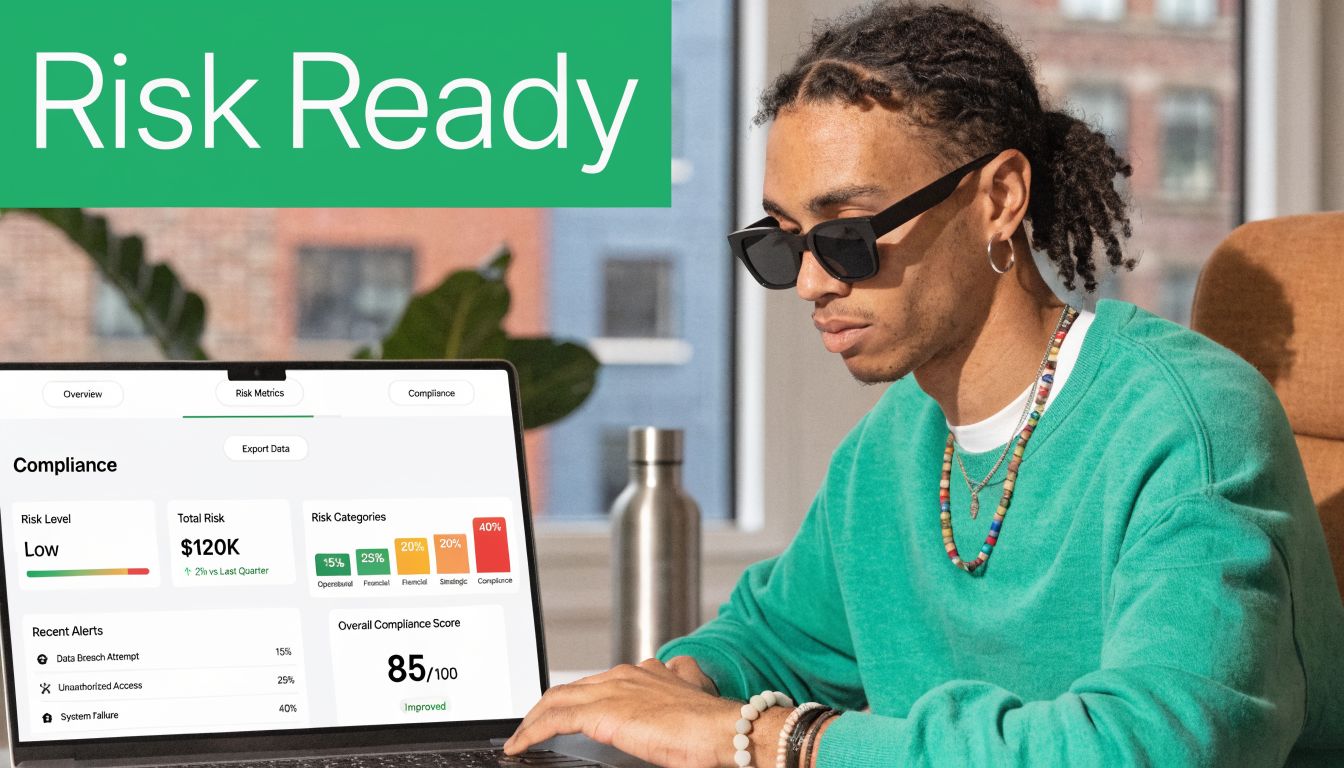
Companies are buying more of these tools because the pressure is real. The risk management software market was valued at USD 13.05 billion in 2025 and is projected to reach USD 15.21 billion in 2026, while cloud deployment captured 64.78% of revenue in 2025 according to Mordor Intelligence market analysis.
What the software actually does
At a basic level, it helps you:
- List risks clearly so you stop losing track of issues across teams
- Map controls to frameworks like SOC2, HIPAA, PCI DSS, and ISO 27001
- Assign work so fixes have owners and deadlines
- Generate audit evidence without rebuilding reports every time an auditor asks
If you want a broader overview of how governance, risk, and compliance tools fit together, DataLunix's ultimate GRC guide is a useful primer.
Where most teams get fooled
The problem starts when people treat the software like a security tool instead of a management tool. It's not the same thing.
A risk platform can tell you that weak access control is bad. It can remind you to review vendors. It can score a missing policy as high, medium, or low. But if your login flow can be bypassed, if your API leaks data, or if a privilege escalation bug is sitting in production, the software won't magically discover that just because you filled out a questionnaire.
Practical rule: Risk assessment software is the filing cabinet and scoreboard. A pentest, pen test, or penetration test is what tells you whether the door is actually unlocked.
That's why teams get frustrated. They buy a polished platform, spend weeks loading controls, and still don't know what an attacker could do by Friday.
Essential Features of Risk Assessment Software
A lot of vendors stuff their product pages with fluff. Ignore most of it. If you're evaluating risk assessment software, focus on the features that save your team time and make audits less painful.
Start with the risk register
The first essential feature is a usable risk register. Not a pretty chart. A working system where you can log the issue, describe the impact, assign an owner, set due dates, and show status changes over time.
If your team is still tracking risks in spreadsheets, you already know the failure mode. Version confusion, stale status, missing owners, and no proof that anything got fixed.
Look for these basics:
- Clear ownership fields so every issue has a real person attached
- Status tracking for open, accepted, mitigated, and verified risks
- Evidence attachments so screenshots, reports, and policies stay with the record
- Filtering by severity, system, framework, or business unit
Risk matrices that match reality
A good platform lets you customize how risk gets scored. That matters more than most buyers realize.
Software with configurable risk matrices, such as a 5x5 likelihood-severity scale, and cross-framework mapping can reduce assessment time by 40% via automated scoring, and integrating pentesting outputs from certified ethical hackers can cut compliance costs by 25% for SMBs according to NIST SP 800-30r1.
That sounds technical, but the meaning is simple. If the scoring model fits your business, your team spends less time arguing over labels and more time fixing real problems.
A bad matrix creates fake urgency. A good one helps your team pick the next fix without debate.
Control libraries and framework mapping
This is the second feature that matters. You want prebuilt control libraries for SOC2, HIPAA, PCI DSS, and ISO 27001, plus the ability to map one control to multiple frameworks.
That saves work because you shouldn't have to rewrite the same answer five different ways. If you enforce MFA, review access, and log admin actions, those controls usually support more than one compliance requirement.
Reporting and workflow
Auditors don't want your intentions. They want evidence. Your software should make it easy to export reports, show open risks, and prove remediation activity.
A decent workflow engine should also let you push tasks to the people who own the systems. Security teams shouldn't spend their lives chasing Slack replies.
If you're trying to compare top GRC platforms, judge them on boring stuff first. Risk register quality, framework mapping, report exports, and ease of use beat flashy dashboards every time.
How Software Maps to SOC2 HIPAA and ISO
Compliance frameworks use different language for many of the same security habits. That's why risk assessment software matters. It acts like a translator between what your team does and what the auditor wants to see.
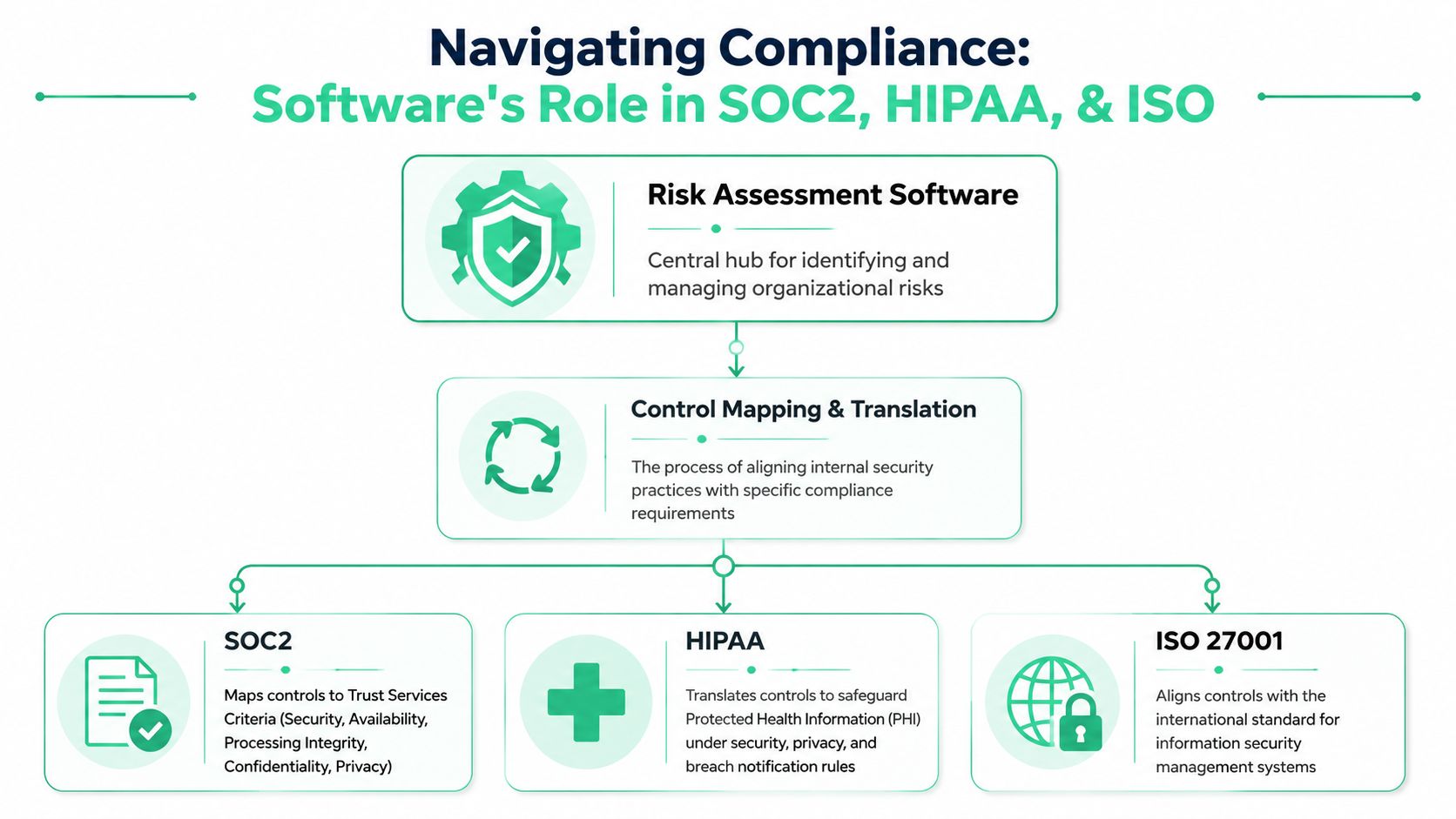
If your company turns on multi-factor authentication, limits access by role, and reviews logs, those actions may support requirements across more than one framework. The software helps you document that once, then map it many times.
Think of control mapping like a translator
Your team says, “We require MFA for privileged users.”
A SOC2 auditor may read that as a control supporting logical access. A HIPAA reviewer may see it as part of safeguarding protected health information. An ISO 27001 auditor may treat it as an access control measure. The control is the same. The labels change.
That's where a strong platform earns its keep. It links one internal control to multiple framework clauses so you don't rebuild your compliance program from scratch for every audit.
Here's a simple view:
| Internal practice | What the software does | Why it helps |
|---|---|---|
| MFA enforcement | Maps one control to multiple frameworks | Cuts duplicate documentation |
| Vendor review process | Connects third-party risk to compliance evidence | Makes due diligence easier to prove |
| Logging and alert review | Ties monitoring activities to control requirements | Gives auditors a cleaner trail |
Task-based assessments work better
This gets more useful when the platform supports task-based assessments instead of broad, vague checklists. That means assessing real activities, such as user onboarding, web app deployments, API handling, or administrator changes.
Task-based risk assessment software aligned with standards like ISO 12100 can cut risk reduction time by 60% compared to manual assessments when integrated with pentest findings, according to IBF Solutions on software risk assessment.
That makes sense in practice. Teams miss fewer issues when they review actual workflows instead of abstract policy questions.
- Startup flow: Who can provision accounts, disable logging, or expose data?
- API flow: What endpoints are public, authenticated, or overly permissive?
- Change process: Can risky code reach production without review?
Field advice: If your software only asks broad yes-or-no questions, it will miss the mess that lives inside daily operations.
PCI DSS is a good example. Payment security work is never just about checking a box. It's about connecting access, encryption, logging, segmentation, and testing into one auditable path. If you need a plain-English overview of global payment security standards, that resource helps.
For smaller teams juggling multiple frameworks, it also helps to spend some time understanding ISO 27001 vs SOC 2 costs before buying a tool that promises to do everything.
The Big Gap Software Alone Cant Fill
Here's the blunt truth. Risk assessment software gives you a theory of risk. A manual pentest gives you evidence. If you skip the second part, you're guessing.

A platform can tell you that exposed admin access is dangerous. It can't tell you whether an OSCP, CEH, or CREST-certified tester can chain that weakness with another bug and pull sensitive data in a few steps. That's what separates paperwork from actual security.
Software sees categories not exploit paths
Most tools rely on control gaps, questionnaires, scanner imports, and scorecards. Useful, yes. Complete, no.
Recent data shows 62% of breaches in 2025 stemmed from unpatched vulnerabilities missed by software-only scans, and integrating risk assessment with affordable, on-demand pentesting can reduce these false positives by 50% by simulating real attacks, according to Cynomi's review of risk assessment methods.
That should change how you use these platforms. A scanner might scream about ten issues that don't matter much in your setup, then miss the one attack chain a human tester can abuse in an hour.
Auditors and customers care about proof
Frustrated IT managers usually hit the wall. They've bought the software. They've filled in the controls. Then an auditor or enterprise prospect asks, “Have you had a recent penetration test?” Not a dashboard screenshot. Not a self-assessment. A real penetration test.
That request isn't unreasonable. If you run healthcare workflows, connected systems, or AI-enabled products, your software stack has edge cases that checklists won't catch. Teams working on secure AI voice agents for healthcare already know that compliance language and real-world exploitability are not the same thing.
Software tells you what should be risky. Penetration testing shows what an attacker can actually do.
The answer isn't to throw out your risk platform. The answer is to stop treating it like a substitute for pen testing, pentests, or manual penetration testing. Use the software to organize the work. Use a fast manual test to validate reality.
Choosing Software and Integrating a Pen Test
Buying the wrong platform is easy. Vendors sell enterprise dreams to teams that just need something affordable, usable, and audit-friendly. If you're an SMB or startup, keep your selection criteria brutally simple.
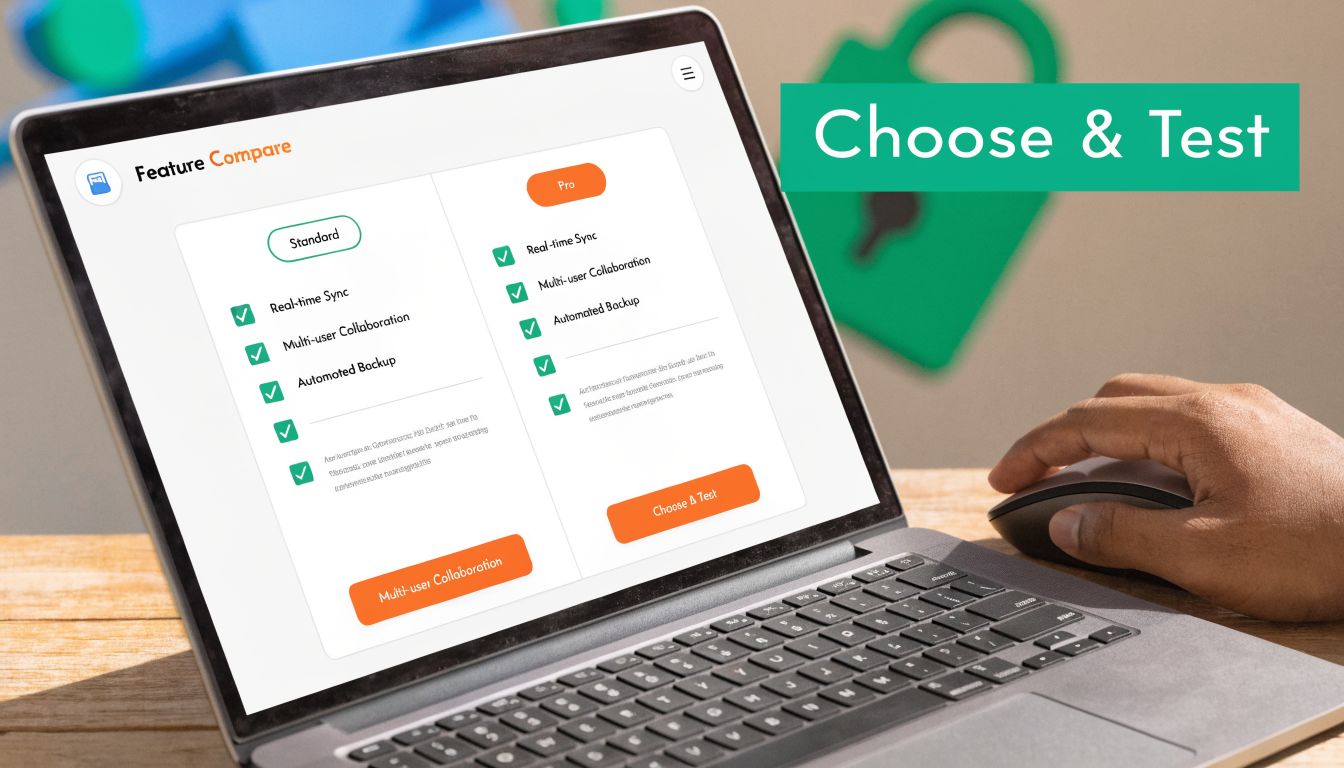
Around 70% of SMBs cite budget constraints as the top barrier to adopting GRC software, with enterprise adoption 40% higher because solutions often cost over $10,000 annually, according to MetricStream's overview of IT and cyber risk tools. So don't shop like a bank if you're a lean software company.
What to look for first
Skip the long feature checklist. Start with these buying criteria:
- Affordable pricing: If the platform eats your testing budget, it's a bad purchase.
- Simple workflow: Your IT team should learn it quickly without weeks of consulting.
- Framework support: It should cover the standards you need, not every acronym on earth.
- Evidence storage: You need to attach reports, screenshots, and remediation notes.
- Exportable reports: If you can't hand auditors a clean report, the tool is failing.
A product that does those basics well beats a bloated system your team avoids using.
How to plug in pentest findings
This part is easier than people think. Once you receive a clear penetration testing report, you feed the findings into the software's risk register and track them like any other business risk.
Use a workflow like this:
- Run a manual pentest on the systems that matter most, such as your web app, API, cloud config, or external attack surface.
- Take each finding and create a risk entry with severity, business impact, affected asset, and owner.
- Attach evidence from the penetration test report, including screenshots and proof of exploitability.
- Map the finding to the relevant compliance controls.
- Track remediation and retesting until the item is closed or formally accepted.
That turns your software into something useful. Not a theoretical heat map, but a living record of actual weaknesses, who owns them, and whether they were fixed.
Fastest path: Get a manual pen test report within a week, load the findings into the register, assign owners the same day, and use the platform to track proof of remediation.
If your environment is SaaS-heavy, a practical starting point is a guide to SaaS application security so you know what to scope before the test starts.
What not to do
Don't wait for the “perfect” platform. Don't delay testing until after the audit panic starts. And don't accept a penetration testing report with no meaningful findings if you know the scope included public-facing applications with real complexity.
A useful setup is simple. Affordable software. Certified testers. Clear report. Fast turnaround. Findings fed straight into the tool.
Your Action Plan for Managing Company Risk
Organizations often don't need a bigger security program; they need a cleaner one. Cyber attacks and data breaches were identified as the top global risk for 2025 in surveys of over 3,000 leaders, while siloed risk management affects over two-thirds of organizations, according to MarketsandMarkets risk analytics research.
If your risk work is split across tickets, spreadsheets, policies, and random screenshots, that's the first thing to fix.
Follow these four steps
Pick the compliance target first
Decide what you need right now. SOC2 Type 2, HIPAA safeguards, PCI DSS, ISO 27001, or a customer-driven security review. If you skip this step, you'll buy software that tracks the wrong things.Choose a lean risk assessment software platform
Prioritize usability, framework mapping, reporting, and evidence storage. If your team hates the interface, the platform will rot fast.Schedule a real manual pentest
Not just an automated scan. Get a pen test, penetration test, or penetration testing engagement performed by certified ethical hackers who can validate exploitability and produce an actionable report quickly.Load findings into the risk register and work them
Each validated issue becomes a tracked risk with an owner, due date, status, and supporting evidence. That's what turns compliance into an operating process instead of a yearly fire drill.
Keep the workflow tight
You do not need a giant committee for this. Your IT manager, security lead, compliance owner, and engineering contact can usually run the whole cycle if the tooling is clean and the testing report is usable.
A short checklist helps:
- Scope the highest-risk systems first
- Tie findings to business impact
- Assign one owner per issue
- Retest fixes before closing items
The teams that move fastest aren't doing more paperwork. They're removing ambiguity.
That's the whole play. Use software to organize risk. Use manual pentesting to prove what matters. Then show auditors and customers a program backed by evidence instead of guesswork.
Answering Your Top Risk Assessment Questions
Can I just use a spreadsheet
You can start there. For a tiny environment, it's better than pretending risk doesn't exist.
But spreadsheets break down fast. They don't handle evidence well, they're messy in audits, and they make ownership tracking harder than it should be. Risk assessment software exists because eventually you need a system of record, not a shared file no one trusts.
Does risk assessment software run a pen test
No. It manages risk information. It does not replace a pen test, pentest, or penetration test.
Some tools import scanner data or help score issues. That's useful, but it's not the same as a human tester exploiting weak auth, abusing business logic, or chaining flaws together.
Is automated scanning enough
No. Automated scanning is good for coverage and repeatability. It is not good enough for proving exploitability in actual scenarios.
Use scanners for hygiene. Use manual penetration testing for validation.
How long does this process usually take
The software setup depends on how organized your team is and how many frameworks you're juggling. The testing side should not drag on forever.
A good manual pentest engagement should move quickly, and the report should be clear enough that you can start loading findings into your register as soon as you receive it. That's how you get audit-ready in weeks instead of turning this into a long, expensive project.
What should I ask a pentesting provider
Ask who will do the work. Ask whether the testers hold certifications like OSCP, CEH, or CREST. Ask how fast the report comes back. Ask whether the report includes clear proof of exploitability and remediation advice your engineers can use.
If the answers are vague, keep looking.
If you need the testing side done right, Affordable Pentesting provides affordable manual pentests, pen tests, and penetration testing for SOC2, PCI DSS, HIPAA, ISO 27001, and more. Their certified pentesters, including OSCP, CEH, and CREST-aligned expertise, focus on clear findings, fast turnaround, and reports you can plug into your risk assessment software. Use the contact form to get a quote and move faster without paying enterprise-firm prices.