.svg)
Your team pushed a release on Tuesday. The app changed, an API changed, maybe your cloud settings changed too. But your last pentest happened months ago, and everyone is pretending that report still describes reality.
It doesn't.
That annual penetration test might satisfy a checkbox for a moment, but it doesn't protect a fast-moving startup. If you're shipping code regularly, running infrastructure updates, onboarding vendors, or chasing SOC 2 or PCI DSS, you need a security process that keeps pace. That's what continuous security testing is for.
The mistake I see all the time is buying into the false choice between slow manual testing and expensive automation platforms. You don't need a bloated all-in-one stack. You need a practical mix of automated checks in your pipeline and affordable manual pentests often enough to catch what tools miss.
What Is Continuous Security Testing Really
Most founders hear "continuous security testing" and think it means buying one giant platform. That's the wrong mental model. Continuous security testing is a process, not a magic box.
It means putting security checks into the normal way you build and ship software, so problems get caught while code is changing instead of long after a report lands in someone's inbox. If your developers use GitHub Actions, Jenkins, or another CI/CD workflow, security checks should run there too.
The old model is simple but broken. You book a pen test once a year, wait around, get a PDF, fix a few issues, and call it done. Meanwhile, the threat environment keeps moving. 21,085 new vulnerabilities were published in 2023, and 73% of data breaches exploit web applications, which is exactly why a point-in-time test can become stale within weeks according to Linford & Co's breakdown of continuous penetration security testing.
What it looks like in practice
A practical continuous security testing setup usually includes:
- Code checks early: SAST tools scan source code before risky code moves further down the line.
- App checks later: DAST tools test the running application in staging or test environments.
- Alerts that go to real people: Findings show up where developers already work, not in some ignored dashboard.
- Manual validation on a schedule: A human tester still needs to look for logic flaws, chained attacks, and the weird stuff automation misses.
That last point matters. Continuous testing doesn't replace a pentest. It makes your pentest more useful because the tester isn't wasting time on obvious low-level issues your pipeline should've caught already.
Practical rule: If your app changes more often than your penetration testing schedule, your security testing schedule is already wrong.
A good plain-English explanation of continuous penetration testing makes the same point from a different angle. Security has to match how software is built now, not how auditors imagined it years ago.
What it is not
Let's kill a few bad assumptions.
| Bad assumption | Reality |
|---|---|
| One annual pentest is enough | It gives you a snapshot, not ongoing coverage |
| A scanner alone solves the problem | Scanners catch patterns, not human mistakes in business logic |
| Continuous means expensive enterprise tooling | It can start with simple CI/CD checks and frequent manual pen tests |
| Compliance equals security | Compliance can require testing, but it doesn't guarantee meaningful coverage |
If you're a startup founder, here's the simple version. You don't inspect a car once, then drive it all year assuming nothing changed. Software changes faster than that. Your security testing should too.
Why Annual Penetration Testing Falls Short
Annual penetration testing fails for one reason. Your environment doesn't sit still.

A single penetration test is a snapshot. Startups don't operate as snapshots. They ship features, replace libraries, change authentication flows, expose new endpoints, tweak permissions, and spin up third-party integrations. By the time you get to month three or four after a pen test, you're often defending a different system than the one that was tested.
That mismatch is exactly why the market is shifting. The security testing market was valued at USD 14.67 billion in 2024 and is projected to reach USD 111.76 billion by 2033, growing at a CAGR of 25.6% from 2025 to 2033, while 96% of organizations alter IT quarterly, according to Grand View Research's security testing market analysis. That's not hype. That's a direct response to the fact that annual assessments can't keep up.
The real gap is between changes
Many groups think the problem is frequency. The real issue is timing.
If you do one pentest in January and release every week, almost everything shipped after that test enters production without meaningful human validation. The report may still be useful for baseline issues, but it no longer reflects your current attack surface.
Annual pen testing often misses the following:
- New web routes and APIs: Fresh code paths create fresh attack opportunities.
- Config drift: Security settings change during normal operations.
- Dependency risk: New packages and updates can introduce exposure after the test is done.
- Third-party changes: Vendors and integrations expand your attack surface without asking permission.
A yearly penetration test tells you what was true on test day. Attackers care about what's true today.
The status quo also wastes time and money. Traditional testing can burn one-third to one-half of budgets on non-testing prep according to the verified market data above, which means you're paying for scheduling, scoping, coordination, and admin overhead instead of actual testing depth.
Why this hurts startups more
Large enterprises can absorb bad assumptions for a while. Startups can't.
A startup usually has a smaller team, faster releases, and tighter budgets. That combination makes long testing cycles especially painful. You wait too long, pay too much, and get feedback after the developers have already moved on to the next sprint.
That delay isn't just annoying. It's dangerous. Threats don't pause while you're waiting for a report, and common attack paths keep evolving. If you want a recent example of how fast criminal activity adapts, this write-up on the rising threat of infostealer malware is worth reading because it shows how quickly exposed data gets operationalized.
What founders should do instead
Stop treating the annual pentest like a cure-all. Use it as one layer, not the whole strategy.
A better model looks like this:
- Automate common checks in CI/CD
- Run fast manual pentests more often
- Trigger extra testing after meaningful changes
- Keep evidence organized for auditors as you go
If you're changing your app every quarter or faster, annual penetration testing isn't a security strategy. It's paperwork.
How Continuous Security Testing Works In CI/CD
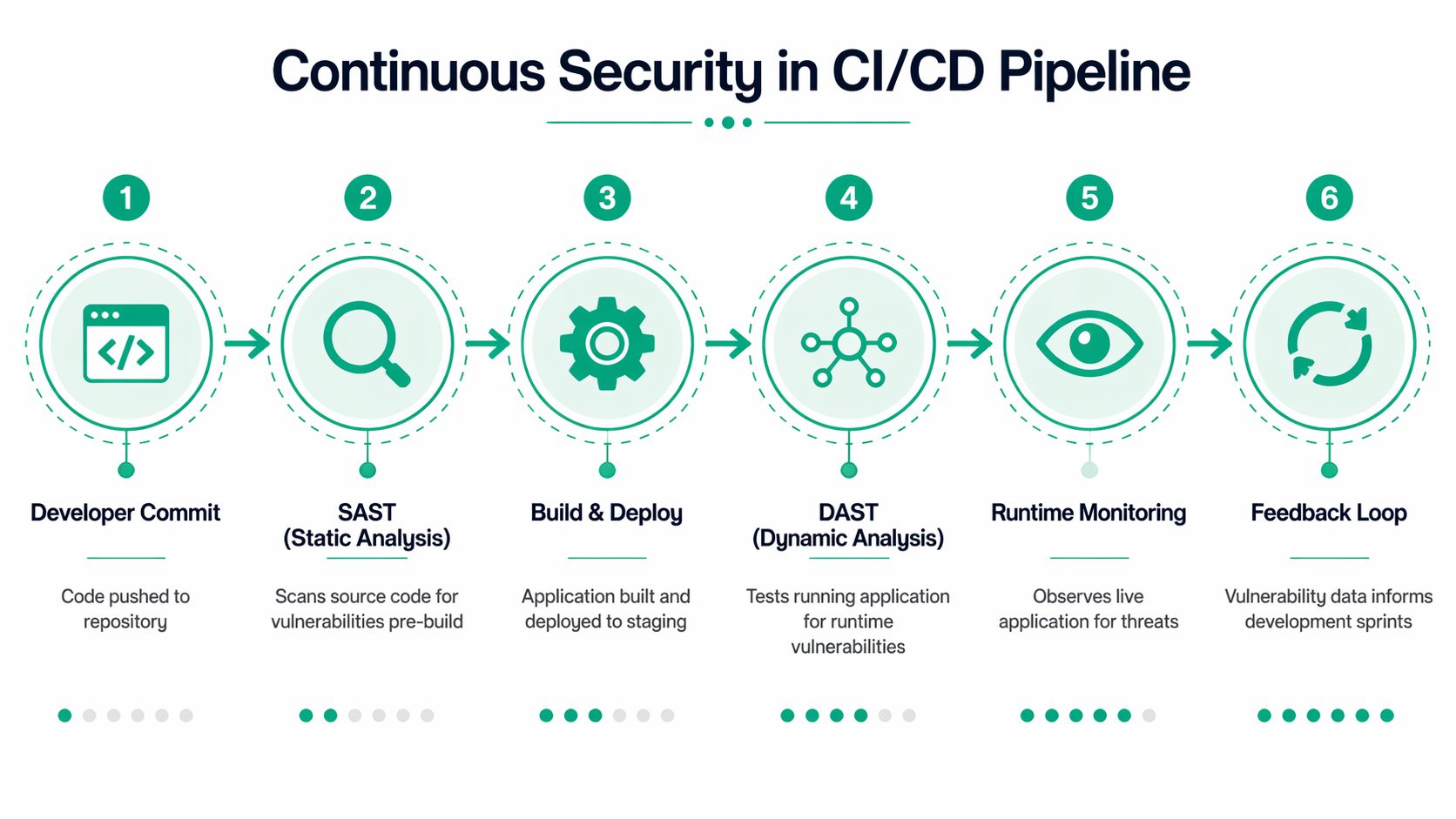
CI/CD is just an assembly line for software. Code moves from a developer's laptop to a repo, then through build, test, and deployment steps until it reaches users. Continuous security testing works when you add security checks along that line instead of bolting them on at the very end.
That matters because fixes are cheaper and faster when developers still remember what they changed. The whole point is immediate feedback.
Start with code before it runs
SAST stands for Static Application Security Testing. It reads source code without running the app and looks for insecure patterns like hard-coded credentials, unsafe input handling, or insecure deserialization.
This is your early warning system. It belongs near the commit and build stages, where tools such as Checkmarx or Fortify can flag problems before they get packaged and deployed. That's the "check the blueprint" phase.
DAST stands for Dynamic Application Security Testing. It tests the app while it's running, usually in staging, by behaving like an attacker. Tools like OWASP ZAP or Burp Suite send requests, fuzz inputs, and look for weak behavior such as SQL injection, XSS, open ports, and verbose error messages.
Where each check belongs
Here's the simple layout:
| Pipeline stage | Security action | Example tools |
|---|---|---|
| Commit | Scan code for insecure patterns | Checkmarx, Fortify |
| Build | Enforce security gates before artifacts move forward | Native CI/CD rules |
| Test or staging | Probe the running app for runtime issues | OWASP ZAP, Burp Suite |
| Deploy | Block or warn based on severity thresholds | GitHub Actions, Jenkins policies |
| Post-release | Review findings and feed them back to dev work | Tickets, chat alerts, sprint planning |
The goal isn't to make developers miserable. It's to stop obvious problems from reaching production.
According to Cobalt's guide to continuous security testing, integrating SAST and DAST into the CI/CD pipeline can automate detection of 80-90% of common vulnerabilities at commit time, and this shift-left approach can lead to 40-60% faster vulnerability fixes. That's the kind of gain teams experience because they stop fixing stale issues weeks later.
Gates versus alerts
You have two basic operating modes.
- Hard gates: The pipeline blocks deployment until critical issues are fixed.
- Soft alerts: The pipeline continues, but it pushes findings into Slack, Teams, Jira, or your issue tracker.
Use hard gates for high-risk issues in critical apps. Use alerts where the workflow is still maturing. If you gate everything on day one, developers will fight the process. If you alert on everything forever, nobody will act.
Use blocking rules sparingly at first. Block the findings that would embarrass you in front of a customer or an auditor.
Keep the stack simple
A lot of teams overbuy. They end up with five overlapping scanners, three dashboards, and no ownership. Don't do that.
Start with one SAST tool, one DAST tool, and a clean process for routing findings. If you want a practical primer on comparing options, this review of security testing automation tools is a useful place to sanity-check what belongs in a small or midsize environment.
A lean setup often works better than a giant platform because people use it.
Where manual testing still fits
CI/CD automation is great at scale and consistency. It's bad at creativity.
A scanner won't understand whether a user can abuse a refund workflow, bypass approval logic, or chain low-severity issues into a serious compromise. That's why continuous security testing in CI/CD should be treated as the first line, not the only line.
If you do this right, automation catches the routine stuff continuously. Then human testers spend their time on the dangerous, weird, high-context issues that are worth paying for.
What Security Metrics You Should Actually Track
Most security dashboards are clutter. They look impressive and tell you almost nothing.
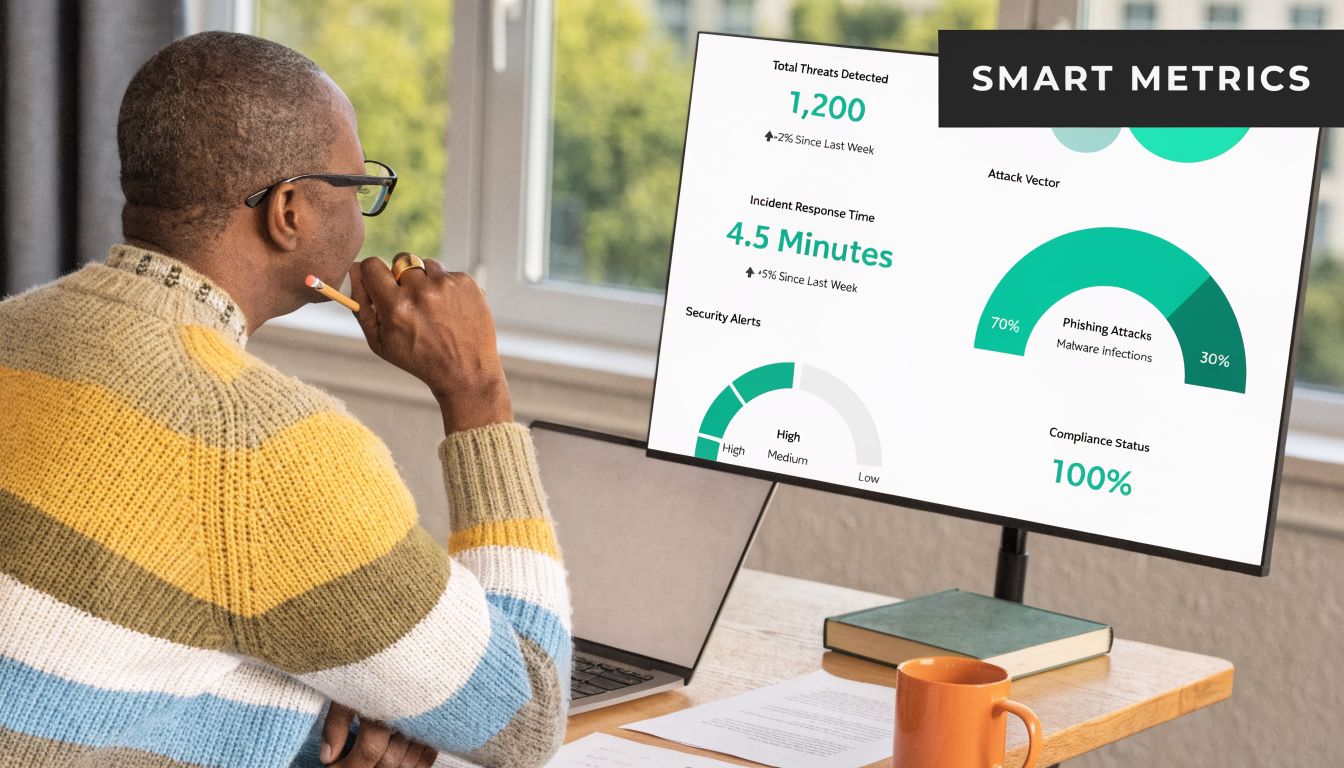
You don't need more charts. You need a few metrics that answer simple questions. Are we fixing issues fast enough? Is code quality improving or getting worse? Are we making audits easier or harder?
Track MTTR first
Mean Time to Remediate, or MTTR, is the most useful metric in most programs. It tells you how long it takes from identifying a vulnerability to fixing it.
That matters because finding issues is not the hard part anymore. Closing them is. If your team keeps piling up findings from scans and penetration testing but leaves them open, your security program is producing paperwork, not risk reduction.
A simple way to track MTTR:
- Start the clock when a finding is verified
- Stop the clock when the fix is deployed
- Review by severity so critical issues aren't buried under low-priority items
If you don't have this metric, your board updates and audit discussions are going to drift into guesswork.
Watch vulnerability density over time
Vulnerability density sounds technical, but the idea is simple. It measures how many security issues show up relative to the amount of code or application scope you're reviewing.
You don't need to obsess over precision. What matters is trend. If your team ships new features and density keeps rising, your development process is adding risk faster than your controls are catching it.
Use it to answer practical questions:
| Question | What the metric helps reveal |
|---|---|
| Are newer services cleaner than older ones | Whether teams are learning from past findings |
| Is one team producing repeat issues | Whether training or review discipline is weak |
| Are fixes improving future releases | Whether remediation is changing behavior |
This metric works well when paired with recurring pentests. Automation may show broad patterns. A penetration test often reveals whether those patterns are turning into exploitable weaknesses.
Measure time to pass audit
Founders usually don't think about this one until the audit gets painful. They should.
Time to pass audit measures how long it takes to gather evidence, resolve testing gaps, answer auditor questions, and clear the security portion of a compliance cycle. If that process drags, it usually means your controls aren't documented well, your testing isn't continuous enough, or your evidence is scattered.
Audits get easier when evidence is produced by normal work, not by a last-minute scramble.
Track this with plain operational notes. When did the auditor ask for proof of vulnerability management? How long did it take to provide scan records, pentest reports, remediation status, and retest evidence? If the answer is "too long," your process needs work.
A practical way to tighten this up is to connect findings and fixes in one workflow. This guide on vulnerability management best practices is useful if your current process is fragmented across spreadsheets, inboxes, and screenshots.
Skip vanity metrics
Don't waste time reporting things that sound active but don't prove progress.
Avoid leaning too hard on:
- Raw scan counts: More scans don't mean more security.
- Total findings: A high count may just mean your tool is noisy.
- Dashboard activity: Clicking around a portal isn't remediation.
The metrics that matter are the ones that show speed, quality, and audit readiness. Keep it boring. Boring metrics are usually the useful ones.
Using Continuous Testing For SOC 2 and PCI DSS
A lot of teams split security and compliance into two separate jobs. That's a mistake. If your security testing is set up properly, it should also make your audit life easier.
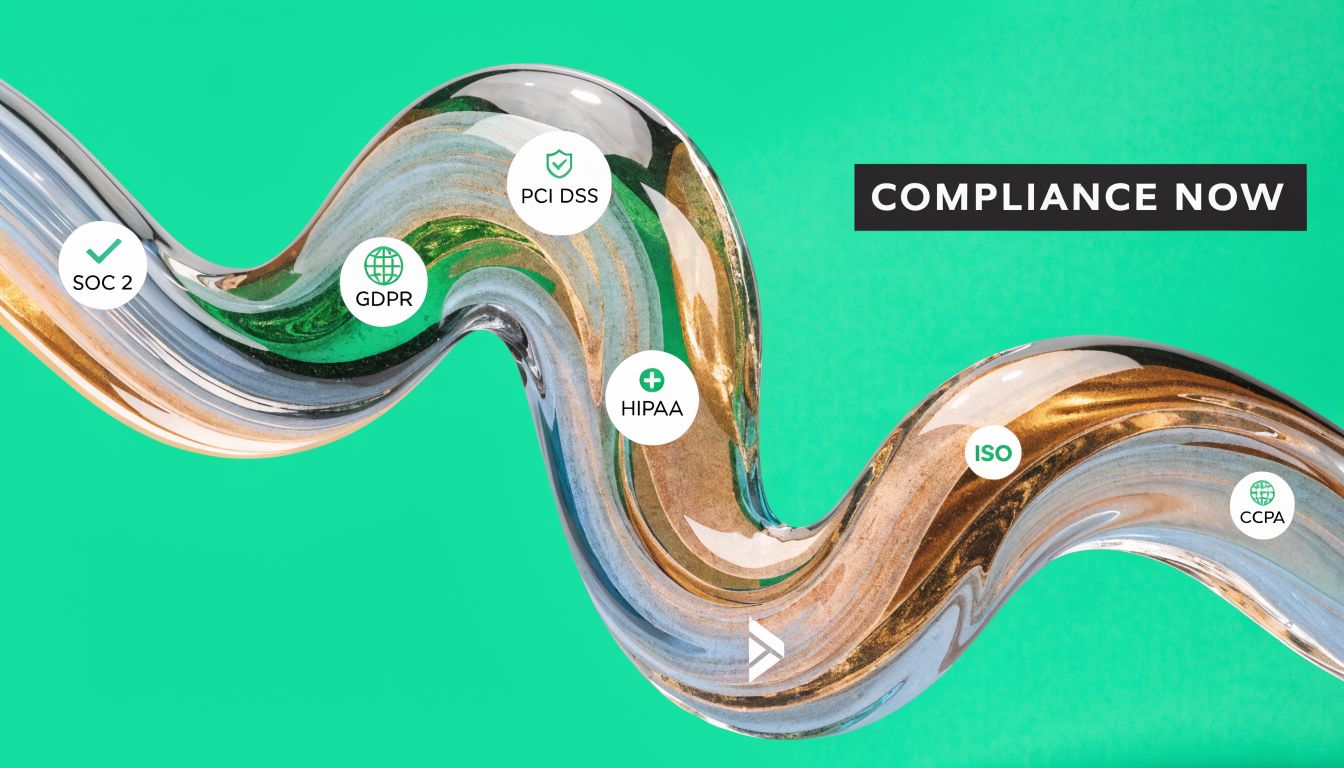
Continuous security testing helps because it creates a steady stream of evidence. Auditors want to see that you monitor systems, identify vulnerabilities, respond to them, and re-test after meaningful change. A once-a-year penetration test can help, but by itself it often leaves obvious gaps.
Where it fits for SOC 2
For SOC 2, continuous testing supports the kind of control operation auditors expect around monitoring and vulnerability management, including criteria commonly mapped to CC4.1 and CC7.1 in practice. If your pipeline runs code and application scans regularly, routes findings to owners, and tracks remediation, you have a much cleaner story to tell.
That story usually includes:
- Ongoing monitoring evidence: Scan logs, alerts, tickets, and retest records
- Vulnerability management proof: Findings tied to fixes and closure dates
- Change-aware testing: Security checks that run as releases happen
A hybrid approach holds particular relevance for smaller teams. According to the verified data, 65% of SMBs cite budget as a barrier to full-scale continuous testing, while a hybrid model combining automated scanning with affordable, frequent manual pentests can provide 80% of the compliance benefits at a fraction of the cost, directly supporting SOC 2 and PCI DSS needs, as described in this background discussion on budget barriers and hybrid testing.
That is the practical answer for most startups. Don't chase the biggest platform. Build enough testing continuity to produce evidence and catch risk.
How it supports PCI DSS
PCI DSS is less forgiving because payment environments change and attackers target them constantly. A clean process matters more than a flashy toolset.
Continuous testing helps support requirements around vulnerability scanning and security testing after significant changes. If your team updates checkout logic, payment APIs, access controls, or hosting components, you need a way to show those changes were assessed without waiting for the next annual cycle.
Here is a practical mapping:
| Compliance need | Continuous testing activity |
|---|---|
| Ongoing vulnerability visibility | Scheduled and pipeline-based scans |
| Testing after major changes | Triggered DAST and manual pen tests |
| Evidence for auditors | Reports, tickets, screenshots, retest notes |
| Verification of web app security | Automated checks plus manual validation |
Why manual pentests still belong in compliance
Auditors still care about a real penetration test because automated scans don't validate everything. That's especially true for authentication flows, role problems, business logic, and multi-step abuse cases.
A good pattern for SMBs is simple. Automate the repeatable checks, then add frequent manual testing to cover what tools can't. If you're preparing for an attestation cycle, a focused resource on SOC 2 penetration testing can help you line up the testing evidence auditors usually expect.
Compliance gets cheaper when testing is part of operations. It gets expensive when you try to manufacture evidence right before the audit.
If you're responsible for GRC, don't ask whether continuous testing replaces compliance testing. Ask how it reduces audit friction while improving actual security. That's the better question.
When To Use Manual Penetration Testing
Automation is useful. It is not smart.
A scanner can tell you that an input field looks dangerous or a header is missing. It usually can't tell you that a low-privilege user can abuse a billing workflow, jump into another tenant's data, or manipulate a multi-step approval process in a way your business never intended. That's where manual penetration testing earns its keep.
What humans catch that tools miss
Manual pentesters think like attackers. They don't just run signatures. They test assumptions.
That matters for issues like:
- Business logic flaws: Abuse of workflows that are technically functional but insecure
- Authorization mistakes: Cases where users can do something they shouldn't
- Multi-step attack chains: Small issues that become serious when combined
- Context-specific API abuse: Behavior that looks normal to a scanner but dangerous to a human
This is why I push back when teams say they already have scanning covered. Good. Keep it. But don't confuse broad coverage with deep validation.
The verified data makes this clear. A hybrid approach is most effective because Continuous Penetration Testing uses automation for routine scans but still depends on manual ethical hackers to validate complex issues like business logic flaws, and that manual validation can reduce exposure windows by 70-90% compared to quarterly tests alone, according to Sisa's overview of continuous penetration testing.
When a manual pentest should happen
You don't need to guess. Schedule a manual pen test when one of these happens:
- Before a compliance milestone such as SOC 2, PCI DSS, HIPAA, or ISO 27001 evidence review
- After major application changes like auth rewrites, payment changes, or new admin functions
- Before a customer security review when enterprise buyers ask hard questions
- On a recurring cadence if your app changes often enough that stale results become useless fast
The old "one big annual penetration test" model breaks down. It bunches all your testing into one painful event, usually with a long wait for scheduling and a slow report. That's the wrong fit for startups.
What to look for in a pen testing provider
You want testers who can explain findings clearly and move quickly. Certifications matter because they show baseline discipline. For many buyers, OSCP, CEH, and CREST are reasonable signals that the tester has put in the work.
You also want a process that respects speed. If your report shows up long after the sprint is over, you've already lost momentum. Getting useful findings back within a week is far more practical for modern teams than waiting through a long consulting cycle.
A helpful example of how the market describes Pen Testing Services shows the broad range of services out there, but don't get distracted by service menus. The question is whether the provider delivers actionable findings fast enough for your team to use them.
The budget move that makes sense
Here's my opinion. Most SMBs should stop paying for one oversized annual engagement and start budgeting for more frequent, affordable pentests layered on top of automated checks.
That gives you:
| Approach | What usually happens |
|---|---|
| One annual penetration test | Big delay, stale results, weak change coverage |
| Automation only | Broad detection, weak human validation |
| Frequent manual pentests plus automation | Better coverage, faster learning, cleaner audit trail |
One practical option in that model is Affordable Pentesting, which offers ongoing penetration testing for startups and SMBs and uses certified testers including OSCP, CEH, and CREST professionals. That's the type of service model that fits teams that need recurring manual validation without enterprise-sized pricing.
Manual testing should not be rare. It should be targeted, fast, and affordable enough that you can repeat it.
A Simple Checklist For Getting Started Today
You don't need a six-month transformation plan. You need a short list and someone assigned to each item.
Start with the apps that matter
Make a list of your internet-facing applications, APIs, and admin panels. Then rank them by business risk. Payment flow, login, customer data, and admin functions should sit at the top.
If you try to secure everything at once, you'll stall. Start with the systems that would hurt most if they failed.
Add basic automation to your pipeline
Pick a SAST tool and put it in the code workflow your team already uses. If you use GitHub Actions or Jenkins, wire the scanner into pull requests or builds so developers see issues while changes are fresh.
Then set up a DAST scanner against staging. You want the app tested while it's running, not just the source code reviewed in isolation.
Use this short checklist:
- Choose one SAST tool: Keep it simple and make sure developers can see findings quickly.
- Choose one DAST tool: Run it against a test or staging environment that reflects production.
- Route alerts somewhere visible: Slack, Teams, Jira, or whatever your team already checks.
- Set build rules carefully: Block only the highest-risk findings first.
Book manual testing early
Don't wait until the audit is close or a customer asks for a report. Schedule a manual pentest early enough that your team can fix what gets found.
That test should establish a baseline and uncover the logic and workflow issues automation won't catch. If you're moving quickly, repeat the pen test on a practical cadence instead of treating it like a once-a-year ritual.
If you only buy tools and never pay for human validation, you're leaving the most interesting flaws for attackers to discover first.
Review the process after one quarter
After one quarter, check a few things:
- Are findings getting fixed quickly
- Are the same mistakes repeating
- Are developers ignoring alerts
- Is audit evidence easier to collect than before
If the answer is no, don't buy more tools yet. Fix ownership first.
Avoid the common mistakes
Teams often fail in predictable ways:
- Tool sprawl: Too many overlapping scanners, no clear owner
- Alert overload: Everything is urgent, so nothing is
- Compliance-only thinking: Testing exists to reduce risk, not just produce a PDF
- Skipping re-tests: A fix isn't done until it's verified
- Slow reporting from providers: Findings lose value when they arrive too late to act on
The smart path is not complicated. Automate what machines do well. Use manual penetration testing where human judgment matters. Keep the process lean enough that your team will follow it.
If your team needs a practical mix of continuous checks and fast manual pentesting, Affordable Pentesting is built for startups and SMBs that need affordable testing, clear findings, and reports within a week. If you're working toward SOC 2, PCI DSS, HIPAA, or just want a pen test process that matches modern development, use the contact form and start with a scoped conversation.