.svg)
You’re probably in the same spot as a lot of startup CTOs and IT managers right now. The product team wants faster releases, the auditor wants proof, and someone on the leadership side just asked whether you can “automate security” and be done with it.
You can automate a lot. You should automate a lot. But if you trust automation alone, you’re setting yourself up for missed flaws, noisy results, wasted engineering time, and ugly audit conversations. The right move is simpler than most vendors make it sound: automate the repeatable checks, then use targeted pentest, pen testing, and penetration testing work to find what scanners can’t.
Why Security Automation Is a Double-Edged Sword
A fast-growing company usually hits the same wall. One day it’s shipping features twice a week. The next day it needs SOC 2, PCI DSS, HIPAA, or ISO 27001 evidence, and suddenly every release feels risky.
The obvious answer sounds attractive. Put security testing automation into the pipeline, run scans on every commit, generate reports, and tell everyone the problem is solved. That’s the trap.

Automation is now standard practice
Security testing automation is no longer niche. Adoption rose from 8.2% in 2021 to 39.5% in 2024, which shows how it has become integral to modern DevOps workflows, according to automation testing trends for 2025.
That growth makes sense. Teams release faster now. Manual review alone can’t keep up. If you want a useful directory of tools around security, there are plenty of categories to explore, from scanners to monitoring platforms.
The problem is false confidence
Automation is great at checking the same things over and over. It catches known patterns. It helps you enforce process. It creates evidence that auditors like to see. None of that means it understands your application.
A scanner doesn’t know whether a refund flow can be abused. It doesn’t know if a regular user can chain harmless-looking steps into admin access. It doesn’t know whether your tenant isolation works in real business scenarios.
Practical rule: If a tool gives you a clean dashboard, that means it checked what it knows how to check. It does not mean your app is hard to break.
The false choice wastes money
A lot of teams think they have two options. Either buy more automation and hope it covers enough, or pay a traditional penetration testing firm that takes forever and returns a bloated report with little value.
That’s the wrong framing. You need automation for breadth and speed. You need a pentest, a pen test, and targeted penetration testing for depth and context. The teams that combine both usually waste less time because developers stop chasing scanner noise and start fixing issues that matter.
Understanding The Different Types Of Automated Tests
Most leaders hear a pile of acronyms and tune out. Don’t. These tools do different jobs, and if you mix them up, you’ll buy the wrong thing and expect magic from it.
SAST checks your code early
SAST means Static Application Security Testing. It's akin to a grammar checker for code. It reads the source before the app runs and flags risky patterns like unsafe input handling or insecure functions.
That’s why SAST belongs close to developers. It works best when it runs during coding and code review, not as a last-minute surprise before release. If you want a concrete example of a static analysis platform, this overview of SonarQube for static code analysis is a useful reference.
DAST attacks the running app
DAST means Dynamic Application Security Testing. It looks at your application from the outside while it’s running, more like a basic attacker would. It tests forms, endpoints, and responses to see what breaks.
This is the scanner that helps you catch issues in staging or pre-production. It’s useful because code can look fine on paper and still fail once authentication, sessions, headers, and runtime behavior enter the picture.
SCA checks your ingredients
SCA means Software Composition Analysis. Your developers didn’t write every line in your app. They pulled in libraries, packages, frameworks, and plugins. SCA checks those ingredients for known vulnerable components.
The food label analogy works well here. You don’t just care whether the meal tastes good. You care whether one ingredient was recalled and could poison the whole thing.
IAST tries to add runtime context
IAST means Interactive Application Security Testing. It sits closer to the running app and gathers information while tests execute. In plain English, it tries to combine code awareness with runtime behavior.
That sounds great, and it can be useful, but it still doesn’t replace human thinking. It gives better visibility into how an application behaves. It does not understand whether your business rules make sense.
A tool can tell you a door is unlocked. A pentester can tell you the unlocked door leads straight to payroll.
AI is changing how teams use these tools
By 2025, 72% of QA professionals use AI for tasks like test case generation, which shows how fast AI-driven automation is shaping work around tools like SAST and DAST, according to Omdia’s penetration testing market outlook.
That doesn’t mean AI solved application security. It means teams can generate checks faster. Speed helps. Blind trust does not.
If you want a practical roundup of categories and common platforms, this guide to security testing automation tools is a good starting point.
What each tool is actually good at
| Test type | Best use | What it misses |
|---|---|---|
| SAST | Code-level issues before deployment | Runtime behavior and business context |
| DAST | Web app behavior from the outside | Deep code paths and logic-heavy abuse |
| SCA | Vulnerable dependencies and libraries | Custom application flaws |
| IAST | More context during app execution | Human intent and workflow abuse |
The mistake is expecting one category to do all four jobs. That’s how teams end up with expensive tools, false confidence, and missed findings.
How To Integrate Security Into Your Pipeline
Security testing automation works when it fits the development pipeline instead of fighting it. If every check blocks the team for unclear reasons, developers will ignore it or work around it. If the checks are placed well, security becomes part of normal delivery.
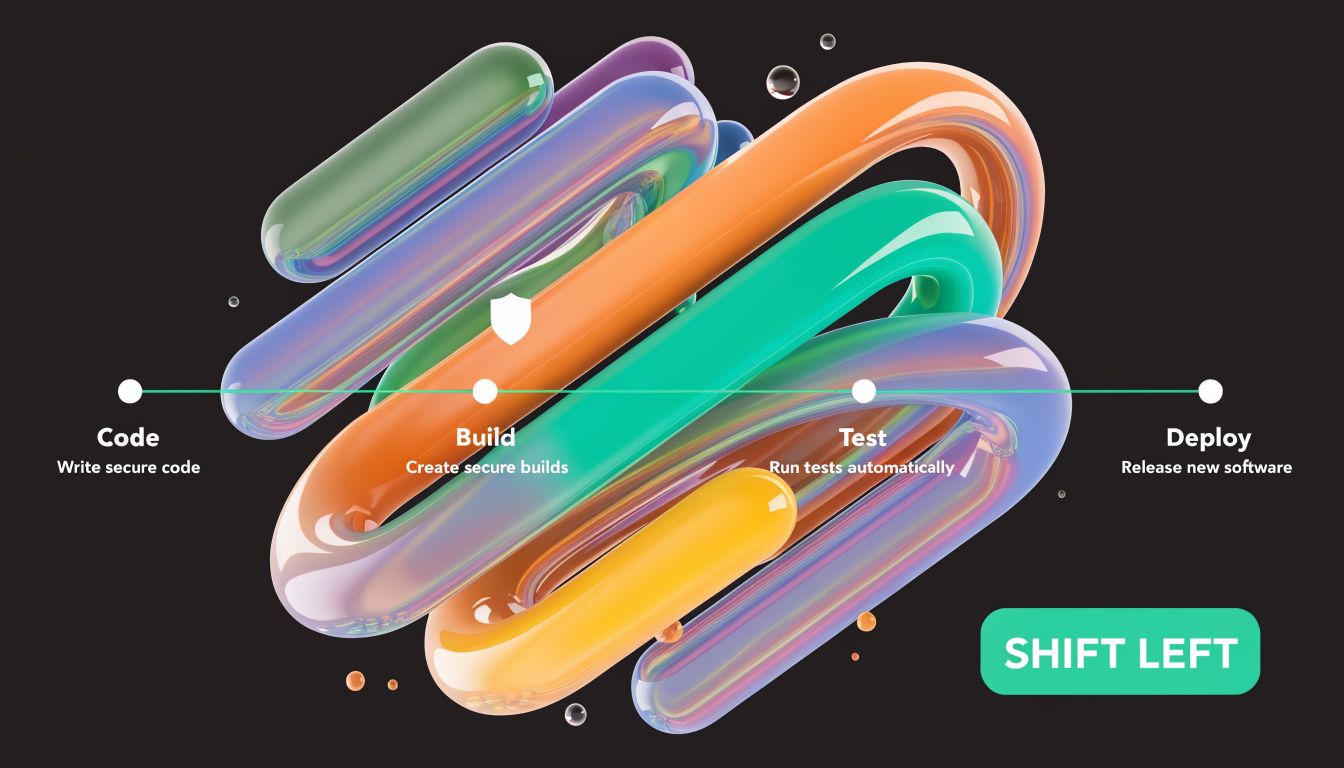
Put the right checks in the right place
A simple pipeline usually has four stages. Code, build, test, deploy. Each stage should answer a different security question.
During code
Run SAST as close to the commit or pull request as possible. Developers need fast feedback while they still remember what they changed.During build
Check third-party packages and dependencies with SCA. During this stage, bad library choices should get flagged before they move downstream.During test
Run DAST against a staging environment that looks like production. That gives the scanner real pages, real flows, and real auth patterns to inspect.Before deploy
Review high-risk findings, confirm ownership, and decide what must block release versus what can be scheduled.
Shift left because late fixes are expensive
This part isn’t theory. Integrating SAST into CI/CD can reduce remediation costs by up to 100x compared to fixing vulnerabilities in production, according to this write-up on security test automation in CI/CD.
That’s the strongest argument for early checks. A bad pattern caught in a pull request is a developer task. The same issue found after release becomes an incident, a hotfix, an audit headache, and sometimes a customer trust problem.
What works in practice: Fail builds only on issues your team has agreed are severe enough to matter. If you block every warning, your pipeline becomes wallpaper.
Don’t turn your pipeline into a punishment system
A lot of teams make a major error: they install tools, accept default rules, and flood developers with alerts they don’t understand. Then they wonder why nobody trusts AppSec.
Use a tighter approach:
- Tune first: Start with meaningful rules, not every rule.
- Assign ownership: Findings need a person or team attached.
- Separate urgent from routine: Not every issue deserves a release stop.
- Track repeat offenders: If the same class of bug appears often, fix the development pattern, not just the individual ticket.
A clean process beats a loud process.
Build a security tollgate, not a traffic jam
Your CI/CD pipeline should act like a tollgate. It checks what passes through, rejects obvious risks, and records evidence. It should not try to replace a real attacker.
Here’s a simple model that works for lean teams:
| Pipeline stage | Primary security check | Why it belongs there |
|---|---|---|
| Commit or pull request | SAST | Fast feedback while code is fresh |
| Build | SCA | Catch risky libraries before packaging |
| Staging | DAST | Test the live behavior of the app |
| Release review | Human review of high-risk issues | Decide what actually blocks launch |
If you’re building this process now, a guide on continuous security testing can help frame how these checks fit into release flow without overwhelming developers.
Leave room for human validation
A pipeline is good at repetition. A pentester is good at judgment. Your process should assume both are needed.
That means the pipeline handles the constant, boring, high-frequency checks. Then a human penetration test targets areas where logic, permissions, state changes, account roles, and sensitive workflows matter most.
Using Automation To Help Pass Compliance Audits
Automation helps with compliance because auditors don’t just want good intentions. They want proof that you run checks consistently, review findings, and follow a repeatable process.
That’s where security testing automation earns its keep. It creates logs, histories, tickets, scan outputs, and evidence you can point to during a review.
What automation proves to auditors
For frameworks like SOC 2, PCI DSS, HIPAA, and ISO 27001, automation helps show that security controls are not random. You can demonstrate that code changes trigger checks, dependencies are reviewed, and internet-facing applications are scanned on a repeatable basis.
That matters because audits reward discipline. A documented process with evidence is much easier to defend than a verbal promise that “the team keeps an eye on security.”
Where scanner reports help most
Automated checks are especially useful for showing that you handle the basics:
- Code review support: SAST outputs show that source code gets checked for common security flaws.
- Application exposure checks: DAST reports show that web app behavior is being tested before release.
- Dependency hygiene: SCA outputs show that third-party packages are monitored.
- Operational consistency: Pipeline logs show that these checks happen as part of delivery, not as a one-time cleanup effort.
If you need a clearer picture of how automated scanning fits into audit prep, this article on automated penetration testing is useful background.
What auditors still ask after the scan report
A scanner report is not the same thing as a penetration test report. Good auditors know the difference. They know a tool can check common flaws without validating how an actual attacker might chain weaknesses together.
That’s why relying on automation alone can backfire in audits. You show them a dashboard and they ask the obvious next question. Who tested the application like a real adversary?
Auditors usually trust automation as evidence of process. They trust manual penetration testing as evidence of depth.
Compliance is about control, not checkbox theater
A lot of teams chase the wrong outcome. They want to “pass” the audit by producing enough paperwork. That mindset creates weak security programs and frustrating rework later.
A better approach is to use automation for continuous control and use manual pentest work to validate the important edges. That combination is easier to defend because it matches how security works. Repeatable checks cover the known and frequent. Human testing covers the contextual and dangerous.
The strongest audit story is a hybrid one
When you explain your program, keep it plain:
| Audit concern | Best evidence |
|---|---|
| Are security checks repeated consistently | CI/CD security automation logs and scan histories |
| Are common flaws identified early | SAST, DAST, and SCA outputs with remediation tracking |
| Are serious application risks validated by experts | Manual pentest, pen test, and penetration testing reports |
| Can leadership show ongoing oversight | Tickets, exception reviews, and retest documentation |
That story makes sense because it mirrors reality. Automation proves coverage. Manual testing proves judgment.
The Critical Flaws That Automation Always Misses
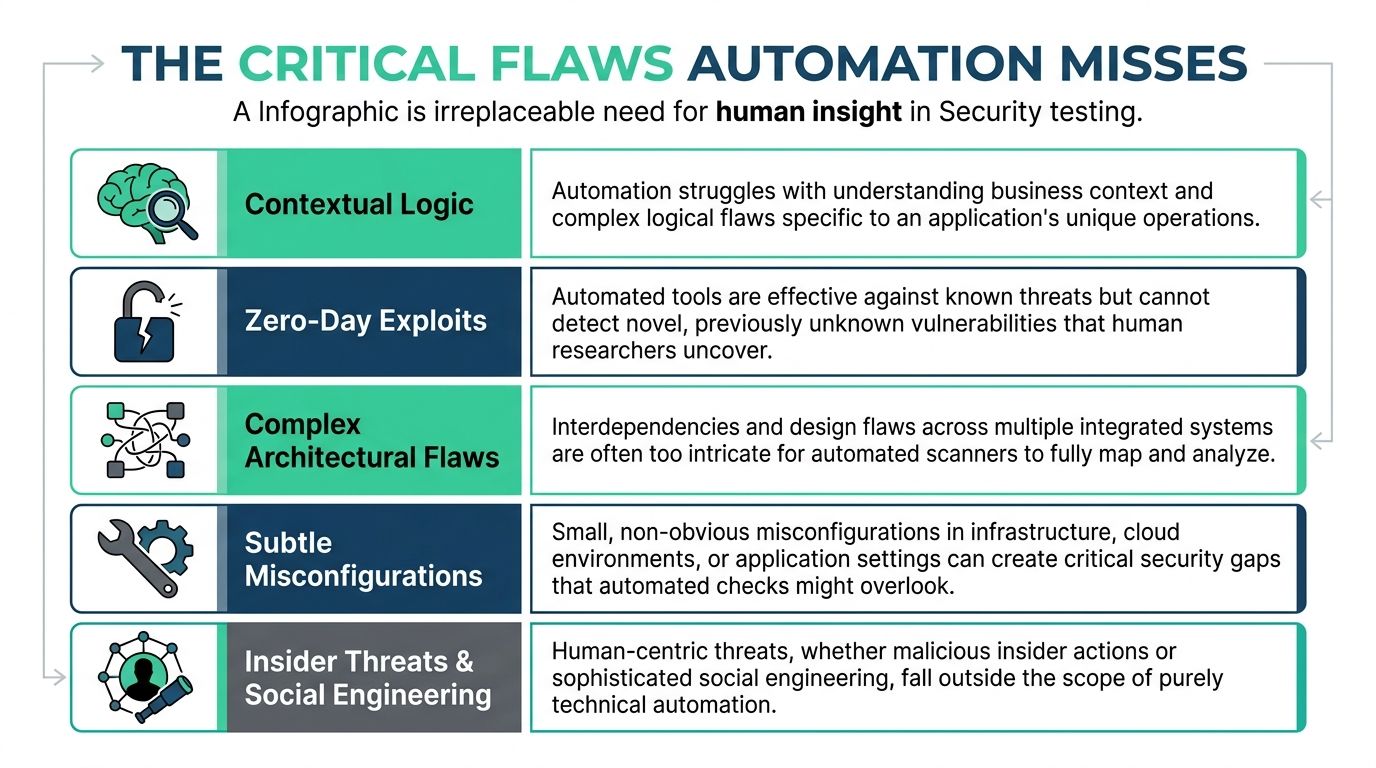
This is the part vendors like to blur. Automated scanners are useful, but they do not understand your business. They don’t know what a customer should or shouldn’t be allowed to do in your exact workflow.
That gap matters because some of the worst application flaws live inside normal-looking features. The app works as designed. The design is the problem.
Business logic flaws are the big blind spot
Automation fails to detect complex business logic flaws, such as improper workflow validation and privilege escalation paths. Those flaws caused 51% of OWASP Top 10 incidents in 2025 audits, according to this analysis of business logic flaws that scanners miss.
That stat should change how you budget. If the issue class that hurts companies most often is the one scanners keep missing, then full automation isn’t just incomplete. It’s a bad strategy.
What these flaws look like in real apps
A business logic flaw doesn’t have to be flashy. It often hides inside a valid feature:
- Broken approval flow: A user submits a request, changes a hidden parameter, and approves their own action.
- Tenant boundary failure: One customer can access another customer’s records because the app trusts an ID instead of enforcing account context.
- Privilege escalation through workflow: A normal user follows steps in the right order and reaches a function that was meant only for staff.
- Abuse of discounts, credits, or refunds: The app applies business rules inconsistently and lets a user extract value without breaking authentication.
A scanner can test whether input is sanitized. It usually can’t reason through whether your refund sequence makes any business sense.
A spell-checker can clean up a sentence. It cannot tell you the argument is nonsense. Security automation has the same limitation.
Humans find patterns tools can’t infer
Certified testers look for contradictions. If your app says “only admins can do this,” they try to prove otherwise. If your process assumes step two can only happen after step one, they try step two first.
That’s why manual pentest work matters. A real penetration test is not just a list of scanner outputs with branding on top. It’s someone thinking through misuse cases, chaining behaviors, and validating impact.
Automation vs Manual Pentesting
| Vulnerability Type | Automated Scanning | Manual Penetration Testing |
|---|---|---|
| SQL injection and common input flaws | Usually good coverage | Confirms exploitability and impact |
| Known vulnerable dependencies | Strong for detection | Useful for validation in context |
| Misconfigurations with clear signatures | Often catches obvious cases | Finds subtle edge cases and chained risk |
| Business logic abuse | Weak | Strong |
| Privilege escalation through workflow | Weak | Strong |
| Multi-step attack chains | Limited | Strong |
| Role and tenant isolation failures | Inconsistent | Strong |
What targeted manual testing should focus on
If budget is tight, don’t ask for a giant engagement that tests everything equally. Aim manual penetration testing where your risk is highest.
Focus on:
Authentication and authorization
Login, password reset, roles, permissions, and account recovery.Money and sensitive data flows
Payments, invoices, refunds, claims, exports, and record access.Admin functions
Anything that changes user rights, billing, or system-wide settings.APIs with business significance
Not every endpoint matters equally. Test the ones tied to access, money, identity, and regulated data.
The right pentester isn’t just clicking buttons. They’re asking where your business would hurt most if a smart attacker got creative.
A Practical Security Roadmap For Lean Teams
Friday afternoon, your team is pushing a release before a customer demo. The pipeline is green, the scanners are quiet, and everyone assumes security is covered. Two weeks later, an auditor asks for evidence around access control, or a customer reports they could see another account’s data through a valid workflow. That is how lean teams get burned. Full automation creates false confidence. A lean program should use automation for coverage and bring in human testers where mistakes get expensive.
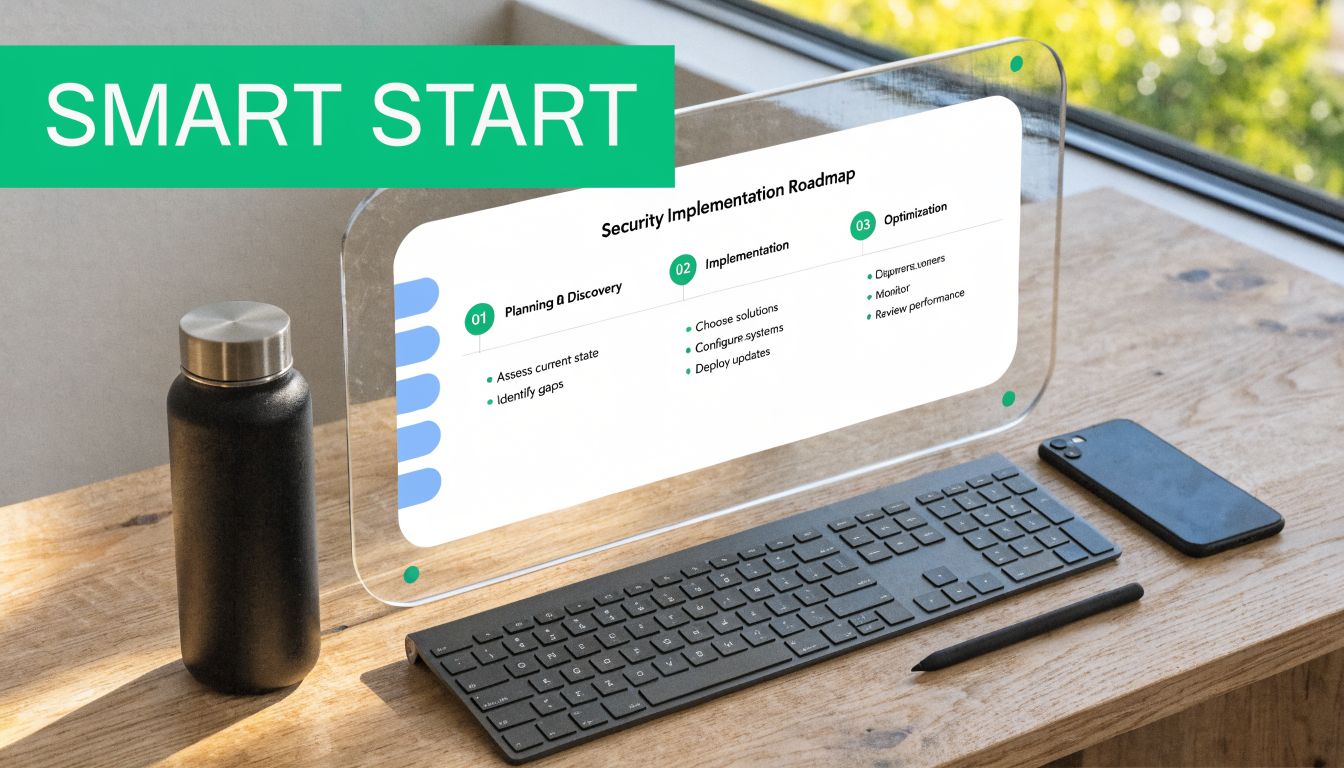
Phase one starts with basic coverage
Start with the checks that are cheap to run and easy to maintain. For web applications, OWASP ZAP is a practical DAST option. For repositories, use the security scanning already built into GitHub or GitLab. For dependencies, turn on package and library checks in every build.
The goal is simple. Catch common mistakes early without slowing product delivery or buying a giant platform your team will ignore.
Phase two puts automation into the workflow
Security tools fail when they sit off to the side. Put SAST in pull requests. Run SCA during builds. Schedule DAST in staging before release candidates. Route findings into the same ticketing and chat systems engineers already use.
Keep the process boring. Boring gets done.
Set release gates carefully. Block builds for confirmed high-severity issues and known policy violations. Send lower-confidence findings to triage. If every warning stops shipping, developers will tune security out within a sprint.
Phase three adds targeted human testing
This approach allows lean teams to save money. Do not pay for a giant assessment that spreads effort evenly across low-risk and high-risk features. Scope manual testing around the workflows that matter to the business and the controls auditors care about.
A focused pen test gives clearer priorities than another month of scanner noise. It tells you whether a user can bypass approval steps, move across tenants, abuse refund logic, or reach admin actions through a sequence the tools never understood.
Budget rule: Automate broad coverage year-round. Use manual pentesting for the parts of the app where business rules, access control, and compliance risk live.
What a lean team should do each cycle
Use a simple operating cadence:
On every code change
Run SAST and dependency checks.Before meaningful releases
Run DAST in staging and review critical findings.Quarterly, or before an audit
Perform a scoped manual pentest focused on authentication, authorization, sensitive workflows, and admin functions.After fixes
Retest the exact issues found and store the evidence for auditors.
The same model applies outside custom apps. If you run WordPress, automation can flag common issues quickly, but specialized help such as WordPress malware removal is still the right call when cleanup, validation, and recovery need hands-on work.
Who should perform the manual work
Use qualified testers with recognizable credentials such as OSCP, CEH, and CREST. Certifications are not a guarantee of skill, but they set a baseline. More important, ask how they scope tests, how they validate exploitability, and whether they have experience with SaaS authorization, multi-tenant applications, and compliance-driven environments.
Skip vendors who hand you a scanner report with branding and call it a pentest.
One practical option in this market is Affordable Pentesting, which provides penetration testing for compliance-driven teams and focuses on startup and SMB use cases.
What to expect from a useful engagement
A good engagement should give your team decisions, not just findings.
| Requirement | What good looks like |
|---|---|
| Affordability | Scoped testing aimed at the highest-risk workflows and controls |
| Speed | Reporting fast enough to support release planning and audit deadlines |
| Depth | Human validation of access control, workflow abuse, and business logic flaws |
Lean teams do not need a 70-page report stuffed with low-confidence noise. They need a short list of validated issues, clear remediation guidance, and evidence they can hand to customers and auditors. That is the hybrid model. Cheap automation for continuous coverage, skilled humans for the failures that matter.
Frequently Asked Security Automation Questions
A startup ships on Friday. The scanners are green. On Monday, a customer finds they can view another tenant’s invoices by chaining two harmless-looking features together. That is why full automation is a trap. It catches known patterns at scale, but it does not understand how your product can be abused. Lean teams should use both. Cheap automation for daily coverage, and targeted manual pentesting for the workflows that can hurt revenue, trust, and audit outcomes.
Can security testing automation replace a pentest
No. Automation checks for known issues quickly and repeatedly. A pentest checks how an attacker would use your app, your roles, and your workflows to get somewhere they should not.
If a vendor sells scanner output as a pentest, walk away.
Should startups still automate security testing
Yes. Start early and keep it running in the pipeline. That gives your team fast feedback on common mistakes and a record of recurring checks for audit evidence.
Do not confuse coverage with assurance. A long list of automated checks does not prove your app is hard to abuse.
What does automation do best
Use it for repeatable detection. SAST, dependency scanning, container checks, secret scanning, and routine web testing belong here.
Automation is strongest when the pattern is known and the signal can be checked the same way every time.
What does manual penetration testing do better
Manual testing finds the failures that cost startups the most. Broken authorization, workflow abuse, tenant isolation mistakes, weak admin controls, and multi-step attacks across features.
These are business logic problems. Scanners miss them because they do not understand intent.
How do we manage alert fatigue
Set severity rules your team will respect. Assign an owner for each class of finding. Only block releases for issues tied to real risk, such as exposed secrets, exploitable dependencies, or confirmed high-impact flaws.
If every warning is urgent, none of them are.
Do auditors accept automated scan reports
Yes, as evidence that you run security checks on a schedule. No, as a full substitute for manual testing when customer data, regulated systems, payment flows, or sensitive admin functions are in scope.
Auditors want proof that controls exist and proof that high-risk areas were tested with judgment.
We have a small budget. Where should we start
Start with low-cost automation in the development flow. SAST, SCA, and basic DAST cover a lot of routine mistakes for a modest spend.
Then buy a scoped manual pentest for the parts that matter most: authentication, authorization, admin actions, APIs, billing, file access, and data exports. That hybrid model gives SMBs the best return. You keep continuous coverage without paying for humans to verify low-risk noise, and you still test the attack paths that scanners miss.
How often should we do a manual pen test
Tie it to meaningful change, not the calendar alone. Test after major feature releases, architecture changes, new integrations, permission model changes, or before an audit if the app is in scope.
If your product changes fast, annual testing is not enough.
What should a startup expect from a good pentest report
Expect a report your engineers can use this week. It should explain impact, affected workflows, proof of exploitability, and the fix in plain language.
Short beats bloated. A useful report helps you decide what blocks launch, what can wait, and what broke and how to fix it.
If you need a security program that respects time and budget, keep automation running all the time and bring in manual testers for the workflows that carry real business risk. As noted earlier, Affordable Pentesting works with startups, SMBs, and compliance-driven teams that need scoped testing, fast reporting, and evidence auditors will accept.