.svg)
You're probably in the same spot as a lot of SMB security teams right now. Your scanner keeps spitting out findings, your auditor wants evidence, your customers want proof that security isn't an afterthought, and nobody on your team has time to babysit five tools and a spreadsheet.
That's where vulnerability management as a service earns its keep. Not as another bloated platform. Not as a replacement for a real pen test. As a managed way to find issues, rank them, and push fixes forward without turning your week into an endless triage meeting.
Most SMBs don't have a tooling problem. They have an execution problem. They know there are vulnerabilities. What they need is a system that helps them fix the right ones fast, then use that work to make penetration testing cheaper, sharper, and easier to defend in an audit.
Stop Drowning in Security Vulnerabilities
Founders and IT managers hit the same wall over and over. They buy a scanner, run a few scans, dump the report into a ticket queue, and then nothing really moves. The list grows, the context disappears, and the next audit arrives before the old findings are closed.
Manual vulnerability work is slow by nature. Detection takes time. Fixing takes time. Retesting takes time. That's why services built around continuous operations have taken off. A market overview says the vulnerability management solutions market is valued at USD 16.14 billion in 2025 and projected to reach USD 24.08 billion by 2030, with cloud-based offerings growing at 14.1% CAGR through 2030 and large enterprises holding 70.4% of market share in 2024 (market overview of vulnerability management as a service growth).
Why most SMB programs stall
The issue isn't awareness. It's follow-through.
- Too many alerts that all look urgent
- No business context for what matters
- No owner driving remediation to completion
- No clean evidence trail for SOC 2, PCI DSS, HIPAA, or ISO 27001
If that sounds familiar, you don't need more dashboards. You need a service model.
Practical rule: If your vulnerability process ends with “we exported a CSV,” you don't have vulnerability management. You have vulnerability collection.
A good VMaaS setup turns the pile of findings into a working process. It keeps scanning going, ties findings to assets, tracks remediation, and gives your team something useful to act on instead of a giant noise machine.
That matters because remediation is where many teams get stuck. If you want a plain-English look at the challenge of vulnerability remediation, that resource captures the core problem well. Finding issues is easy compared with fixing them consistently.
What I recommend instead
For SMBs, the smart move is simple. Use vulnerability management as a service to handle continuous discovery and prioritization. Then layer manual penetration testing on top for the higher-value validation work that scanners can't do well.
That's how you stay sane. It's also how you avoid overpaying for consultants who spend weeks rediscovering what an ongoing service should already know.
What VMaaS Actually Does For Your Business
Most vendors explain VMaaS like they're pitching to a room full of security engineers. That's a mistake. The model is straightforward.
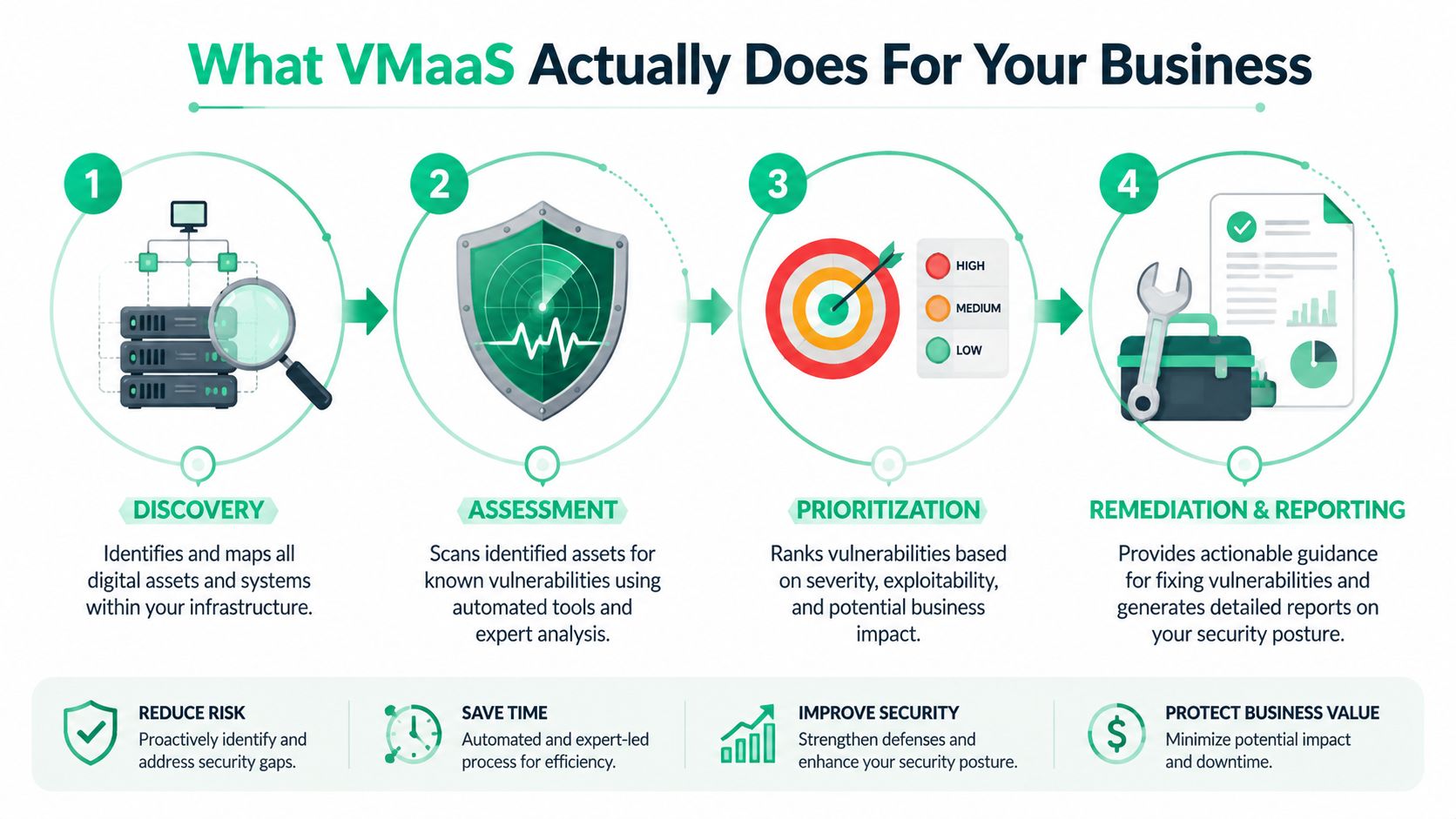
It does four things. It finds what you own, checks it for weaknesses, tells you what matters first, and helps make sure the fixes happen.
Discovery finds what you forgot
Every security program breaks when the asset list is wrong. VMaaS starts by identifying systems, apps, endpoints, cloud assets, and the forgotten stuff nobody documented.
That last part matters. Unknown assets create fake confidence. If it isn't in scope, it isn't getting scanned, patched, or discussed during audit prep.
Scanning checks the doors and windows
Once assets are known, the service scans them for weaknesses. The process is comparable to a building inspection. The scanner checks locks, windows, side doors, and weak spots that attackers look for first.
This model has become mainstream for a reason. The market data above shows strong adoption momentum, especially in cloud-delivered offerings, because companies want continuous coverage instead of point-in-time guesswork.
Prioritization tells you what actually matters
This is the part most internal programs get wrong. A long report is not a plan.
Good VMaaS sorts findings by actual risk. Not just severity labels, but what the issue affects, how exposed the asset is, and whether it matters to the business. That's how you stop wasting time on low-impact cleanup while something serious stays open.
Industry guidance on vulnerability management metrics points teams toward outcomes like Average Time To Action, Mean Time To Remediation, Risk Score, Average Vulnerability Age, Rate of Recurrence, Total Risk Remediated, Asset Inventory Coverage, and SLA performance (practical vulnerability management metrics for security teams). Those are the numbers that tell you whether the service is helping or just reporting.
Remediation tracking closes the loop
VMaaS demonstrates its practical value beyond mere aesthetics. Findings need owners, deadlines, validation, and reporting.
Use that reporting to streamline SOC 2 compliance efficiently instead of rebuilding evidence by hand every audit cycle. If your provider can't show what was found, what was fixed, what's overdue, and what was accepted as risk, you're paying for scan output, not management.
A vulnerability report should tell your team what to fix next. If it only proves the scanner ran, it failed.
VMaaS Versus In-House Vulnerability Management
This is a buy-versus-build decision. For most SMBs, building in-house sounds cheaper until you add up the time, staffing, tuning, reporting, and follow-up work.
Then it gets ugly.
What in-house really means
Running your own program means more than buying a scanner. Someone has to maintain scope, review findings, suppress noise, coordinate with IT, validate fixes, and prepare reports for leadership and auditors.
If you want a realistic look at the work involved, this guide on defining a vulnerability management analyst position is useful. Read the responsibilities and then ask yourself a simple question. Do you have that person on staff, with enough time to do the job properly?
For many SMBs, the answer is no.
What a managed service changes
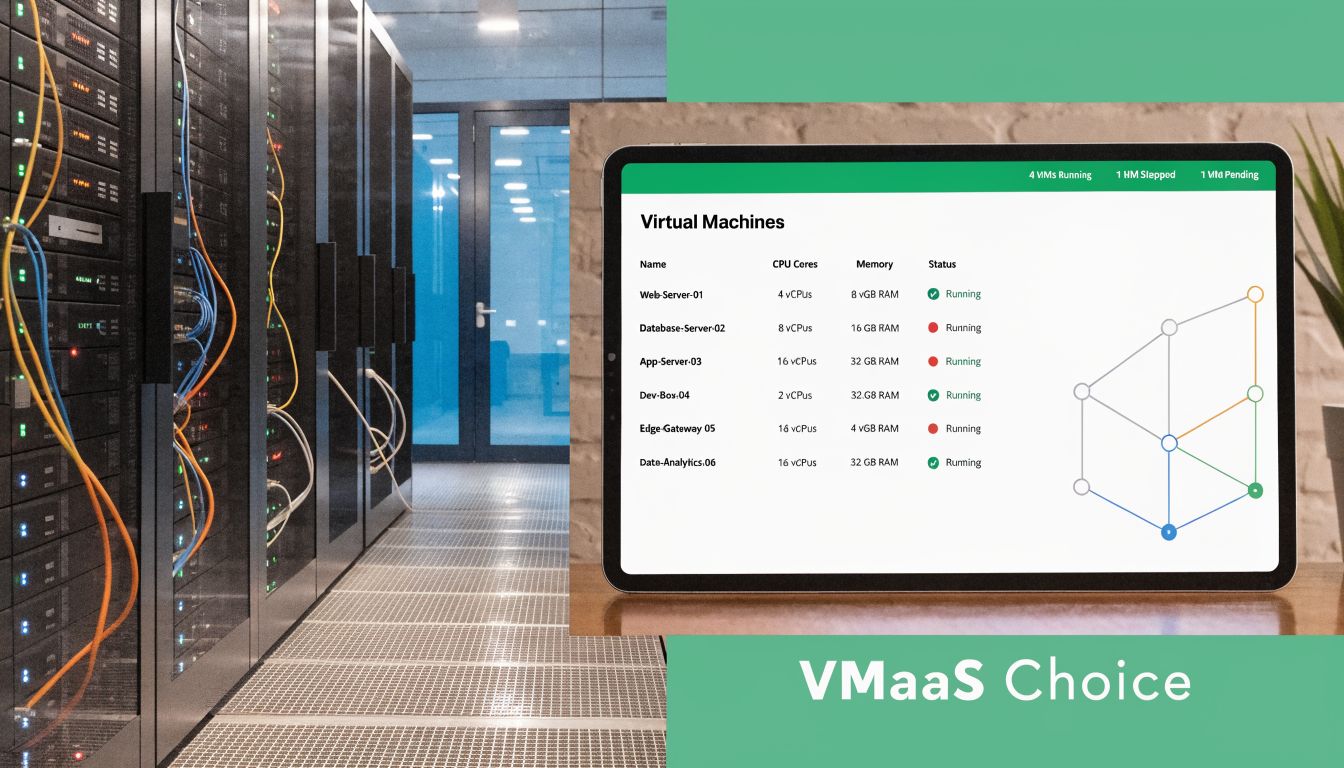
VMaaS providers typically use a hybrid scanning approach with network scanners and agents to find both known and shadow IT assets. Managed offerings may also integrate DAST and SAST into CI/CD pipelines and provide 24/7 managed operations to reduce mean time to remediation (managed VMaaS delivery and hybrid scanning approach).
That matters because coverage is rarely clean in modern environments. You've got cloud workloads, laptops, SaaS, maybe a mobile app, maybe a web app, maybe old internal systems nobody wants to touch. A managed provider sees that mess every day.
Side-by-side reality check
| Decision area | In-house program | VMaaS partner |
|---|---|---|
| Setup burden | Your team defines scope, deploys tools, tunes workflows | Provider handles operational setup and ongoing process |
| Coverage | Depends on your staffing and tool configuration | Usually broader across mixed environments |
| Remediation follow-up | Easy to let findings sit | Managed tracking pushes issues toward closure |
| Reporting | Often manual and inconsistent | Usually built into service delivery |
| Speed to value | Slow if you're learning as you go | Faster if the provider already has a mature process |
Here's my opinion. If you're a startup or SMB, don't build an enterprise-style vulnerability team unless you already operate at enterprise scale. Buy the service. Keep your internal team focused on fixing issues, not nursing the tooling.
One more point. Expertise matters. When you do need deeper validation, you want people with credentials like OSCP, CEH, and CREST involved in the testing side. That's where manual penetration testing earns its keep, not in pretending a scanner is enough.
Connecting VMaaS To Your Penetration Testing
A lot of companies treat VMaaS and pentesting like they're competing line items. That's backwards. They work best together.
VMaaS gives you broad, continuous visibility. A penetration test gives you focused, human-driven attack validation. One finds and organizes likely weaknesses. The other proves what an attacker can do with them.
VMaaS is the map
A strong VMaaS program shows your pentesters where to look first. It identifies the assets that matter, the recurring weak points, and the systems that deserve manual attention.
That removes waste from the engagement. Instead of burning paid testing time on basic discovery, the testers can move faster into validation, exploitation paths, privilege issues, and real business risk.
The pentest is the proof
Scanners don't think like attackers. They don't chain weaknesses well. They don't always catch business logic problems. They don't explain impact the way a manual tester can.
That's why auditors and buyers still care about a real pen test or penetration test. SMBs also run into a practical problem here. They struggle to explain how continuous scanning and annual manual testing fit together for compliance. SentinelOne notes that a key challenge for SMBs is showing auditors how continuous VMaaS scans and annual manual penetration tests work together to satisfy compliance requirements like PCI DSS Requirement 11.2.2, which often leads to duplicated effort and cost (how VMaaS and annual penetration testing differ for compliance).
Continuous scanning shows ongoing monitoring. A manual pen test shows independent validation. Auditors want both stories told clearly.
How to make pentesting faster and cheaper
Use your VMaaS outputs as pre-work. Give the pentest team your current asset inventory, recent findings, scope boundaries, and remediation status. That helps them target the places where manual effort adds value.
For SMBs and startups, that often means:
- Narrowing scope intelligently so the test focuses on internet-facing apps, critical internal systems, or high-risk segments
- Avoiding repeated discovery work that inflates cost
- Getting cleaner retest cycles because low-level issues were already handled through continuous scanning
- Producing stronger evidence because the final report sits on top of an existing vulnerability program
If you're trying to pair scanning with a fast, human-led engagement, an affordable manual pentest for startups is the right model. The goal isn't to replace VMaaS. It's to use VMaaS so your pen testing, pentest, and penetration testing budget goes toward expert work instead of administrative drag.
My recommendation is blunt. Run VMaaS year-round. Schedule manual penetration testing at the points where compliance, customer assurance, or major release risk justify it.
Meeting Compliance With VMaaS And Pentesting
Compliance teams often get stuck because they collect evidence in fragments. One report shows scans happened. Another shows patches were discussed. A third shows a penetration test took place. None of it tells a clean story.
You need a joined-up story. VMaaS provides the ongoing operational evidence. The pentest provides independent human validation.
What auditors usually want to see
Auditors don't just want a list of vulnerabilities. They want proof that you can identify issues, rank them, fix them, and verify the program keeps working.
That's where advanced VMaaS helps. Providers using risk-based vulnerability management correlate scan data with threat intelligence and asset context so SMBs can prioritize fixes for frameworks like SOC 2, PCI DSS, and HIPAA (risk-based vulnerability management in VMaaS). In plain English, the service helps you explain why you fixed one issue immediately and scheduled another later.
How the evidence breaks down
Use VMaaS outputs for continuous-control evidence such as:
- Asset visibility showing what's in scope
- Recurring scan results showing monitoring is active
- Prioritized remediation records showing risk-based handling
- Closure and SLA reports showing follow-through
Use penetration testing evidence for deeper validation such as:
- Manual attack paths that scanners won't confirm on their own
- Exploit demonstration tied to real business impact
- Independent review by certified testers
- Executive-ready reporting that shows exposure clearly
Framework by framework
| Framework | VMaaS helps with | Pentesting helps with |
|---|---|---|
| SOC 2 | Ongoing monitoring, issue tracking, remediation evidence | Independent validation of technical controls |
| PCI DSS | Continuous vulnerability identification and prioritization | Manual testing required for distinct validation objectives |
| HIPAA | Risk management support and documented follow-up | Deeper testing of exposed applications and systems |
| ISO 27001 | Repeatable operational security evidence | Technical assurance that controls work in practice |
If your auditor has to assemble the logic for you, your evidence package is weak.
The cheapest compliance program is the one that doesn't duplicate effort. Let VMaaS handle the continuous layer. Use the manual pen test to validate critical paths, satisfy testing expectations, and give leadership a report they can understand.
That combination is practical. It's also easier to defend when customers ask hard questions during security reviews.
Choosing A VMaaS Partner Without Overpaying
This market is full of vendors selling enterprise complexity to companies that don't need it. That's how SMBs end up paying for features they won't use and workflows they can't maintain.
A hard truth. Over half of SMBs have small or outsourced security teams, which makes complex risk-scoring workflows tough to sustain, and there's still too little guidance on choosing a lighter-touch service that fits budget and headcount (why SMBs struggle with enterprise-grade VMaaS complexity).
Ask these questions before you sign
Don't get distracted by glossy dashboards. Ask direct questions.
- What will my team do every week after onboarding? If the answer sounds like part-time analyst work, it's too heavy.
- How do you prioritize findings beyond severity labels? If they can't explain this clearly, expect noisy reports.
- Can you show remediation tracking in a way an auditor or executive can read?
- How do you handle unknown assets and shadow IT without making scope a constant fight?
- Will your service support a later pen test by exporting usable scope and findings data?
Red flags that should stop the deal
Some offers are overpriced from the start. Walk away if you see these signs:
- Feature overload: The demo is built for a mature SOC, not an SMB team.
- Pricing confusion: You can't tell what changes cost as your environment grows.
- Report bloat: Sample outputs are long but not actionable.
- Weak human support: Everything depends on your team interpreting the platform correctly.
What good looks like
The right provider gives you clarity. They help you see assets, understand priorities, and move fixes without needing a full-time platform operator.
You should also ask whether they can work cleanly with your manual testing program. A VMaaS partner that creates usable scope and usable evidence makes pen testing faster. One that dumps noise on your desk does the opposite.
My advice is simple. Buy the lightest service that still gives you meaningful prioritization, remediation tracking, and audit-ready reporting. Anything beyond that should earn its place.
Your Simple VMaaS Implementation Checklist
You don't need a giant transformation project. You need a short rollout that gets coverage in place and points your manual testing budget at the right targets.
Start with your important systems
Write down the systems that would hurt the most if they were exposed or unavailable. That usually means customer-facing apps, cloud workloads, identity systems, payment flows, and anything tied to regulated data.
If your asset list is messy, fix that first. VMaaS works better when the business already knows what matters most.
Get the first report and act on it
Once onboarding is done, review the first prioritized findings with both IT and security in the room. Don't chase everything. Triage what's exposed, what's sensitive, and what's likely to matter in an audit or a real attack.
A practical starting point is to align the service with these Vulnerability management process steps so your team knows how findings move from discovery to closure.
Prepare for the pen test
Before the manual pen test starts, package up the useful VMaaS outputs.
- Current asset inventory so testers know the scope
- Recent high-priority findings so they can validate risk faster
- Known remediation items so paid time isn't wasted on old noise
- Compliance goals so the final report supports the audit you care about
Fast pentesting starts before the test begins. Good prep removes wasted hours.
Keep the model simple
Run vulnerability management as a service continuously. Use manual penetration testing at the right checkpoints, such as before audits, after major releases, or when customer pressure demands assurance.
That's the whole playbook. Keep scanning on. Fix what matters. Use the data to make your pentest, pen test, and penetration testing work faster and cost less.
If you need a fast quote for manual testing, Affordable Pentesting offers penetration testing for SOC 2, PCI DSS, HIPAA, and similar requirements, including certified pentesters with OSCP, CEH, and CREST backgrounds. If you want reports back within a week and don't want to overpay for slow, bloated engagements, use the contact form and ask for a scope review.