.svg)
HIPAA Compliant Email Gmail Guide
You're probably here because someone on your team asked a simple question that has an annoying answer. Can we use Gmail for patient data or not?
The short answer is yes, but only if you stop treating Gmail like a consumer inbox and start treating it like a regulated system. Organizations often approach this incorrectly in one of two ways. They either assume Google has already handled everything, or they overcomplicate the project, spend too much, and still can't prove the setup is secure.
Using Gmail for HIPAA A Risky Move
If you're using a free @gmail.com account for protected health information, stop. That setup is not where a hipaa compliant email gmail workflow starts.
The risk is not theoretical. In 2025 alone, there were 170 email-related HIPAA breaches that affected over 2.5 million people according to Paubox's HIPAA compliant email guide. Email is still one of the easiest ways to leak patient data through phishing, misdelivery, or bad account security.
That's why the key question isn't “Does Gmail have security features?” It does. The critical question is whether your organization can show that Gmail is configured, governed, and monitored in a way that stands up during an audit or incident review.
What makes Gmail risky
Most failures come from basic mistakes, not movie-style hacking.
- Wrong account type: Teams use free Gmail and assume Google's brand name means compliance.
- Weak access controls: Users skip multi-factor authentication or reuse passwords.
- Unsafe message handling: Staff forward messages, auto-route mail, or store copies in places that aren't controlled.
- No proof: Admins turn on a few settings but never verify that the workflow withstands attack.
Practical rule: If you can't prove who accessed PHI, how it was protected, and what happens when a message leaves Gmail, your setup isn't defensible.
A good Gmail deployment for healthcare is possible. But it needs the right contract, the right admin controls, the right encryption approach, and evidence that the controls work in practice.
Get The Right Plan and BAA
This is the first gate. Miss it, and everything after it is wasted effort.
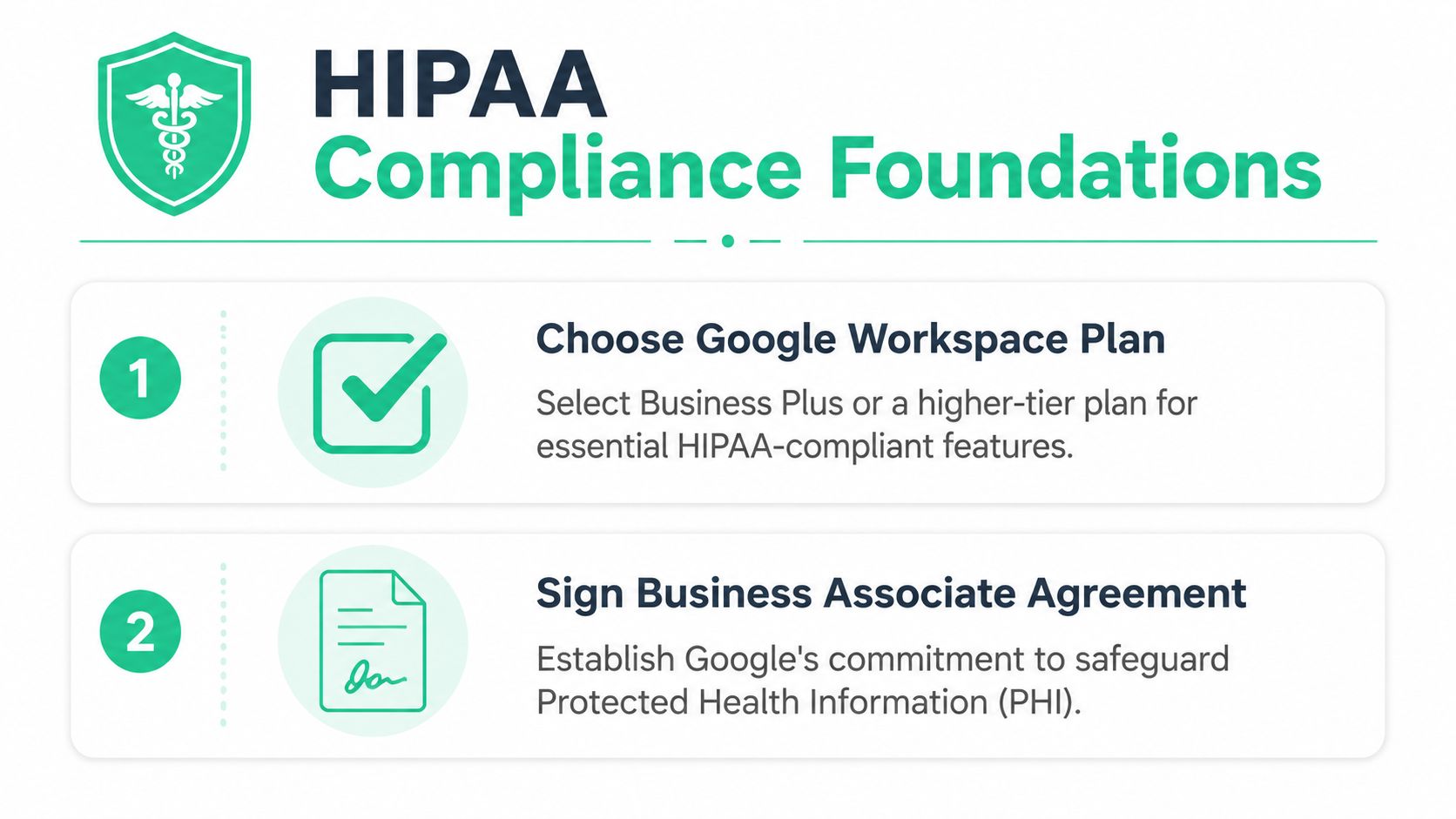
Gmail is not HIPAA compliant by default. Compliance requires using a paid Google Workspace plan, as Google will only sign a Business Associate Agreement (BAA) for these services, not for free @gmail.com accounts, according to Google Workspace HIPAA guidance.
Start with the paid platform
Free Gmail is a consumer product. It is not the foundation for handling PHI. If your team is serious about hipaa compliant email gmail, move to Google Workspace and manage it centrally through the Admin console.
That matters because regulated email needs admin oversight. You need centralized user control, policy enforcement, logging, and legal terms that cover PHI. Consumer inboxes don't give you a clean way to do that.
The BAA is not optional
A Business Associate Agreement is the contract that says Google will handle covered data under HIPAA terms for the included services. If you don't have that agreement in place, don't put PHI in the system.
Keep the process simple:
- Use Google Workspace instead of free Gmail.
- Open the Admin console and go to the legal and compliance area.
- Review and accept the BAA before staff send or store PHI.
- Document who approved it and when.
- Confirm your actual services are covered before you roll out workflow changes.
What teams should do next
A lot of companies stall here because they think this part needs a giant consulting project. It doesn't. You need a clean admin-owned decision, documented acceptance of the BAA, and a short checklist for the controls that come next.
If your team needs help turning the legal requirement into a working setup, this guide on secure HIPAA compliance is a practical next step.
A paid plan plus a signed BAA gets you eligible to build a compliant workflow. It does not mean your workflow is already compliant.
That distinction matters. Plenty of organizations buy the right license and still leave gaps everywhere else.
Lock Down Access with Admin Controls
Most Gmail HIPAA failures are really access control failures. Somebody logs in who shouldn't. Or somebody has more access than they need. Or an attacker grabs one weak account and walks through the rest.
A defensible HIPAA email workflow starts with architecture. The required control stack includes enforcing multi-factor authentication and strong password policies, restricting access using least privilege, and then adding transport-level safeguards, as explained in Sprinto's Gmail HIPAA overview.

Enforce identity checks first
Think of your Google Workspace tenant like a clinic building. Passwords are keys. Multi-factor authentication is the second locked door inside. You want both.
Set the basics at the admin level, not as a suggestion.
- Require MFA: Every account that can access PHI should use multi-factor authentication.
- Use strong password policy: Don't let users get away with weak, reused, or obvious passwords.
- Review login behavior: Watch for risky sign-ins, odd locations, and account access that doesn't fit normal work patterns.
If you leave MFA optional, users will skip it. Then one phishing email turns into a reportable problem.
Apply least privilege everywhere
Least privilege means people only get the access they need. Not what's convenient. Not what they might use someday.
Here's what that looks like in practice:
| Access area | Good decision | Bad decision |
|---|---|---|
| Admin roles | Give admin rights to a small group | Make half the IT team super admins |
| Shared mailboxes | Restrict who can view PHI | Let broad teams browse sensitive inboxes |
| Departed staff | Disable access immediately | Leave dormant accounts active |
| Mobile access | Limit unmanaged device exposure | Allow any device with no review |
That same logic should apply to delegated inbox access, third-party sync tools, and support contractors. If a user or app doesn't need PHI access, remove it.
Keep policies understandable
A lot of organizations write access policies that nobody reads. That's useless. Write rules your staff can follow without needing a compliance lawyer in the room.
A solid internal standard usually includes:
- Who gets mailbox access
- How access is approved
- When access is removed
- What devices are allowed
- How exceptions are handled
If you need a plain-English reference point, this IT security guide on access control does a good job of keeping the policy side practical.
The fastest way to tighten Gmail security is boring. Fewer admins, required MFA, cleaner role assignments, and no leftover accounts.
That's not glamorous. It works.
Activate Encryption and Data Loss Prevention
Access control protects the front door. Encryption and data loss prevention protect the message itself.
Many teams frequently become complacent. They assume Gmail's built-in features cover every email scenario. They don't. If PHI is leaving the mailbox, you need a deliberate way to protect it in transit and a way to stop users from sending sensitive data where it shouldn't go.

Use transport protection that you can control
At a minimum, you want email transmission protected. In plain English, that means the message shouldn't travel across the internet exposed for anyone to read.
For many teams, that means enforcing TLS where possible and adding stronger protection for messages that carry PHI. If your workflow involves highly sensitive data, consider whether a secure portal or supplemental encryption layer makes more sense than relying on ordinary mailbox-to-mailbox delivery.
Also, don't confuse Confidential Mode with HIPAA compliance. It's a feature. It is not your compliance program. It doesn't replace policy, user controls, logging, training, or end-to-end workflow discipline.
Add DLP so users can't send anything anywhere
Data Loss Prevention works like a security guard for outbound mail. It scans for sensitive content and reacts before the message leaves your environment.
Good DLP rules can:
- Flag PHI patterns: Detect patient identifiers or sensitive content indicators.
- Warn users: Tell staff they're about to send something risky.
- Block delivery: Stop mail from leaving if it violates policy.
- Route for review: Hold suspicious messages for admin inspection.
Some organizations only use warning banners. That's too soft for high-risk workflows. If a department regularly handles PHI by email, blocking and review rules are often the safer move.
Don't ignore retention and auditability
If a message matters, you need to retain it properly and be able to find it later. That's where tools like Google Vault help. Vault can support retention, search, and legal hold workflows so your team isn't guessing what happened after the fact.
Use a simple checklist here:
- Protect transport
- Define what counts as restricted content
- Create DLP rules around that content
- Test the rules with real use cases
- Confirm retention and search behavior
The point is not to build the fanciest mail stack. The point is to stop accidental disclosure and preserve evidence when something goes wrong.
Set Up Audit Logs and Response Plans
A Gmail setup that nobody monitors will drift. People change settings, add forwarding rules, connect random apps, and reuse old workflows that should have been retired months ago.
That's why compliance isn't a switch you flip once. It's a process of watching for bad behavior, catching mistakes early, and responding fast when something breaks.
Watch the logs that matter
Google Workspace gives admins activity records that can help spot trouble. Use them. You're looking for signs that an account is being abused or that sensitive email is leaving the expected path.
Focus on events like these:
- Suspicious sign-ins: New locations, unusual timing, or risky login patterns
- Mailbox delegation changes: Someone adds access without a clean business reason
- Forwarding activity: Auto-forward rules can subtly send PHI outside your environment
- Bulk exports or downloads: Large data movement deserves immediate review
- Admin changes: Privilege updates should never happen unnoticed
Don't drown your team in dashboards. Pick a short list of review points and make someone own them.
Build a response plan people can follow
Most incident response plans are too bloated to use. A Gmail-focused HIPAA response plan should be short and operational.
Your plan should answer five questions:
- Who owns the first response
- How do you isolate the affected account or workflow
- Who reviews message scope and possible PHI exposure
- Who handles internal and legal escalation
- What evidence gets preserved
If your admin has to invent the response process during an email incident, your plan failed before the breach did.
Run a tabletop exercise with a basic scenario. A user clicks a phishing link. An inbox gets accessed. A forwarding rule appears. See whether your team can execute the plan without confusion.
That exercise usually reveals the actual weakness. Not the policy. The handoff.
Verify Your Compliance with a Pentest
Most Gmail compliance guides stop right after configuration. That's lazy.
A secure-looking setup is not the same as a secure setup. You can enable MFA, tighten sharing, add DLP rules, and still miss weak admin paths, exposed integrations, bad mailbox delegation, or workflow holes that a real attacker would find quickly. That's why verification matters.

Why a pentest changes the conversation
A real pentest checks whether your controls hold up under attack conditions. It moves the discussion from “we think it's configured correctly” to “we tested it and found what breaks.”
That matters for HIPAA because auditors and buyers don't care how confident your admin feels. They care whether access paths, exposed apps, weak roles, and email-related attack routes were examined.
A useful engagement should test things like:
- Authentication weaknesses: Can an attacker bypass or abuse login controls?
- Privilege problems: Do users or apps have access they shouldn't?
- Workflow exposure: Can PHI be redirected, forwarded, or mishandled through connected systems?
- Mail security gaps: Are there easy ways to exploit user behavior or misconfiguration?
Don't overpay for slow penetration testing
Traditional firms drag this out. Big scoping calls. Bloated statements of work. Long waits. Then a thin report lands weeks later with recycled findings you could've spotted yourself.
That model is broken.
What many organizations need is affordable penetration testing that focuses on real risk, is done by humans who know what to look for, and gives you a report fast enough to act on. If you're trying to prove your Gmail environment is defensible, waiting forever for a generic document helps nobody.
Look for a provider that offers:
| What to ask | What good looks like |
|---|---|
| Testing approach | Manual review, not just scanner output |
| Timeline | Clear turnaround, ideally within a week |
| Reporting | Findings you can fix, with evidence |
| Tester quality | OSCP, CEH, and CREST-certified staff |
| Price | Affordable enough to repeat when needed |
If you want an assessment built for this kind of verification, a focused HIPAA pentest is the practical move. The goal isn't just passing a checkbox. It's proving your Gmail security controls work before an attacker proves otherwise.
Good pen testing pays for itself when it catches the one bad assumption your whole email workflow was built on.
Answering Common Gmail HIPAA Compliance Questions
The messy part of hipaa compliant email gmail isn't the setup. It's the edge cases. That's where teams make bad assumptions.
HIPAA safeguards depend on the end-to-end environment, including the recipient. If PHI is replied to or forwarded to a non-covered mailbox like a personal account, the compliance responsibility changes significantly, as noted by HIPAA Journal's guide to HIPAA compliant email providers.
Is Confidential Mode enough on its own
No.
Confidential Mode is not a full HIPAA control framework. It doesn't replace a BAA, admin restrictions, encryption strategy, workforce training, or monitoring. Treat it like a convenience feature, not a compliance answer.
If a patient replies, is that still safe
Maybe, but don't assume too much.
The risk changes once the message flows into the recipient's environment. If the patient uses a personal mailbox, forwards the message, or stores it somewhere outside your controlled workflow, your operational risk changes too. That's why sensitive communications sometimes belong in a secure portal instead of standard email.
What about forwarding to a personal account
That's a bad practice and should be blocked whenever possible.
If staff can forward PHI to personal mailboxes, your control story falls apart fast. The same goes for auto-forward rules. Review them, restrict them, and alert on them.
Can third-party apps break the model
Yes.
Calendar tools, CRM sync tools, browser extensions, and mailbox helpers can all create exposure if they touch PHI or mailbox content. Review every connected app. If you can't explain why it needs access, remove it.
Should healthcare teams use Gmail at all
Yes, if the workflow is controlled and proven. No, if the organization wants a shortcut.
This is especially relevant in care settings where support teams are juggling devices, shared workstations, and time pressure. If you work in that environment, resources like SES Computers' care home IT support can help frame the wider operational issues around secure healthcare IT, especially where day-to-day support realities affect how email controls get used.
What's the smartest final check
Run through this short sanity list:
- Paid Workspace only
- BAA accepted
- MFA enforced
- Least privilege applied
- Encryption and DLP configured
- Logs reviewed
- Forwarding controlled
- Pentest completed
If one of those is missing, fix that before you tell leadership the setup is ready.
If you want fast proof that your Gmail setup is secure, talk to Affordable Pentesting. Their team provides affordable pentest, pen test, penetration test, and penetration testing services for HIPAA-focused organizations, with manual testing from OSCP, CEH, and CREST-certified pentesters and reporting delivered within a week.