.svg)

You’re probably dealing with the same mess I see all the time. Your cloud stack is reviewed, your web app got a pentest, your auditor keeps asking about device security, and the hardware sitting in your environment still has weak passwords, stale firmware, and exposed management interfaces.
That gap matters. Security Tech Hardware Pentesting is not some niche add-on anymore. If you rely on IoT devices, routers, cameras, badge systems, medical devices, industrial controllers, or custom embedded gear, attackers will look there first because many teams still treat hardware as outside the immediate threat model.
Traditional firms usually make this worse. They quote enterprise pricing, drag the work out for weeks, then hand over a bloated report full of scanner noise. If you are trying to satisfy SOC 2, HIPAA, PCI DSS, or ISO 27001 on a real budget, that approach is useless.
Your Guide To Practical Hardware Pentesting
Hardware testing is just penetration testing applied where many firms do not want to look. The method is old. The target is new. Penetration testing started with Tiger Teams hacking U.S. Air Force mainframes in the 1970s, and that proven approach now matters for modern hardware as data flows through IoT and embedded devices as described here.
What changed is the attack surface. Office printers, badge readers, access controllers, drones, network appliances, and smart sensors all talk to something valuable. If one device is weak, an attacker does not need to “hack the hardware” in some movie-style way. They just use the hardware as the easiest path inward.
Cheap scans are not enough
A scanner can tell you a port is open. It usually cannot tell you whether a maintenance interface uses a lazy password policy, whether firmware updates lack proper validation, or whether a debug path gives an attacker a clean route to sensitive systems.
That is why manual pentest work matters. A good tester thinks in attack chains, not isolated findings.
Practical rule: If a device can store data, route traffic, control a door, stream video, or run firmware updates, it deserves a pen test.
Compliance teams are already circling this issue
Auditors may phrase it differently, but the question is simple. Can you show that the physical and embedded parts of your environment were assessed like the rest of your stack?
That includes obvious systems and less obvious ones. If you manage secure storage or controlled access environments, even specialized assets such as Law Enforcement E Locker Systems belong in the conversation because they depend on hardware, access control, and operational trust.
What a sane approach looks like
You do not need a giant lab to start. You need a scoped test, a tester who knows how to validate abuse paths, and a report that maps findings to remediation.
For SMBs and startups, I recommend this approach:
- Pick the devices that matter most: Start with anything internet-facing, business-critical, or tied to regulated data.
- Require manual validation: Scanner exports are not a hardware penetration test.
- Demand a report written for humans: Your auditor, engineer, and leadership team should all be able to use it.
- Use certified testers: OSCP, CEH, and CREST credentials are not magic, but they do show the tester has been through assessment standards.
Why Your Hardware Is A Ticking Time Bomb
Most hardware failures are boring. That is what makes them dangerous.
Default credentials. Outdated embedded software. Misconfigured services. Weak web admin panels. Debug access left enabled. If an attacker finds one of those on a device already trusted inside your environment, they can turn a “small” hardware issue into a bigger compromise fast.
The problem is lateral movement
The device itself is rarely the final target. The ultimate target is what the device can reach.
Attackers breached the network perimeter in 96% of companies tested, with an average time of 5 days and 4 hours, and the fastest compromise took 1 hour according to Pentest-Tools penetration testing statistics. That same source ties many successful entries to issues like server misconfigurations and outdated embedded software.
If you want a practical example of how this device sprawl creates exposure, this breakdown of security challenges for internet of things is worth reviewing. It matches what many teams are dealing with already. Devices ship fast, get deployed faster, and almost never get hardened enough.
Hardware issues become compliance failures
CISOs get burned when this occurs. The engineering team sees a device issue as low priority because “it is just a camera” or “it sits on a separate VLAN.” The auditor sees it differently.
A weak device can create:
- Access control problems: Shared admin logins, poor password policy, or unmanaged accounts
- Patch management gaps: Old firmware and unsupported software on embedded systems
- Monitoring blind spots: No useful logs, no alerting, no proof of tampering review
- Asset management failures: Devices in production that nobody formally owns
For PCI DSS, HIPAA, SOC 2, and ISO 27001, those gaps are not abstract. They are evidence that security controls do not apply consistently across the environment.
The ugly pattern I keep seeing
A company buys decent security tools for endpoints and cloud workloads. Then they plug in smart devices, edge devices, or operational hardware with factory settings and no review. That creates a soft entry point around the controls they spent money on.
Here is the short version:
| Hardware weakness | What attackers do with it | Why leadership should care |
|---|---|---|
| Default or weak credentials | Log in and move laterally | Easy audit finding and easy breach path |
| Old firmware | Exploit known flaws | Unsupported risk that lingers for years |
| Exposed admin interfaces | Reconfigure or dump data | Fast route to service disruption |
| Debug or maintenance ports | Extract firmware or secrets | IP loss and deeper system compromise |
Key takeaway: A device does not need to be complex to be dangerous. It just needs trust, connectivity, and one weak control.
Why a hardware pen test changes the picture
A focused hardware pentest looks at the device the way an attacker does. Not as inventory. As an entry point.
That means asking blunt questions:
- Can I authenticate with a weak or guessed credential?
- Can I pull useful data from the web interface or management service?
- Can I exploit stale software running on the device?
- Can I pivot from this box into internal systems?
- Can I abuse trust between the device and your network, users, or cloud service?
That is why hardware pen testing should be scoped around business risk, not just around “what devices do we own.”
Building Your Drone Threat Model Affordably
Threat modeling sounds academic until you strip the nonsense away. It is just this: what can an attacker touch, what can they break, and what happens if they do?
A drone is a great example because it is easy to picture and full of attack surfaces. It has radio links, firmware, sensors, storage, and physical ports. If your team can threat-model a drone, it can threat-model almost any connected device.
Some organizations use drones for inspections, perimeter checks, or surveillance. If that is your world, this overview of drones in security and surveillance applications gives useful operational context before you even start testing.
Start with what the drone is
Do not call it “a drone.” Break it apart.
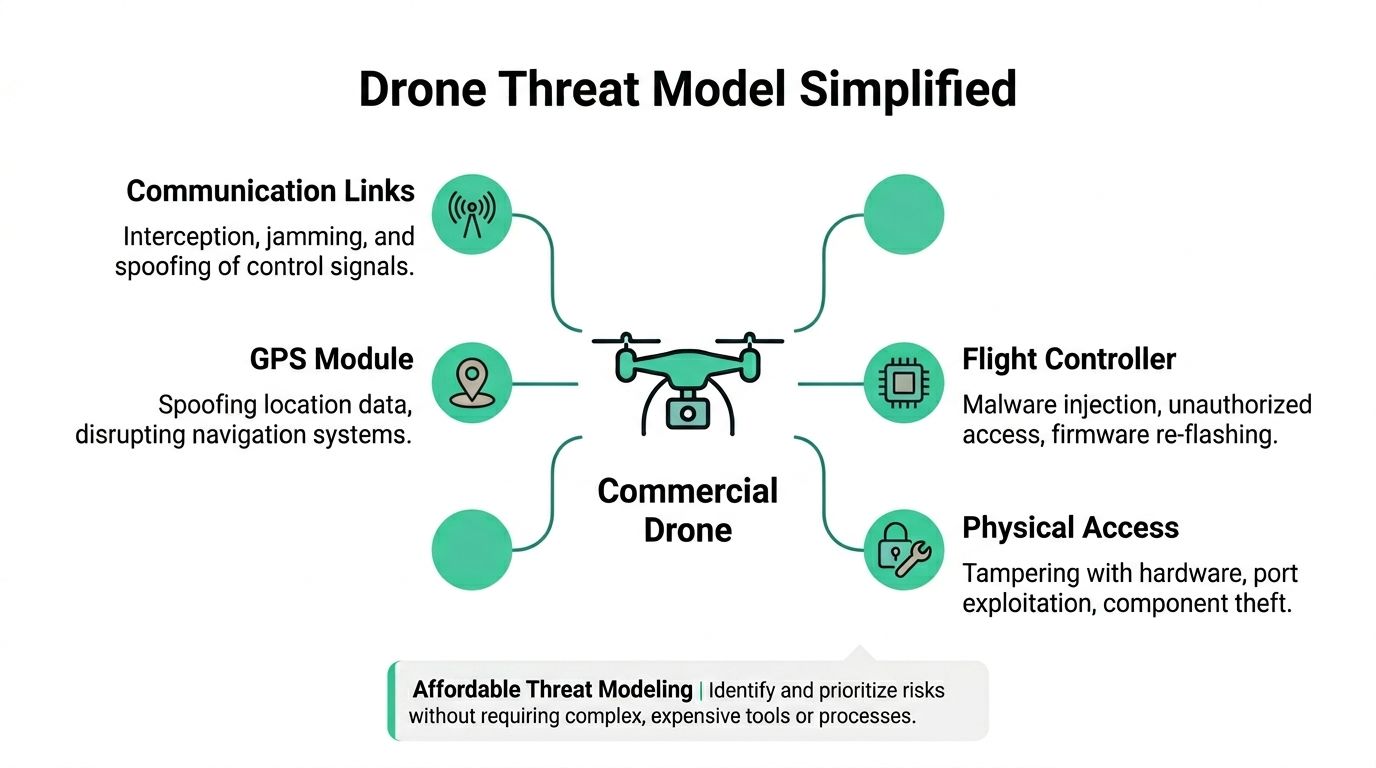
A commercial drone usually includes:
- Communication links: Controller traffic, telemetry, Wi-Fi, Bluetooth, or proprietary radio
- GPS module: Positioning and navigation input
- Camera and sensors: Data collection, streaming, and environmental awareness
- Flight controller: The firmware and logic that decide what the device does
- Physical interfaces: USB, maintenance ports, removable storage, power access, or exposed hardware points
That simple decomposition gives you the first map of the pentest.
Ask ugly attacker questions
The point is not to be elegant. The point is to force clarity.
For each component, ask:
- What data enters here
- What trust does the device give that data
- What happens if the input is fake, delayed, altered, or replayed
- Can a user or attacker reach this without special equipment
- Would this matter for safety, privacy, or compliance
If you need a planning worksheet, this cybersecurity risk assessment template is a practical way to document the device, threats, and likely impact without turning the exercise into paperwork theater.
A simple drone threat model
Here is the kind of table I use to keep teams focused:
| Component | Practical threat | Likely impact |
|---|---|---|
| Radio control link | Jamming or spoofing control traffic | Lost control or unsafe behavior |
| GPS input | Fake location data | Navigation failure or route manipulation |
| Camera feed | Unauthorized access to video | Privacy exposure or operational leakage |
| Firmware | Unauthorized modification | Persistent compromise |
| Physical ports | Local tampering or data extraction | Credential theft or firmware access |
This is enough to guide a test. You do not need a giant risk workshop to get value.
Keep the scope affordable
Budget gets wasted when teams test everything equally. That is lazy scoping.
Do this instead:
- Prioritize externally reachable functions: Remote control links, mobile apps, web dashboards, and update paths
- Prioritize regulated data: Stored video, logs, operator identity, geolocation records
- Prioritize trust anchors: Admin interfaces, firmware update mechanisms, pairing processes
- De-prioritize low-impact edge cases: Nice to test later, not first
Budget tip: Start with the controls that can lead to takeover, data exposure, or audit trouble. Leave exotic lab work for a second round if the first test shows it is needed.
What many teams miss
They focus on whether the drone can be “hacked” and ignore whether the surrounding workflow can be abused. In practice, I care just as much about the controller app, the update process, stored media, operator accounts, and support access as I do about the aircraft itself.
That is the broader lesson for Security Tech Hardware Pentesting. The hardware is one piece of a trust chain. You test the whole chain because attackers do not respect your org chart.
Practical Hardware Pentesting You Can Start Now
Teams either get value or a PDF full of junk here.
A hardware penetration test is not an automated scan pointed at an IP range. It is a manual attempt to break trust in the places where hardware, firmware, software, and user behavior meet.
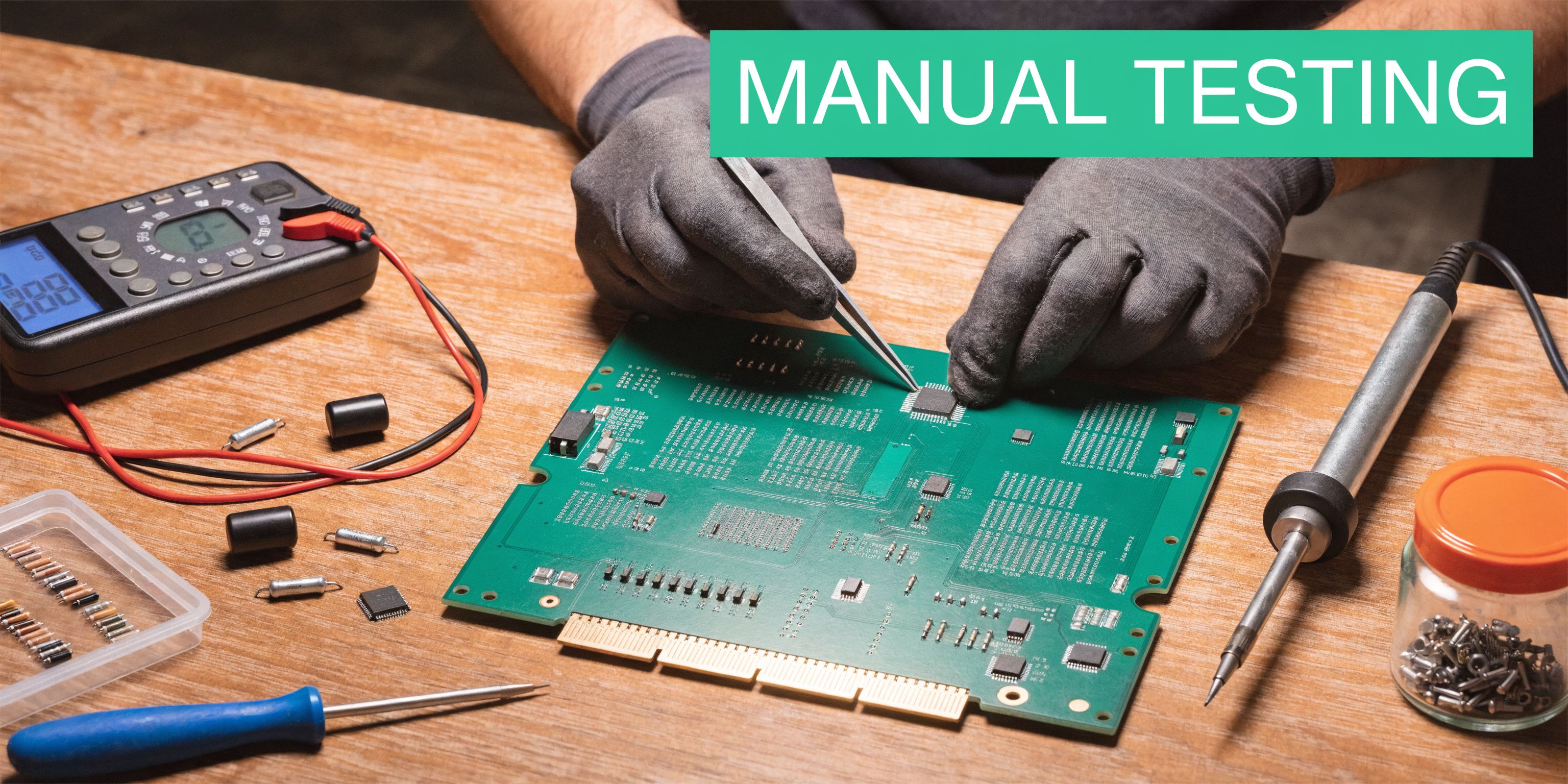
What manual testing looks like
A decent tester usually starts with reconnaissance and basic validation. Tools like Nmap help map exposed services. Nessus or OpenVAS help identify likely CVEs. Metasploit can support controlled exploitation when it makes sense. Then the primary work begins. The tester checks what the tools miss and tries to chain small weaknesses into a meaningful compromise.
That manual work matters. Pentesters successfully breach internal networks in 93% of companies, while 60% of organizations have high-risk outdated software and 85% have password policy flaws according to Bright Defense penetration testing statistics. That same source says a manual hardware pen test is what exposes how those “small” issues combine into full compromise.
The fastest wins usually come from basics
You do not need exotic fault injection to find serious hardware risk. Start with what attackers start with.
Common early checks include:
- Web admin testing: Try weak credentials, broken access controls, and bad session handling on device portals
- Firmware review: Pull available firmware, inspect update packages, and look for secrets, weak protections, or sloppy config handling
- Traffic analysis: Watch for cleartext credentials, tokens, or unsafe trust between device and backend
- Physical interface review: Identify UART, JTAG, USB, or maintenance access that should be restricted
- Configuration abuse: Test default settings, old services, exposed dashboards, and unsafe remote management
Some of those steps use low-cost tools. Some use built-in operating system features. None of them require a giant hardware lab to produce useful findings.
What to ask your pentest vendor
If you are hiring this out, ask direct questions and listen for vague answers.
| Ask this | Good answer | Bad answer |
|---|---|---|
| How much is manual versus automated | They explain the human validation process clearly | They brag about scanners |
| How do you test firmware and device interfaces | They name methods and likely constraints | They say “we do everything” |
| What will the report look like | They describe risk, evidence, and fix guidance | They promise a spreadsheet export |
| Who performs the work | They mention certified testers such as OSCP, CEH, or CREST | They dodge the question |
If they cannot explain the workflow clearly, they probably cannot execute it well.
Keep the first test narrow and useful
For SMBs, the right first engagement is not “test all hardware.” It is “test the devices most likely to break compliance or expose sensitive systems.”
That usually means:
- Internet-connected devices
- Hardware that stores or transmits regulated data
- Devices with remote admin access
- Legacy embedded systems nobody has touched in years
- Anything tied to payments, healthcare, surveillance, or access control
Practical tip: The best first pen test target is the device your team is most nervous about and least confident in maintaining.
Affordable does not mean shallow
This is the mistake people make. They assume a budget hardware pentest must be a checklist review. Wrong.
A lower-cost test can still be strong if the scope is disciplined and the tester spends time validating abuse paths instead of generating pages of scanner output. I would rather see a short report with a handful of confirmed, exploitable findings than a giant report with noise.
And if your vendor cannot deliver clear evidence, realistic remediation steps, and a timeline that fits your audit window, you are not buying pentesting. You are buying delay.
Hardening Your Assets And Responding To Incidents
The report is not the end. It is the part where you finally know what to fix first.
Too many teams treat remediation like a cleanup exercise. That is backwards. Remediation is where the pentest starts paying for itself, because you turn one round of testing into better hardening standards for every device that follows.
Fix the obvious controls first
Start with the controls that kill the easiest attack paths:
- Credentials: Change defaults, remove shared admin accounts, enforce stronger password rules, and lock down support access
- Services: Disable anything unused, especially remote management services left on for convenience
- Firmware: Patch what is patchable, and formally isolate what is too old to patch safely
- Access: Restrict who can reach device management interfaces and document who owns each system
Add physical and operational controls
A lot of hardware risk is not purely digital. You need device-aware controls.
For example:
- Tamper awareness: Know when a device is opened, moved, or reset
- Geofencing and operational restrictions: Useful for mobile or field hardware such as drones
- Port control: Block or monitor maintenance interfaces that should not be casually reachable
- Log retention: Keep enough evidence to investigate misuse or failed access attempts
Write the incident plan before the incident
If a device gets compromised, your team should not improvise.
Your response plan should answer:
- Who isolates the device
- Who preserves logs and evidence
- Who decides whether similar devices need emergency review
- How customers, regulators, or auditors are informed if needed
- What change prevents the same failure on the next deployment
Rule: If your incident plan only talks about laptops, servers, and cloud apps, it is incomplete.
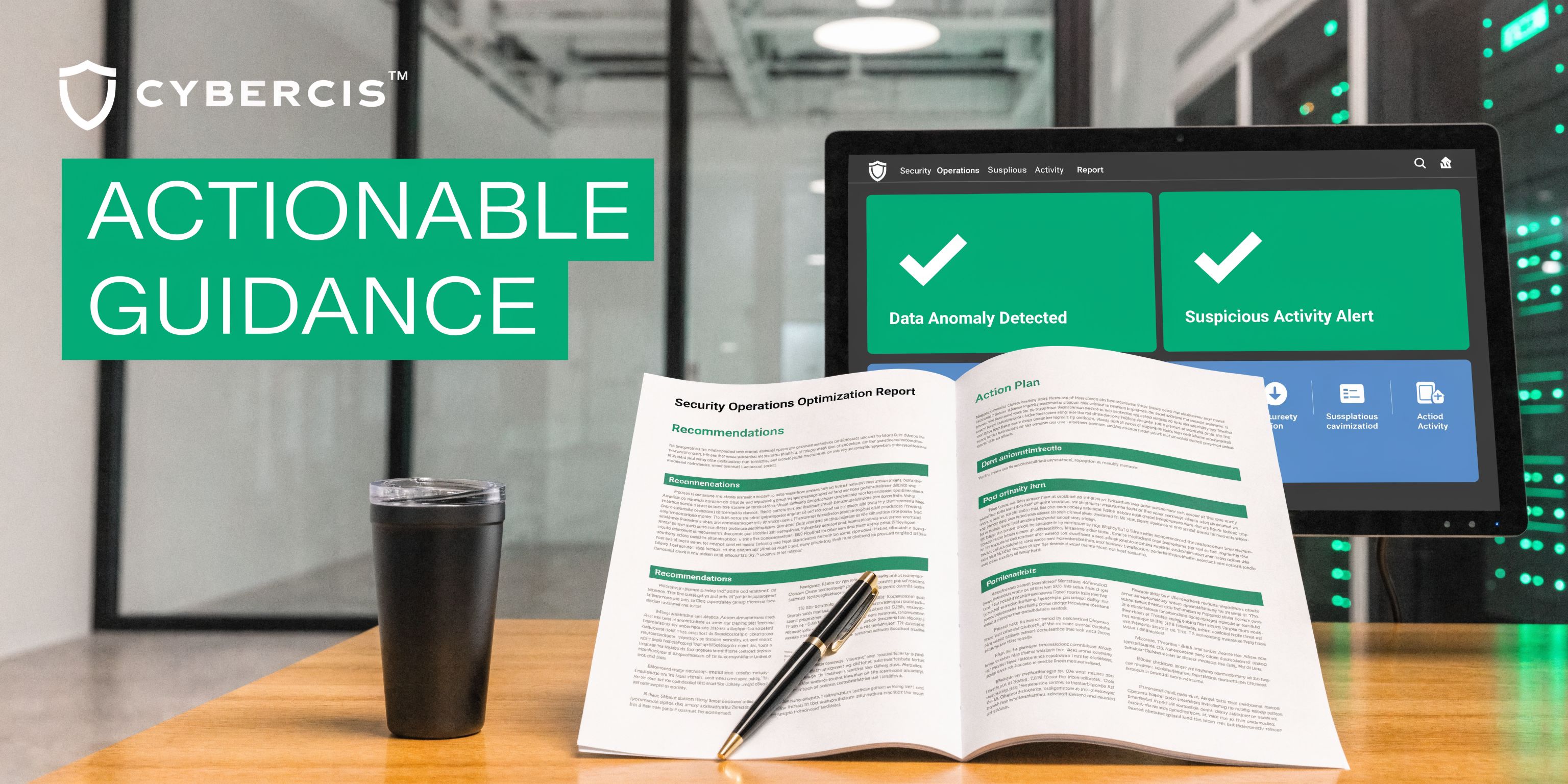
Make the report usable
A strong pentest report should tell engineers exactly what happened, why it matters, and what the first fix should be. Not just “vulnerability present.” Not just CVE names. Actual next actions.
The best remediation plans are boring and repeatable. Harden the build standard. Lock down deployment. Review firmware handling. Restrict management access. Update the incident playbook. Then re-test the fixes that matter most.
The Fast Path To A Compliant Pentest Report
You do not need a glamorous security engagement. You need an audit-ready pentest report that proves somebody competent evaluated the hardware risk in your environment and documented what to fix.
That is where most firms fail. They over-scope, overcharge, and take too long. By the time the report shows up, your audit date is close and half the findings are already stale.
Why speed matters
A hardware penetration test for compliance should move fast because the decision-makers are usually waiting on it. Security needs confirmed findings. Compliance needs evidence. Engineering needs exact remediation steps.
There is also a market gap here. A 2025 Hacker News thread showed 78% of SMB CISOs cite cost as the top barrier to hardware pentesting, while many guides focus on enterprise-grade tools costing over $10,000 and leaving SMBs exposed according to Software Secured’s hardware pentesting security leadership article. That same source describes a model for compliance-focused hardware pentests for budgets under $5,000.
What good reporting looks like
Your final report should include:
- Clear scope: What devices, interfaces, and assumptions were tested
- Confirmed findings: Not generic scanner noise
- Business risk: Why each issue matters to operations and compliance
- Fix guidance: Simple steps your engineers can act on
- Retest path: A straightforward way to validate remediation
If you want to compare deliverables before you buy, this pentest report template helps set expectations for what a useful report should contain.
My recommendation
If you are an SMB, startup, or lean security team, buy the smallest hardware pen test that can still answer the compliance question clearly. Pick the highest-risk devices. Require manual validation. Demand a report in days, not months. Use certified pentesters with OSCP, CEH, or CREST backgrounds who can explain findings in plain English.
That is the fast path. Not because it is cheap for the sake of being cheap, but because it strips out the waste that makes most penetration testing engagements slow and disappointing.
If you need a fast, affordable, audit-ready hardware pen test, Affordable Pentesting is built for exactly that problem. Their certified pentesters help startups and SMBs get manual penetration testing for SOC 2, HIPAA, PCI DSS, and ISO 27001 without enterprise pricing or drawn-out timelines. Use the contact form to get scoped quickly and get a report your auditor can use.