.svg)
You're probably dealing with one of these problems right now.
Your auditor wants proof that you're checking for weaknesses. Your engineering team is shipping fast and nobody's fully sure what's exposed. Or you paid for a penetration test before and got a slow, expensive PDF with a lot of recycled scanner output and not many useful findings.
That's where vulnerability scanning fits. It's useful. It's necessary. But it's also not enough on its own.
If you're asking what is vulnerability scanning, the simple answer is this: it's an automated way to check your systems, apps, and infrastructure for known security weaknesses. Think of it as the first pass, not the finish line. It helps you catch the obvious stuff quickly so your team can fix real issues, pass audits, and stop wasting money on blind spots.
What Vulnerability Scanning Is and How It Works
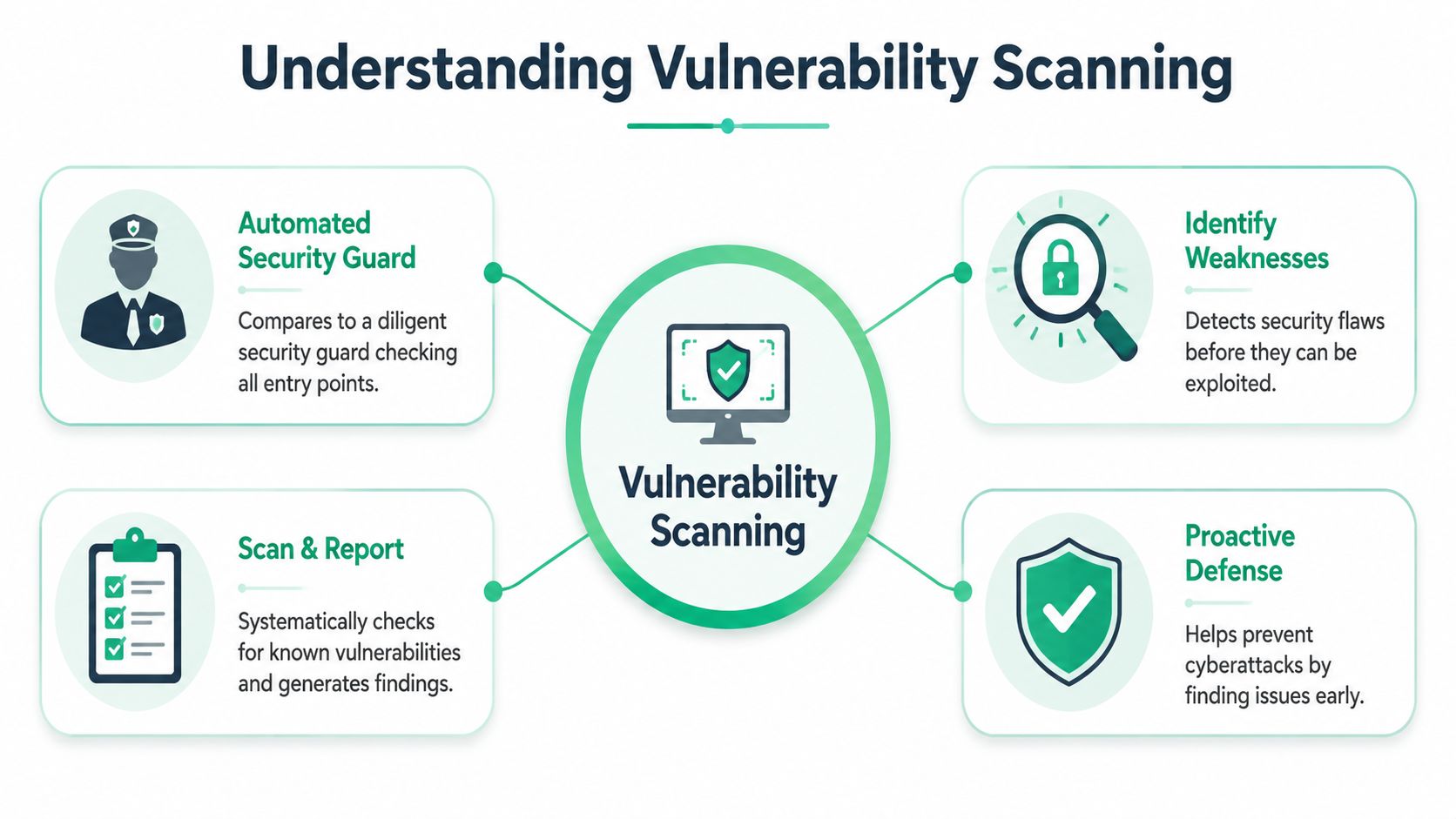
A vulnerability scanner is like an automated security guard walking around your digital building. It checks doors, windows, locks, and entry points against a big list of known ways attackers break in. It doesn't think like a human attacker. It checks for known problems at scale.
That matters because modern environments get messy fast. Cloud servers, employee laptops, web apps, containers, staging systems, forgotten test boxes. If you don't scan, you're guessing.
The Basic Scan Process
A modern scanner follows a simple pattern.
First, it discovers what exists. According to Splunk's explanation of modern scanner behavior, a scanner builds an inventory of assets such as hosts, operating systems, running software, open ports, and services. Then it probes each asset, collects version and configuration details, and compares that information to known vulnerability databases.
That database matching step is the core of the process. The scanner looks at what you're running and asks, “Is this version known to be vulnerable?” If the answer is yes, it generates a finding.
What You Actually Get
A scan report usually gives you:
- An asset list that shows what the scanner found
- A list of weaknesses tied to known vulnerabilities
- Severity ratings so your team knows what to fix first
- Remediation guidance such as patching, configuration changes, or upgrades
Practical rule: If you don't know what assets you have, your scan program is already broken.
This is why vulnerability scanning is a baseline control, not a luxury. It gives you visibility. For startups moving fast in cloud environments, that visibility gets even more important when you need to understand cloud threats for businesses and connect technical issues to business risk.
What Scanning Is Good At
Scanning is good at broad coverage and speed. It can sweep a lot of systems quickly and spot missing patches, outdated software, exposed services, and common misconfigurations.
It's also the fastest way to establish basic hygiene before an audit or release. If you want a practical next step, this guide to effective security scanning is a useful reference for building a repeatable process.
What it won't do is think creatively. A scanner won't understand your login flow the way an attacker does. It won't chain small issues into a serious breach path. That's where manual pentesting, pen testing, and a real penetration test come in.
Vulnerability Scanning vs Penetration Testing
People confuse these all the time. They shouldn't.
A vulnerability scan checks whether the doors are open. A manual penetration test checks whether someone can pick the lock, slip through a side entrance, abuse your business logic, and reach sensitive data you assumed was protected.
That difference is why companies get false confidence from clean scan reports. The scanner may be right about what it checked. It still may have missed how a real attacker would move through your app or environment.
Side By Side Comparison
| Attribute | Vulnerability Scan | Affordable Manual Pentest |
|---|---|---|
| Primary goal | Find known weaknesses automatically | Simulate how a real attacker would exploit weaknesses |
| How it works | Tool-driven checks against known vulnerability data | Human-led testing with judgment and attack chaining |
| Best at finding | Missing patches, exposed services, known CVEs, common misconfigurations | Business logic flaws, privilege escalation paths, auth issues, exploit chains |
| Depth | Broad but shallow | Narrower but much deeper |
| Speed of execution | Fast to run | Takes expert time, but a fast team can still move quickly |
| False positives | Common | Lower, because a human validates what matters |
| Compliance value | Often required as a baseline control | Strong proof of proactive security testing |
| What your team gets | Long list of findings | Validated attack paths and prioritized business risk |
Why Scanners Miss Important Problems
Scanners are pattern matchers. Humans are problem solvers.
A skilled tester doesn't just look for one issue. They ask whether weak password reset logic plus poor access control plus one exposed admin function can be chained into account takeover. That's what real attackers do. Automated tools usually don't.
A scan tells you what is known. A penetration test tells you what is exploitable.
That's why smart teams use both. Run scans to catch the obvious. Use manual pentesting, penetration testing, and a focused pen test to find the issues that put customer data, audit outcomes, and revenue at risk.
What Founders Should Care About
You don't need a giant security program to make the right call. You need to know when automation is enough and when human testing is worth paying for.
Use scanning for routine coverage. Use a manual penetration test before a major release, before an audit, after a big architecture change, or any time you're handling sensitive customer data. If you want a plain-English breakdown, Affordable Pentesting's comparison lays out where each one fits.
And yes, speed matters. A slow engagement that lands weeks later after your release is far less useful than a sharp pentest delivered fast. Certified pentesters with OSCP, CEH, and CREST backgrounds are valuable because they know how to test efficiently, explain risk clearly, and avoid wasting your time with scanner noise dressed up as expertise.
Common Types of Vulnerability Scans Explained
Not all scans do the same job. If you buy the wrong type, you'll either miss issues or pay for data you can't use.
The easiest way to think about scan types is by asking one question. What are you trying to inspect: the network, the machine itself, the web app, or the build pipeline?
The Main Scan Types
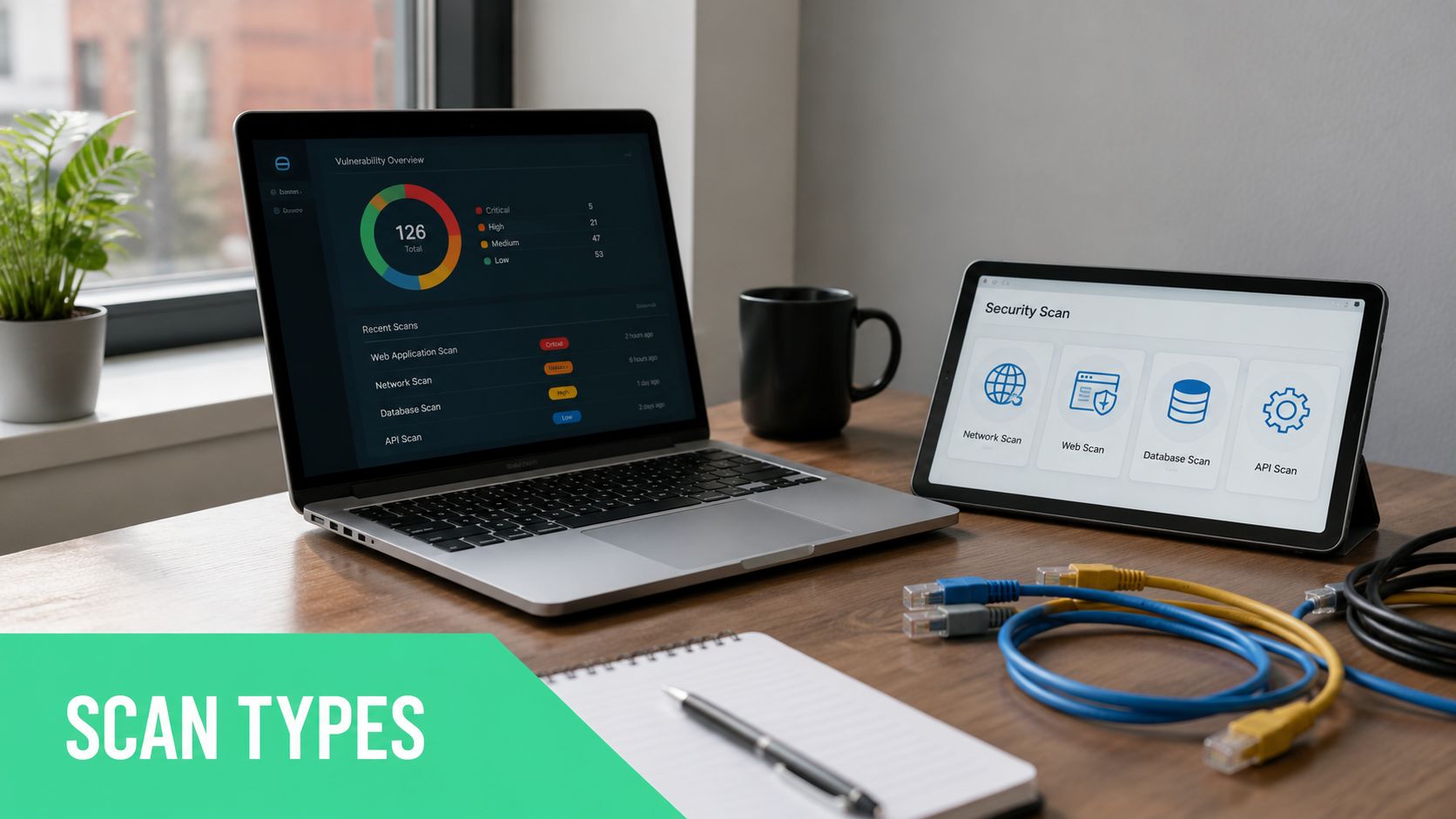
- Network scans look at systems across your environment and identify exposed ports, services, and reachable weaknesses. This is your outside-in view.
- Host-based scans inspect the actual machine thoroughly. They focus on installed software, patch levels, and local configuration issues.
- Web application scans test a live app for common security flaws in pages, forms, inputs, and exposed functionality.
- Cloud and container scans focus on workloads, images, and infrastructure components that move fast in modern environments.
Each one answers a different question. If you only run one type, you're looking at one slice of the problem.
Authenticated and Unauthenticated Scans
This is the distinction that matters most in practice.
An unauthenticated scan is like standing outside your office building and checking the doors, windows, and visible locks. You learn what an outsider can see. That's useful, especially for internet-facing systems.
An authenticated scan is like walking inside with keys and checking every room, server closet, and workstation. That gives you a much better picture of what's wrong.
According to VikingCloud's overview of vulnerability scanning types, authenticated scans use privileged credentials to enumerate installed packages and patch levels, and they produce significantly better detection for missing patches and misconfigurations. The same source notes that unauthenticated scans may miss up to 30 to 40% of operating-system-level vulnerabilities.
If you only run unauthenticated scans, you're mostly checking the paint on the outside of the house.
What Most Startups Should Run
For most startups and SMBs, the practical setup is simple:
- Run external scans on internet-facing assets so you know what attackers can see
- Run authenticated internal scans so you catch the patching and configuration issues that hide inside
- Add web application scanning if your product lives in a browser
- Include cloud or container coverage if you deploy often and rely on modern pipelines
Don't overcomplicate this. Start with coverage that matches how your business operates. Then layer in manual pen testing where the risk is highest.
Understanding Scan Results and Risk Scores
A scanner report can be useful or useless. The difference is whether your team knows how to read it without panicking.
Most reports dump a pile of findings in front of you. Some are real. Some are duplicates. Some are technically true but low priority. If you treat every alert like a fire, your team burns time and starts ignoring the report.
What CVSS Means
Most scanners use CVSS, the Common Vulnerability Scoring System, to rank severity. As explained by Sysdig's overview of vulnerability scanning, CVSS assigns severity scores so organizations can prioritize issues based on how likely and how severe exploitation could be.
In plain English, it's a way to sort the mess.
A typical finding might look like this:
- Asset: production web server
- Issue: outdated software component
- Severity: high
- Why it matters: may allow remote exploitation
- Suggested fix: upgrade or patch the affected component
That's the part your team should care about. What's the asset, how serious is it, and what action fixes it?
How to Cut Through the Noise
Use this filter:
- Start with internet-facing issues because attackers can reach them first
- Focus on high-severity items before you spend time on cosmetic cleanup
- Check whether the finding is real before opening a week of internal tickets
- Ignore vanity metrics like giant finding counts unless they map to actual remediation
Operator advice: A report with fewer validated findings is more useful than a giant report full of guesswork.
False positives are part of scanning. A tool may flag a version string, assume a package is vulnerable, or miss a mitigating control. That's annoying, but normal. The fix is triage, not blind trust.
What Good Teams Do Next
Good teams don't celebrate the report. They work the shortlist.
They confirm the serious findings, patch what matters, re-scan, and move on. When deeper validation is warranted, they add a manual penetration test to verify whether a severe-looking issue is exploitable in their real environment.
How Scanning Fits Into Your Compliance Program
If you're dealing with PCI DSS, SOC 2, HIPAA, or ISO 27001, scanning isn't optional. It's part of proving that you identify security weaknesses on a regular basis.
That said, a scan report by itself is usually the bare minimum. Auditors want evidence that your security process is active, repeatable, and tied to remediation. They don't want a dusty PDF nobody acted on.

Where Scanning Is Explicitly Required
PCI DSS is the cleanest example. According to SecurityMetrics' explanation of PCI vulnerability scanning requirements, PCI DSS explicitly requires external vulnerability scans by a PCI-approved scanning vendor, and those scans are typically repeated quarterly or after major changes.
That matters if you process cardholder data. You can't talk your way around it. You need the scans.
Other frameworks may phrase it differently, but the expectation is the same. Identify weaknesses, document results, fix issues, and show that you repeated the process.
Why Auditors Want More Than a Scan
A scanner shows that you looked for known issues. A manual pen test shows that you looked for actual attack paths.
That distinction matters during audits because mature security programs don't stop at automated checks. They validate controls, test assumptions, and show evidence that someone examined the environment beyond checkbox automation.
Here's the blunt version:
- Scanning helps you meet baseline requirements
- Manual pentesting strengthens your audit story
- Both together show that your team takes security seriously
If you need a practical compliance perspective from the IT audit side, this comprehensive guide for local Essex businesses is a useful reference on how businesses frame audit readiness.
What to Hand an Auditor
Give them evidence that your process works, not just that a tool ran.
That usually means:
- Recent scan reports tied to in-scope assets
- Remediation records that show what was fixed
- Re-scan evidence showing verification
- A penetration test report when deeper validation is appropriate
Clean paperwork matters. But clean paperwork backed by real testing matters more.
If your goal is to pass audits without scrambling, treat scanning as recurring hygiene and penetration testing as your proof that the hygiene program isn't superficial.
Creating A Smart Vulnerability Management Workflow
Teams often fail here, not because they skipped scanning, but because they never built a workflow around it.
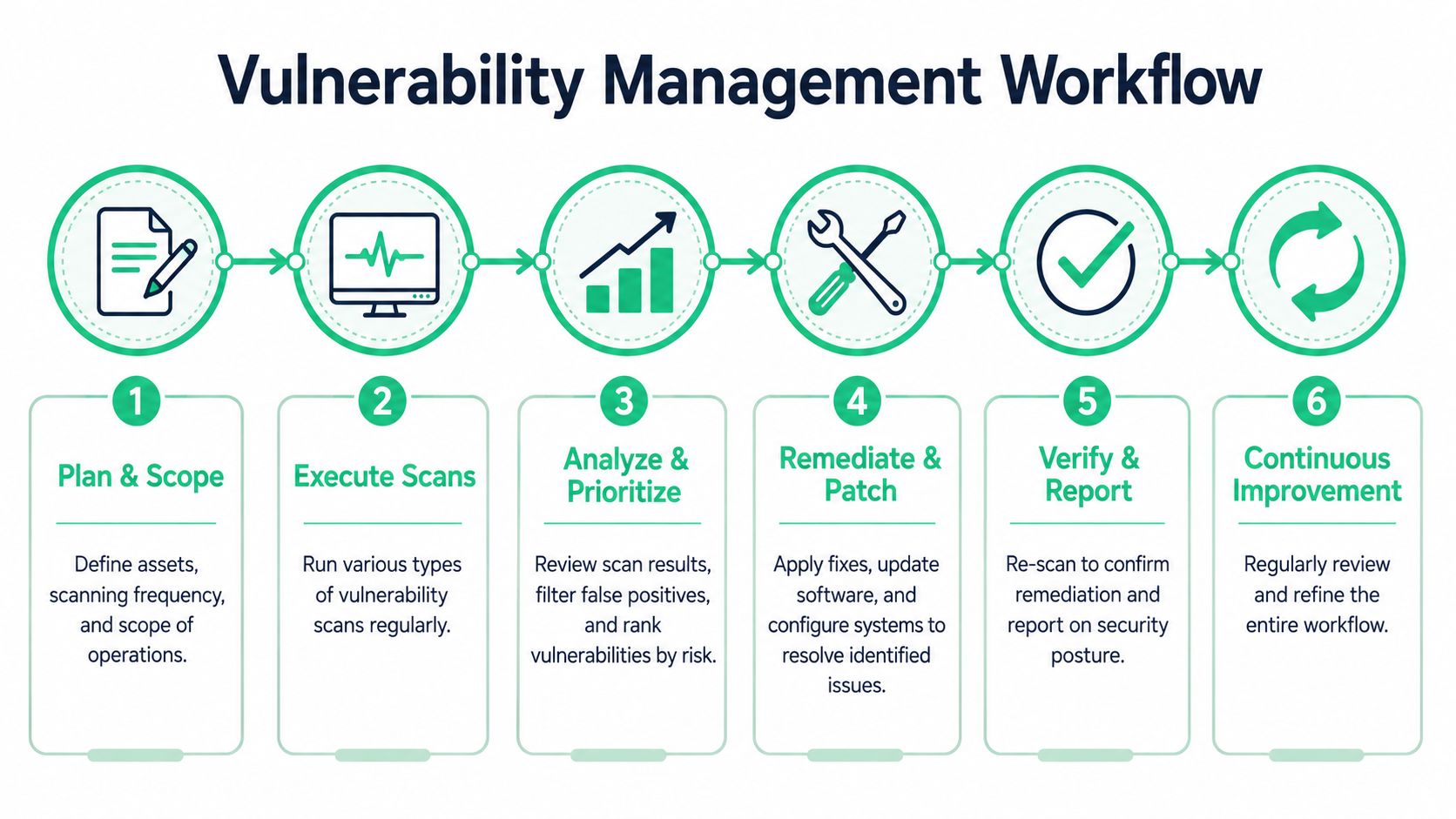
A smart program is simple. Scan regularly. Triage hard. Fix what matters. Verify the fix. Then use manual pentesting where automated tools stop being enough.
The Workflow That Actually Works
Set the scope first
Decide what assets matter. Public apps, cloud hosts, internal servers, endpoints tied to sensitive data. If it's not in scope, it won't be scanned.Run scans on a schedule that matches risk
Critical assets deserve more attention than forgotten lab systems. Don't run aggressive scans everywhere just because a tool lets you.Triage the results aggressively
Start with severe findings on exposed systems. Validate before you flood engineering with tickets.Patch and remediate
Fix the things that reduce real risk. Don't let low-value cleanup bury urgent work.Re-scan to confirm
If you didn't verify the fix, you don't know the issue is gone.Bring in manual testing at the right times
Before an audit. Before a launch. After major changes. Whenever the business impact of getting it wrong is high.
Where Most Teams Waste Money
They either buy a scanner and think they're done, or they hire a slow consultancy that charges premium rates to hand over glorified automated output.
A better model is leaner. Use scanning as your continuous baseline. Use a fast, affordable manual penetration test for the systems and moments that matter most. If you're trying to formalize that cycle, this guide to IT governance frameworks helps connect testing and control review to broader governance.
A Realistic Operating Model For Small Teams
For startups and small security teams, this is usually enough:
- Automate recurring scans so obvious issues don't pile up
- Review only the findings that affect business risk
- Use manual pentesting for depth, validation, and compliance support
- Keep reports short, actionable, and tied to owners
You don't need a giant SOC to do this well. You need discipline and a clean process. For a practical example of how to structure the ongoing cycle, Affordable Pentesting's process guide is worth reviewing.
Security that your team can actually operate beats a perfect framework nobody follows.
Vulnerability scanning is important. It finds known issues fast and supports compliance. But it's still only the starting point. If you stop there, you're trusting automation to answer questions that require human judgment.
If you need a fast, affordable way to go beyond scanner output, Affordable Pentesting is built for exactly that. Their certified pentesters, including professionals with OSCP, CEH, and CREST backgrounds, deliver manual pentest, pen test, and penetration testing services designed for startups and growing teams that need useful findings, reports within a week, and pricing that doesn't wreck the budget. Use the contact form to start the conversation.