.svg)

You open a vulnerability scan and get the same ugly result everyone gets. Red everywhere. Critical. High. High. Critical. An auditor wants evidence you're managing risk, engineering is already overloaded, and nobody can tell you what matters first.
That's where significant time is often squandered. Teams typically chase scanner output instead of attacker reality. The result is a lot of patching effort, a lot of tickets, and very little real risk reduction.
A better approach is risk-based vulnerability prioritization. It means you stop treating every finding like a fire and start ranking issues by what is exploitable, what is exposed, and what would hurt the business if it got hit. That makes life easier for IT, cleaner for compliance, and cheaper for the company because people spend time on the small set of issues that can turn into incidents.
This matters even more for SMBs and startups. You probably don't have a giant security team. You need a playbook that works with limited staff, limited budget, and tight audit deadlines. You also need inputs that are better than a scanner alone. A good vulnerability program pairs scan data with business context, threat intel, and focused validation work like web application penetration testing services, especially when the biggest risk sits in customer-facing apps.
Auditors care about evidence. Leadership cares about cost. Your team cares about not drowning in nonsense. Good prioritization helps with all three.
Introduction
Most vulnerability programs fail for a simple reason. They confuse volume with risk.
Your scanner is good at finding issues. It is not good at deciding what deserves immediate effort. That decision needs context. Is the affected system internet-facing? Does it hold payment data? Is it tied to customer login, production revenue, or sensitive records? Is there evidence attackers are using the flaw in the wild?
When you answer those questions, the list shrinks fast.
What busy teams should do first
Start with a short rule set:
- Protect exposed systems first. Public-facing assets are where attackers start.
- Protect critical business systems next. If it handles customer data, payments, or identity, it moves up the list.
- Use real exploit signals. Known exploitation beats theoretical severity.
- Give every fix an owner and a deadline. If nobody owns it, it won't get fixed.
- Track closure, not just discovery. A pile of open findings is not a security program.
Practical rule: If your team can't explain why one finding matters more than another, your prioritization process is still broken.
That's the core idea behind this guide. Keep the model simple, defensible, and tied to business impact. That's how you reduce risk without burning money on busywork.
Stop Chasing Every High CVSS Score
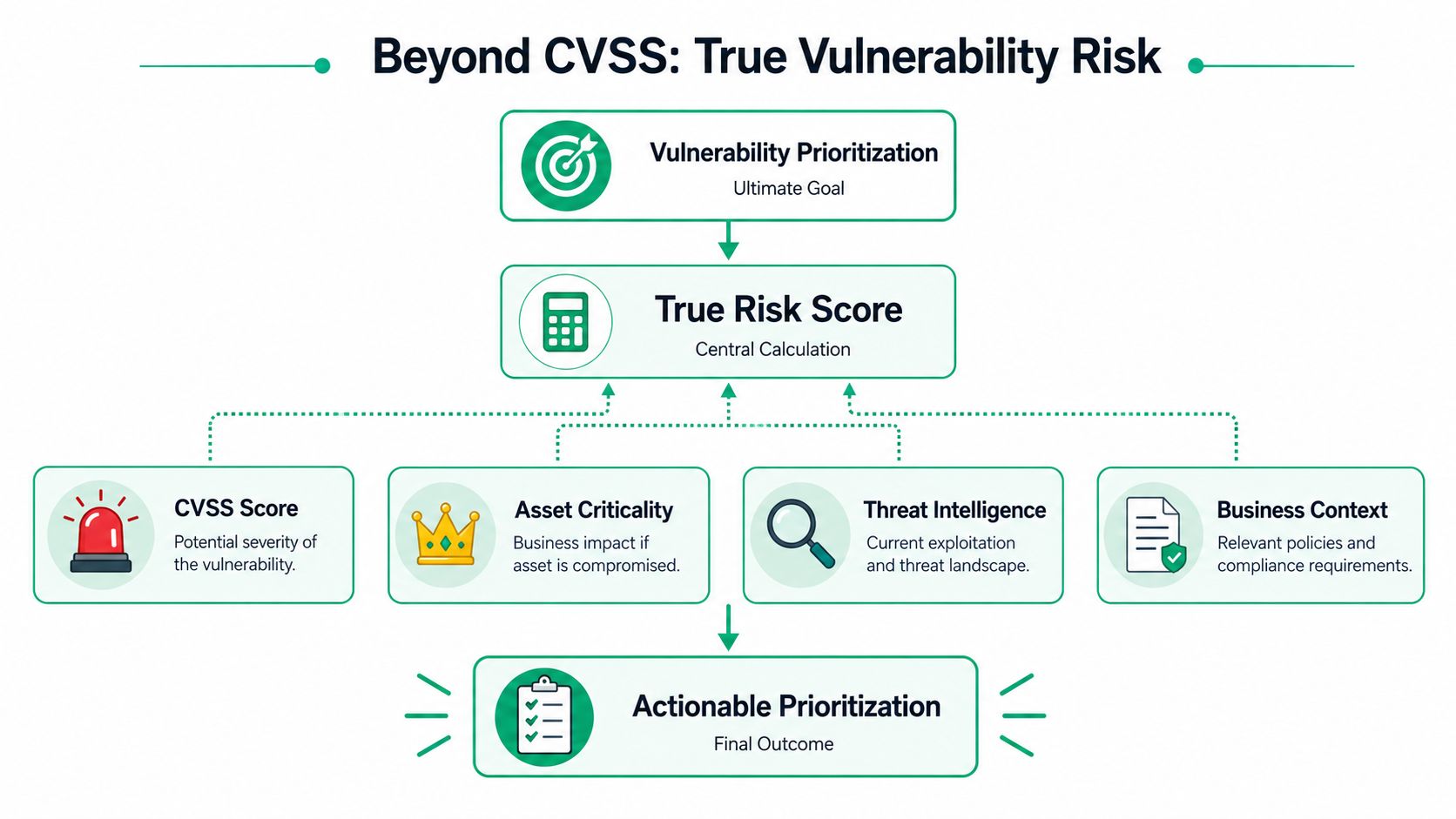
The biggest mistake in vulnerability management is acting like CVSS is the final answer. It isn't. CVSS is a severity signal, not a business decision.
A high CVSS score tells you a flaw could be dangerous under the right conditions. It does not tell you whether those conditions exist in your environment. It doesn't know if the host is exposed, if the vulnerable service is reachable, or if the affected system matters to the business.
Why CVSS-only queues break down
Severity-only queues collapse under their own weight. One industry source notes that more than 52% of all vulnerabilities are scored High or above, while only an estimated 6% are likely to be exploited, which is why modern teams focus on the smaller subset with real-world attack likelihood rather than raw severity labels, as noted in BitSight's explanation of vulnerability prioritization.
That gap is the whole problem. If more than half your queue looks urgent, then almost nothing is effectively prioritized. You end up with alert fatigue, engineering resentment, and audit evidence that looks active but isn't focused.
Here's what a CVSS-only process usually causes:
- Too many top-priority tickets that nobody can realistically finish
- Poor use of engineering time because low-value fixes sit next to real risks
- Weak audit narratives because you can't explain why one item was fixed before another
- Burnout across security and IT because every week starts with another red dashboard
What true risk actually looks like
A useful prioritization model combines three things:
- Severity tells you the potential technical damage
- Exploitability tells you whether attackers are likely to use it
- Business impact tells you how much pain a compromise would cause
That's the filter. Not every severe flaw is urgent. A lower-severity issue on an exposed production login system can matter more than a critical flaw on an isolated internal box.
Stop asking, “What's the highest score?” Start asking, “What would an attacker use first against us?”
That shift saves time fast. It also helps when you're reviewing findings from a pentest, pen test, or penetration test. Manual penetration testing often uncovers chained weaknesses and reachable attack paths that scanners can't rank properly on their own. That matters because the finding that hurts you most may not have the scariest label.
A better working rule
Use CVSS as the starting point. Never use it as the whole policy.
If your team still patches straight down the severity list, fix that process before you buy another tool. A noisy queue is not a maturity signal. It's usually proof that nobody has built a decision model.
Map Your Assets and Business Impact
You can't prioritize vulnerabilities until you know what you're protecting. That sounds obvious, but this is where a lot of SMBs fall apart.
They have cloud assets no one owns, old subdomains still exposed, vendor-connected systems, test environments that became production, and apps that handle sensitive data without clear labels. Then they try to rank vulnerabilities on top of that mess.

Find your crown jewels first
You do not need a giant enterprise asset project to get started. You need a practical list of systems that would create real pain if they were breached, unavailable, or altered.
Ask these questions:
- What stores sensitive customer data
- What processes payments
- What supports identity and access
- What is internet-facing
- What would stop revenue or operations if it went down
That gives you your first pass at crown jewels.
For SOC 2, PCI, HIPAA, and similar frameworks, this matters because controls only make sense when they map to real systems. If a server handles cardholder data, that's different from a dormant dev instance. If a web app supports customer login, that gets attention before an internal wiki.
Work even if inventory is imperfect
Per Safe Security's guidance on vulnerability prioritization, effective prioritization depends on asset visibility, and many organizations can't reliably say which internet-facing assets are exposed or which vulnerabilities map to the most business-critical systems. The more useful question is not just what is most severe, but what should be prioritized when the inventory is imperfect.
That's the actual version of this problem. Your inventory probably isn't complete. Fine. Don't use that as an excuse to do nothing. Use a triage method that assumes some uncertainty and still protects the obvious high-value targets first.
A simple asset tagging model
Use a short set of labels your team can maintain:
| Asset tag | What it means | Priority effect |
|---|---|---|
| Crown jewel | Core business system or sensitive data store | Pushes vulnerabilities up |
| Internet-facing | Reachable from outside the organization | Pushes vulnerabilities up |
| Regulated data | Supports audit or legal requirements | Pushes vulnerabilities up |
| Internal only | Not externally exposed | May lower urgency |
| Non-production | Test or staging environment | Needs review, but context matters |
This doesn't have to be fancy. A spreadsheet is better than pretending your CMDB is complete when it isn't.
If you don't know which assets matter most, every vulnerability discussion turns into guesswork.
Where pen testing helps
This is also where penetration testing earns its keep. A scanner lists weaknesses. A solid pentest shows which exposed assets are reachable in practice and what an attacker can do after they get in. For startups and lean IT teams, that's often the fastest way to separate audit noise from business risk.
Manual pen testing is especially helpful for web apps, external attack surfaces, and environments where ownership is messy. It gives you clearer evidence than a giant list of generic CVEs.
Combine Intel for True Risk Scoring
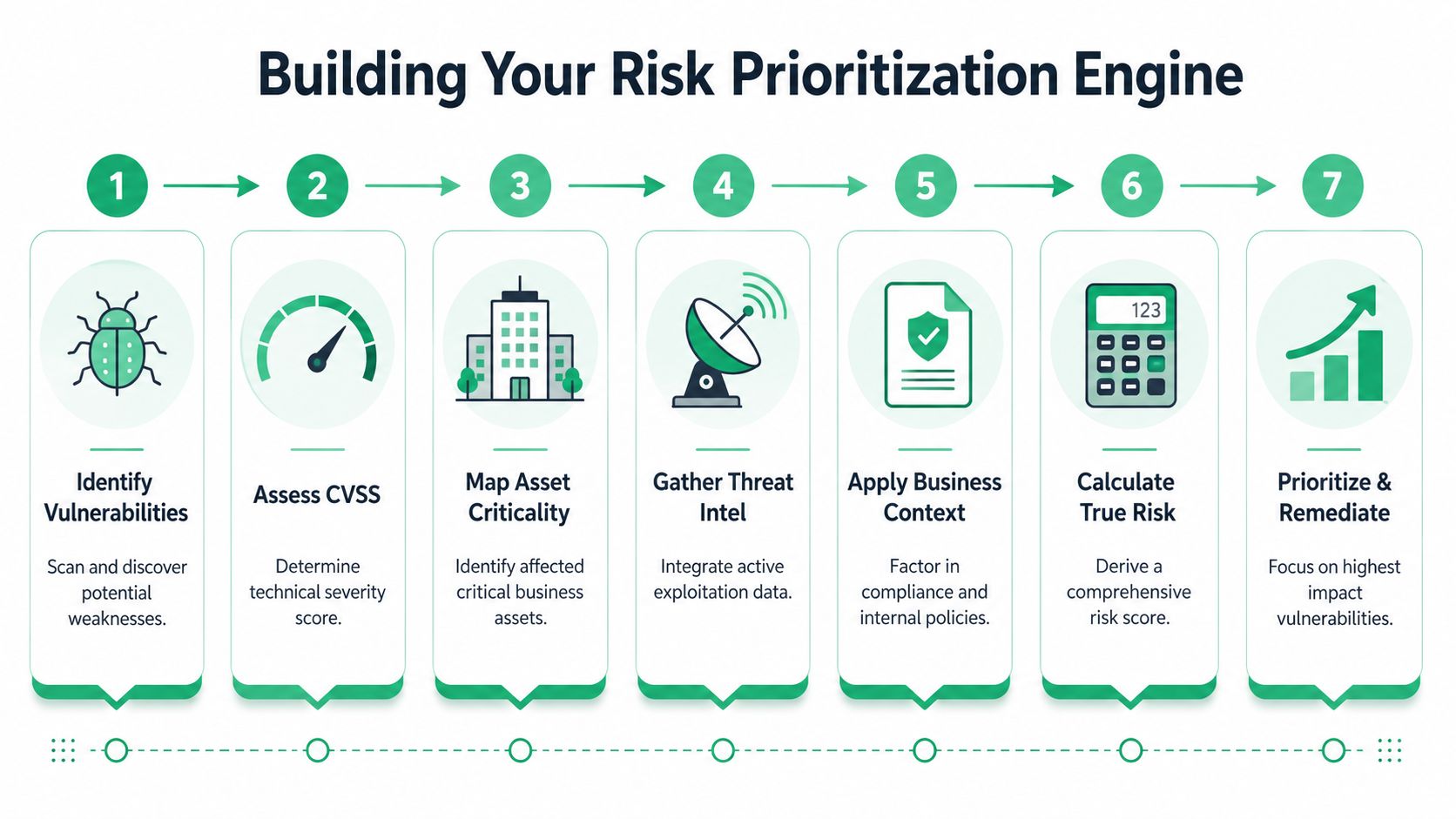
Once you know which assets matter, build a scoring process that uses more than one input. This is the engine of practical vulnerability prioritization.
You do not need a perfect formula. You need a consistent one. The goal is to combine severity, exploit signals, exposure, and business importance into a queue your team can work.
Start with the right workflow
A practical workflow starts with asset inventory, then scanning, then enrichment with exploitability inputs like EPSS and the CISA Known Exploited Vulnerabilities catalog. That sequence turns CVSS from a standalone severity label into an environmental risk score that reflects exposure, asset criticality, and whether the flaw is actively exploited in the wild, as explained in Kaspersky's guidance on risk-based vulnerability management.
That order matters. If you skip context and jump from scanner to remediation, you create noise. If you enrich findings first, you get a queue that reflects what's dangerous in your environment.
Use these four inputs
A practical risk score should include:
CVSS as the baseline
Keep it. It still helps you understand technical severity.KEV status as the hard trigger
If a vulnerability is in the CISA Known Exploited Vulnerabilities catalog, treat it as urgent. This is confirmed exploitation, not theory.EPSS as the likelihood signal
EPSS helps estimate the probability of exploitation in the near term. It's useful when KEV isn't present but attacker interest is still high.Asset criticality and exposure
A flaw on a public-facing payment app matters more than the same flaw on an isolated internal tool.
A simple scoring decision
You don't need math-heavy models to get this right. Use decision tiers.
| Signal combination | Priority |
|---|---|
| KEV-listed and internet-facing | Fix first |
| High EPSS on crown jewel asset | Fix fast |
| High CVSS on isolated non-critical system | Review, then schedule |
| Low exploitability with low business impact | Batch into normal patch cycle |
That's enough for most SMBs. The important part is consistency. Your auditor wants to see that your team makes decisions on purpose.
Good prioritization is a workflow, not a dashboard.
Add business context before ticket creation
Don't open engineering tickets the moment a scanner finds something. Enrich first, then route.
That means asking:
- Is the asset external
- Does it support compliance scope
- Is there a compensating control
- Is the vulnerable component relevant to how the system is used
A lot of teams skip that step and flood Jira or Azure DevOps with junk. That creates friction between security and engineering fast.
If you want a plain-English explanation of why this enrichment matters, this breakdown of how cyber threat intelligence helps is useful. Threat intel doesn't replace scanning. It tells you which findings deserve urgency.
Don't forget manual validation
Scanners are broad. A penetration test is selective. That's exactly why both matter.
A good pentest, pen test, or penetration testing engagement validates exploit paths, business logic weaknesses, and chained issues that tools often rank poorly. If your queue still feels chaotic after adding KEV and EPSS, manual testing usually exposes where your actual risk sits.
Create Remediation Timelines for Audits
A priority score without a deadline is just another report. Auditors don't want to hear that you “monitor risk.” They want to see that you classify issues, assign owners, and remediate according to a defined policy.
Many companies frequently complicate compliance unnecessarily. They have scan reports. They have tickets. But they don't have a defensible remediation standard.
Build a policy auditors can follow
Current guidance recommends risk-tiered timelines. KEV-listed vulnerabilities should be fixed within days, high-EPSS vulnerabilities within weeks, medium-risk issues in 30–45 days, and low-risk issues in 60–90 days, especially in regulated environments, according to N-able's overview of vulnerability prioritization practices.
That gives you a clean foundation for a policy. You don't need to copy any framework word for word. You need a documented standard your team can apply consistently.
Example remediation timelines for compliance
| Risk Level | Description | Remediation SLA |
|---|---|---|
| Critical operational risk | KEV-listed vulnerability or similar urgent exploitation signal on important exposed systems | Within days |
| High risk | High exploit likelihood, especially on internet-facing or high-value assets | Within weeks |
| Medium risk | Important but not urgent, with lower likelihood or less exposure | 30–45 days |
| Low risk | Lower impact issues, internal exposure, or lower business relevance | 60–90 days |
These are good default lanes for SOC 2 and PCI conversations because they show disciplined handling instead of ad hoc patching.
Make exceptions formal
Not every issue can be fixed immediately. That's normal. What matters is how you document exceptions.
Use a basic exception record with:
- Business reason for delaying the fix
- Compensating control already in place
- Named owner responsible for review
- Review date so it doesn't sit forever
That kind of record helps you during audits because it proves you made an explicit risk decision instead of ignoring the finding.
Auditors are usually less concerned with the existence of vulnerabilities than with the absence of a repeatable remediation process.
Tie the policy to actual systems
Your remediation SLA should not live in a vacuum. It should reference asset criticality, external exposure, and compliance scope.
For example, a medium technical issue on a payment-processing system may deserve faster action than a technically higher-rated issue on a low-value internal host. That's the difference between operational maturity and checkbox security.
You should also make this process visible to engineering. If they understand why a ticket has a short SLA, they're more likely to treat it seriously. If every ticket says urgent, they'll stop listening.
For teams dealing with audit readiness, this guide to managing vulnerabilities for compliance is a practical companion. The key is to keep your policy short, enforceable, and tied to evidence you can show.
Where penetration testing fits
A penetration test gives you cleaner remediation inputs than a generic scan because findings are usually validated, explained, and tied to real impact. That makes the report easier to hand to engineers and easier to defend to auditors.
For PCI, SOC 2, HIPAA, and similar frameworks, that matters. Clear findings with clear deadlines are easier to close and easier to prove.
Automate Workflows and Measure Your Success
If your process depends on someone manually reviewing every scanner export, it will break. Maybe not this week, but soon.
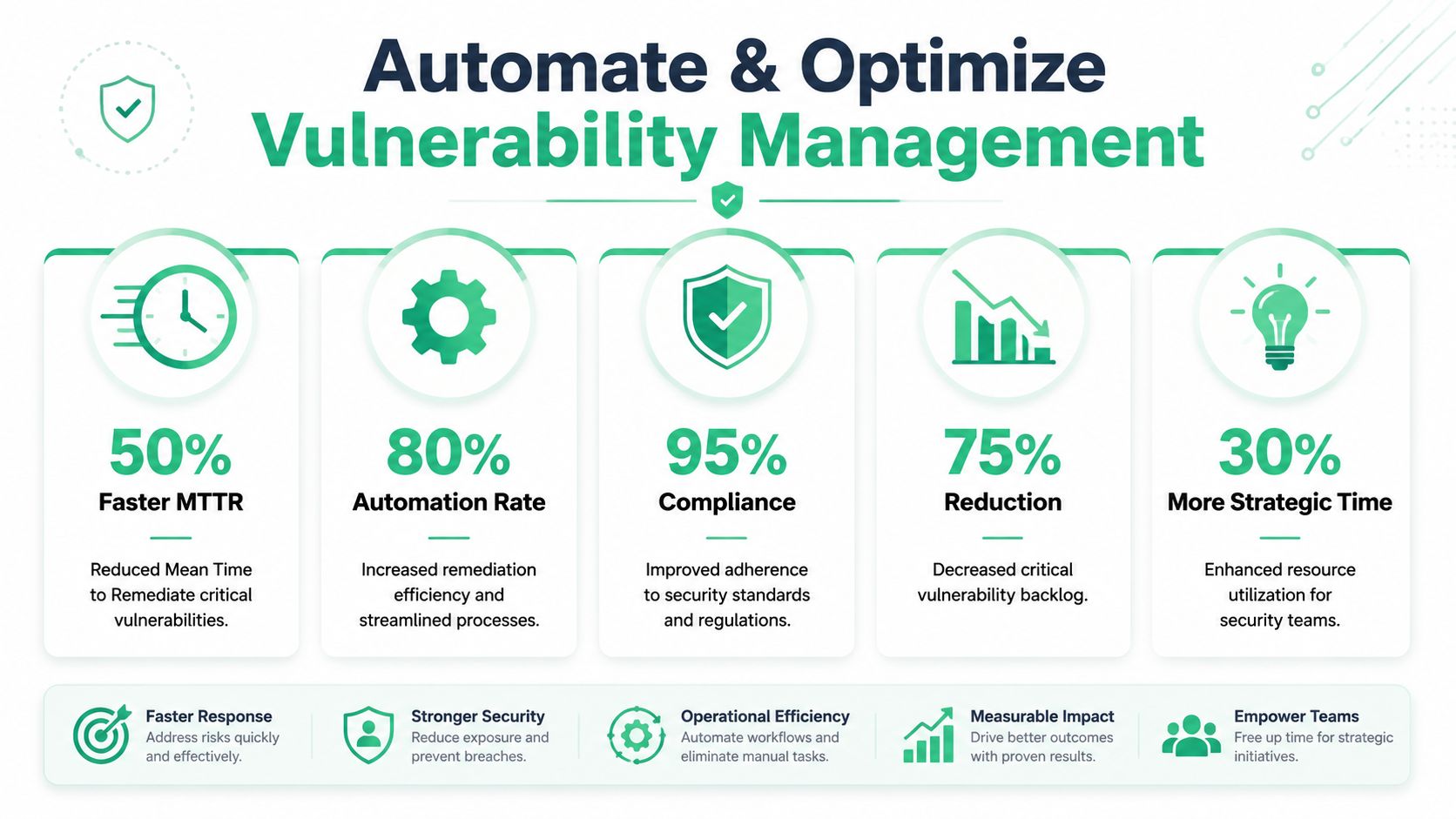
The fix is not full automation of everything. The fix is smart automation for the parts that waste time. In practice, that means enriching findings, routing the right ones into ticketing, and measuring whether the process improves remediation outcomes.
Automate less, but automate the right things
Start with the obvious workflows:
- Create tickets only for prioritized findings so engineering isn't buried in low-value work
- Route by asset owner so issues don't sit in a shared queue
- Re-open when drift appears if a previously fixed issue returns
- Flag deadline risk when SLA windows are close
This is not about building a giant orchestration project. Even basic automation between your scanner, asset inventory, and Jira or Azure DevOps can keep critical issues from getting lost.
The biggest mistake is auto-generating tickets for everything. That just moves the noise from one system to another.
Measure outcomes, not scanner activity
Effective programs are measured against remediation outcomes. Useful benchmarks include the median time from detection to remediation, drift or reintroduction rates for previously fixed issues, and a reduction in actionable alerts. A major failure mode is generating too many tickets that engineering cannot action, as discussed in research on remediation-focused vulnerability prioritization.
That's the right measurement model. Don't brag about the number of findings discovered. A scanner can always find more things. What matters is whether your process gets the right issues fixed faster and keeps them from coming back.
KPIs that actually help
Track a short list:
| KPI | Why it matters |
|---|---|
| Median time to remediation | Shows whether fixes are happening faster |
| Reintroduction rate | Shows whether teams are fixing root causes |
| Actionable alert volume | Shows whether prioritization is reducing noise |
| SLA adherence | Shows whether the policy is working |
| Open high-risk backlog | Shows whether the dangerous queue is shrinking |
If your vulnerability dashboard has lots of counts but no remediation timing, it's telling you activity, not progress.
Why manual pentesting still matters
Automation handles flow. It does not replace judgment.
A quality pentest or penetration testing report gives you high-confidence findings that are easier to prioritize, easier to assign, and easier to close. That is especially useful when you need fast answers for an audit or a board update. Certified testers with backgrounds like OSCP, CEH, and CREST typically produce findings with clearer proof, better remediation guidance, and less filler than auto-generated scanner output.
That matters for startups and SMBs because speed and affordability matter. Waiting weeks for vague results is expensive. So is paying for a pen test that produces little more than a severity list you already had.
Conclusion
Teams often don't have a vulnerability problem. They have a decision problem.
When you switch to risk-based vulnerability prioritization, the noise drops. Your team spends less time chasing scanner labels and more time fixing the issues that attackers are most likely to exploit in systems that are important. That's better for security, better for engineering, and much better for compliance audits.
Keep the model simple. Know your critical assets. Use KEV, EPSS, exposure, and business impact. Set remediation deadlines that auditors can follow. Automate the routing, then measure whether fixes happen faster and stay fixed.
That's how you turn vulnerability management from a reporting exercise into something useful.
If you need a faster, cheaper way to get clear findings you can prioritize, Affordable Pentesting is built for exactly that. Their certified pentesters, including OSCP, CEH, and CREST-qualified professionals, deliver affordable pentest, pen test, penetration test, and penetration testing services with audit-ready reporting in about a week. If you're preparing for SOC 2, PCI DSS, HIPAA, or ISO 27001 and want practical results without traditional consulting delays and pricing, use the contact form on their site to request a same-day quote.