.svg)

How to Whitelist a Domain
Your team is blocked, a client's email never arrived, or a new SaaS tool won't connect to your app. Someone says, “Just whitelist the domain,” and suddenly a simple fix turns into a security decision with audit consequences.
That's the key issue. Whitelisting a domain sounds small, but it changes who gets trusted access to your email, apps, and network. If you do it carelessly, you create a clean-looking hole in your defenses.
Why You Need to Whitelist a Domain
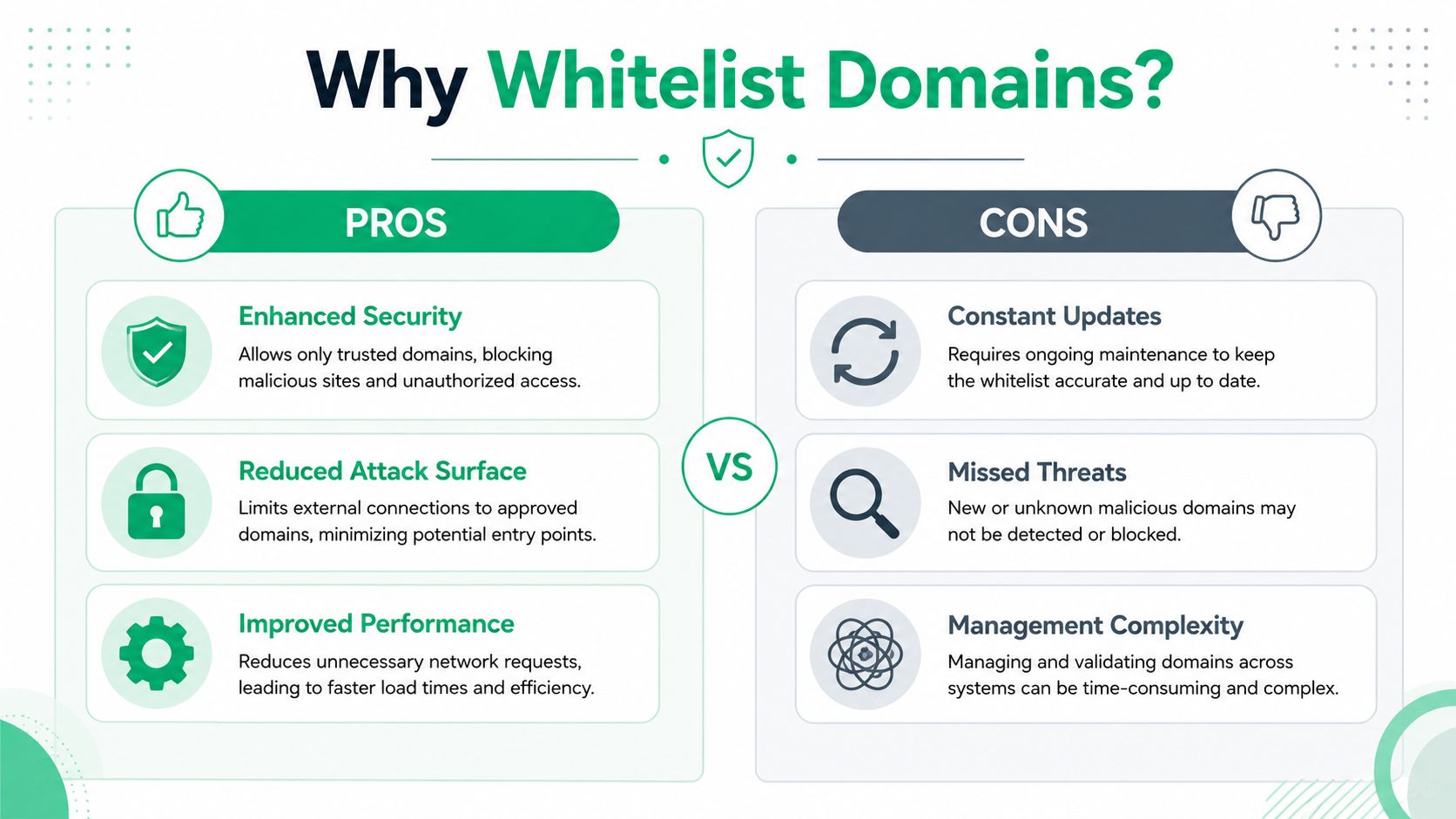
At the simplest level, whitelisting is a guest list. If a user, app, sender, or domain is on the list, it gets in. If it isn't, it stays out.
Whitelisting is a cybersecurity strategy where only pre-approved, trusted users, entities, or actions are allowed to operate on a system, effectively denying access to all others by default, as explained in CSO's whitelisting overview. That's why security teams like it. It flips the model from “block bad stuff” to “allow only known good stuff.”
Keep business email flowing
The most common reason to whitelist a domain is email delivery. A partner sends invoices, a customer sends support requests, or a vendor sends approval links. If your mail controls treat that traffic as suspicious, business slows down fast.
That doesn't mean you should blindly trust every sender from a company. It means you should decide what level of trust is justified, then document it. If you need a plain-English breakdown of how this works in email specifically, Robotomail's email whitelisting guide is a useful reference.
Allow tools your team actually needs
Founders buy software before policy catches up. Marketing adds a platform, finance uses a new billing system, and engineering connects another service to the stack. If your network or email controls block those domains by default, people start asking for exceptions.
That's where smart whitelisting helps. You approve what the business genuinely needs, instead of letting employees work around security with personal email, random file-sharing apps, or unmanaged browser extensions.
Practical rule: Whitelist only when the business need is clear, the owner is known, and the risk makes sense.
Protect critical integrations
A lot of startup infrastructure depends on third-party services talking to one another. Payment tools, support platforms, cloud apps, and customer portals all rely on trusted communication. If those connections are blocked, customers notice.
Whitelisting can reduce that friction. But only if you treat it like access control, not a convenience setting. Every approved domain should exist for a reason tied to operations, security, or compliance.
Whitelisting Domains for Email Security
Organizations often first need to whitelist a domain inside Google Workspace or Microsoft 365. The mistake is thinking all whitelist entries are the same. They aren't.

Choose the right email trust level
You can usually allow email traffic in three ways:
- A single sender: Best when one known contact keeps getting blocked.
- A full domain: Best when a trusted company sends mail from multiple users.
- A sending source or gateway: Best when you trust a mail service rather than one person.
A single sender is the safest narrow option. A full domain is broader and easier to manage, but it assumes that company's entire email environment is trustworthy enough for your use case. A gateway or IP-based approach is more infrastructure-focused and often used when mail routing matters more than individual identities.
Don't whitelist your own domain
Internal email management often leads to inefficiencies. Redtail Technology says organizations should not whitelist their own domain for internal emails because internal messages are already delivered without whitelisting, and adding your own domain can create confusion and unnecessary configuration changes during audits, as noted in Redtail's explanation.
That point matters for compliance. If an auditor asks why you added your own domain to a trust list, “we thought it might help” is a weak answer.
Internal email delivery doesn't need this shortcut. If mail between your own users is failing, fix the root cause instead of masking it with a whitelist entry.
How to think about Gmail and Microsoft 365
Google Workspace and Microsoft 365 both let admins create allowed sender rules, trusted domain settings, and mail flow exceptions. The menu names differ, but your decision process should stay the same.
Use this filter before you approve anything:
| Situation | Best choice | Why |
|---|---|---|
| One executive at a partner company gets blocked | Individual sender | Limits trust to one mailbox |
| Many users from a legal or payroll vendor send mail | Domain allow rule | Easier to manage than many single entries |
| A secure email platform relays protected messages | Source-based allow rule | Tied to service infrastructure, not one user |
If you run Microsoft 365, Nutmeg Technologies' EOP guide gives a helpful overview of Exchange Online Protection concepts that affect mail filtering and trust decisions.
Match email security to compliance
If your organization handles regulated data, email whitelisting can't be treated as a help desk shortcut. It becomes part of your access control story. The approval should show who requested it, why it was approved, and when it should be reviewed again.
For healthcare teams, this gets even more important when protected data is involved. If you're sorting out secure email controls in Google Workspace, this HIPAA compliant email Gmail guide is worth reviewing before you approve broad mail exceptions.
Securing Your Network with Whitelists
Email is only one slice of the problem. You may also need to whitelist a domain at the firewall, web filter, WAF, proxy, endpoint tool, or inside an application itself.
A whitelist functions as a VIP door for your systems. The firewall is the bouncer at the building. The app is the receptionist at the office. Both may check the list, and both can make different decisions.

Common network use cases
A few examples show where this matters:
- Remote developer access: You may allow a known source to reach a staging environment while blocking everyone else.
- Third-party API communication: Your app may need to accept traffic from a trusted service that powers billing, support, or authentication.
- Guest and office web access: Security teams may permit approved destinations while restricting risky browsing categories.
This isn't abstract. A single missed allow rule can break a customer workflow. A single overbroad rule can expose a service that was meant to stay private.
Wildcards are useful but risky
Technical specifications for domain whitelisting often include support for wildcard prefixes like *.domain.com to cover subdomains, but if wildcard support isn't available, both the base domain and subdomains must be added separately. Industry audits also recommend quarterly reviews to remove inactive entries and prevent security gaps, according to Elementor's whitelisting guide.
That sounds simple, but it causes real mistakes. Teams assume a wildcard covers everything when it doesn't. Or they approve a wildcard when only one subdomain was needed.
Security judgment: Broad rules save time today. Narrow rules save incidents later.
Keep access tied to a real owner
Every whitelist entry should answer three questions:
- Who asked for it
- What system needs it
- When it gets reviewed
If you can't answer those, remove it. Old allow rules are the digital version of office keys nobody returned.
For teams managing filtered internet access or guest environments, Cisco Meraki guest WiFi solutions can be a useful example of how URL filtering and access decisions intersect in real deployments.
The Hidden Risks of Poor Whitelisting
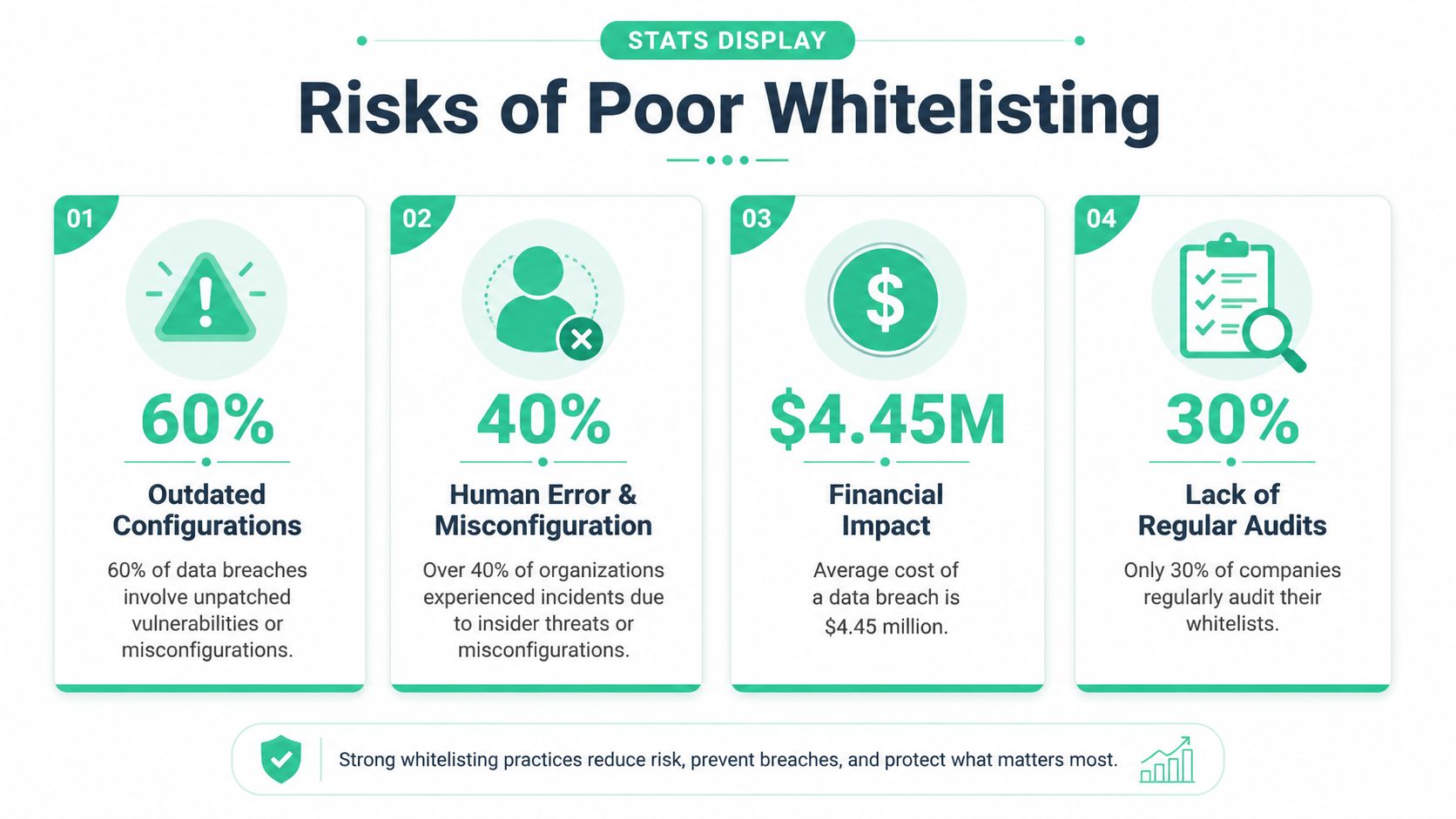
A whitelist is only as good as its last review. If nobody remembers why a domain was approved, you don't have a control. You have leftover trust.
Bad whitelist logic creates real exposure
The biggest failure isn't usually a dramatic hack scene. It's a quiet logic flaw. A broad mail exception bypasses filtering. A stale partner domain stays trusted long after the relationship changes. A wildcard rule allows more than anyone intended.
These problems are hard for automated tools to understand. A scanner can tell you a port is open or a header is missing. It usually can't tell you that your allowlist creates a business logic path an attacker can abuse.
This is where a real pentest matters
If you want proof that your controls work, you need a human-led review. A professional manual pentest typically costs between $5,000 and $30,000, and offerings below $4,000 are often automated vulnerability scans rather than the deeper manual analysis needed to find business logic flaws, based on DeepStrike's penetration testing cost breakdown.
That's the uncomfortable truth. Cheap scanning reports may look busy, but they often miss the exact kind of whitelist mistake that causes trouble during an incident or audit.
- Automated checks are good at finding known technical issues.
- Manual pen testing is what exposes trust assumptions, bad exception paths, and weak internal logic.
- Certified testers such as OSCP, CEH, and CREST professionals bring the experience needed to challenge how your controls work in practice.
A whitelist should survive attacker behavior, not just admin intent.
Speed matters when audits are close
A lot of traditional penetration testing firms are slow. They take too long to scope, too long to schedule, and too long to deliver a useful report. That's a problem when an investor, auditor, or customer questionnaire is already sitting in your inbox.
Fast manual testing changes that. If you can get a real pentest, pen test, or penetration testing report within a week, you can validate the whitelist decisions you've already made and fix weak spots before they turn into findings.
Whitelisting for SOC 2 and HIPAA Compliance
Auditors don't care that your team “meant well.” They care whether access controls are defined, approved, reviewed, and shown to work.
Accuracy matters more than intent
NIST SP 800-167 says a successful domain whitelisting deployment requires a phased methodology to avoid operational disruption, and it emphasizes that whitelist effectiveness is directly tied to list accuracy, meaning poorly curated lists provide almost no security benefit and can fail an audit, according to NIST SP 800-167.
That should shape how you operate. Don't dump domains into an allow list because a user complained loudly enough. Roll changes out carefully, keep the list accurate, and review it as part of normal security governance.
What auditors usually want to see
For SOC 2, HIPAA, and PCI-minded programs, whitelisting supports access control and change management. But the whitelist alone is not enough.
A solid evidence trail usually includes:
- A policy: Who can request exceptions and who approves them
- A change record: Why a domain was added and when
- A review cycle: Proof the list gets revisited
- Validation: A pentest or penetration test report showing the control doesn't create an easy bypass
If you're preparing for a SOC 2 review, this guidance on SOC 2 security for SMBs gives practical context on how security testing supports smaller teams facing audit pressure.
Auditors trust evidence. Good intentions don't pass controls testing.
Turn Your Whitelist into a Real Defense
Whitelisting is a basic control. You should use it. But don't confuse “basic” with “done.”
A domain whitelist only helps when it's narrow, documented, and reviewed. The minute it becomes a pile of old exceptions, it stops being protection and starts becoming attack surface. That's why mature teams connect whitelisting to broader access control, least privilege, and the kind of layered thinking outlined in this zero trust guide for IT teams.
The final step is proof. Not screenshots. Not admin notes. A real pentest, pen test, or penetration testing engagement that checks whether your whitelist can be abused in practice.
If you're a founder, CISO, or IT manager, that's the standard to aim for. Set the rule. Test the rule. Keep the evidence.
If you're tired of expensive firms, slow timelines, and reports with weak findings, Affordable Pentesting is worth a look. Their certified pentesters, including OSCP, CEH, and CREST-aligned professionals, focus on affordable manual pentests with audit-ready reporting delivered within a week, so you can validate controls like whitelisting without dragging your team through a long, overpriced engagement.