.svg)

How to Delete a User Securely
An employee leaves at 4 p.m. HR sends the ticket at 4:05. The request says one thing: delete their account.
That sounds simple. It isn't. Deleting a user is a security event, and if your team treats it like routine cleanup, you're setting yourself up for access gaps, lost data, and ugly audit conversations.
Most failed offboarding processes don't fail because someone forgot a command. They fail because nobody proved who approved the action, what data got preserved, which systems were checked, and whether access was removed everywhere. That's exactly the kind of weakness a real pentest, pen test, or penetration test will expose when someone checks beyond the surface.
Why Deleting a User Is a Security Event
The wrong way to delete a user is fast. Click remove, close the ticket, move on.
The right way is defensible. You need a repeatable process that shows the account was disabled, access was revoked, ownership was transferred, and evidence was retained. If you can't show that under audit, your process isn't mature enough.
Offboarding Is an Access Control Test
SOC 2, HIPAA, and PCI DSS all care about user access. Auditors don't just want to know that terminated users can't log in. They want to know your team can prove removal was timely, complete, and approved.
That's why offboarding belongs in the same conversation as building effective access control policies. If your policy says access is removed on termination, your logs, tickets, and system state need to back that up.
Practical rule: If a former employee can still reach one system, one shared mailbox, one VPN profile, or one admin console, the offboarding failed.
Auditors and Pentesters Look for Process
A solid penetration testing engagement doesn't just chase software bugs. Good testers look for weak operational controls too. User offboarding is one of the easiest places to find them because rushed teams leave behind shared access, stale accounts, forgotten SaaS seats, and undocumented exceptions.
This matters under a compliance deadline because user deletion creates business risk in two directions. Delete too fast and you lose access to files, dashboards, API keys, and records you still need. Delete too loosely and you leave an attacker a foothold.
The Command Matters Less Than Proof
IT managers often ask whether they should use Remove-ADUser, userdel, or the cloud admin console. That's a secondary question.
The first question is whether your process preserves evidence and removes risk. A one-line delete command doesn't tell you whether the user still owned a scheduled task, still had access through a group, or still appeared in a third-party app with admin rights.
A pen testing team that knows what it's doing will check exactly those cracks. That's why offboarding should be treated with the same seriousness you'd give a manual penetration test finding. Fix the process, not just the ticket.
Your Pre-Deletion Checklist Before Removing Accounts
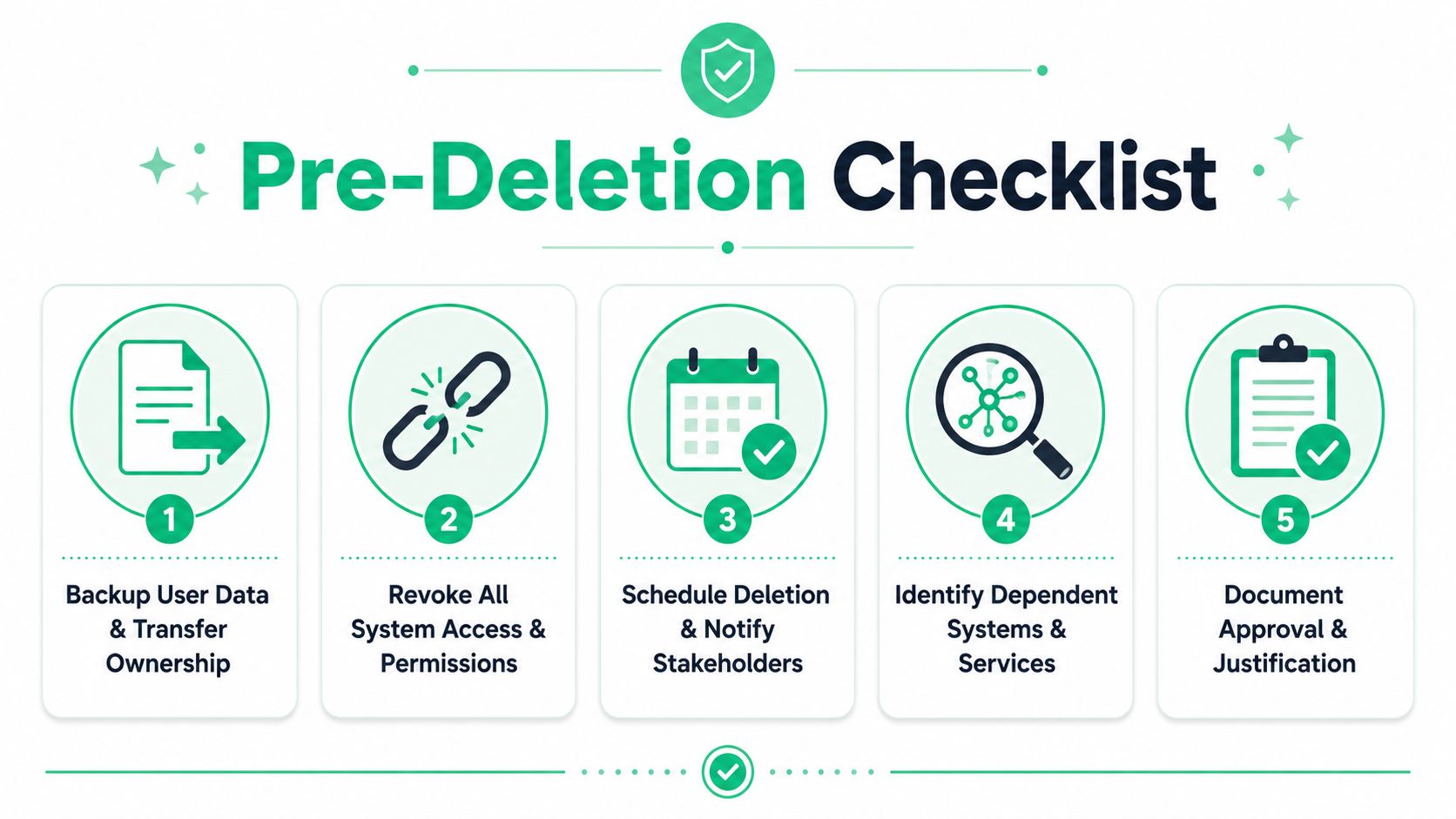
Before you delete a user, stop and work the checklist. This is the part that saves you from the cleanup project nobody budgeted for.
The biggest mistake is assuming deletion removes everything cleanly. It often doesn't. Platforms like Atlassian Confluence can retain content and only anonymize the user's name, and 72% of organizations disable accounts instead of deleting them to preserve audit history, because deletion can permanently remove API keys and shared dashboard views, as noted in this breakdown of deletion implications.
Handle Business Ownership First
If the user owned files, reports, automations, service accounts, or mailboxes, reassign them before touching the account. Otherwise, you'll get the classic follow-up a week later: "Why did our dashboard break?" or "Who has access to the old customer export?"
Use this as a forced review of ownership across core systems. CRM, ticketing, cloud consoles, code repositories, HR tools, finance apps, shared drives, and collaboration platforms all need a check.
Revoke Access Before Final Removal
A proper sequence starts with access shutdown, not deletion. Pull group-based access, session access, remote access, and privileged roles before you remove the identity object.
Use a real checklist, not memory. If you need a broader control review, this checklist for auditing is the kind of discipline that keeps user offboarding from turning into guesswork.
Delete last. Revoke first, document second, verify third.
Coordinate With HR and Managers
Security offboarding shouldn't happen in isolation. HR owns the employment event. The manager owns business continuity. IT owns access removal and evidence.
If your team needs a practical handoff document, this HR termination checklist for SMBs is useful because it frames offboarding as a cross-functional process instead of a single admin task.
Use This Non-Negotiable Checklist
- Transfer ownership: Move documents, dashboards, scheduled jobs, and shared accounts to a named replacement.
- Remove privileged access: Pull admin rights, VPN access, MFA devices, and privileged group membership first.
- Check dependencies: Review apps, scripts, service hooks, and automations tied to the account.
- Schedule the action: Align timing with HR and the manager so you don't lock out an active employee early or leave a departed one active.
- Capture approval: Keep the ticket, manager request, and final action log together.
Decide If Deletion Is Even Appropriate
Sometimes the right move isn't to delete a user yet. It's to disable them, preserve the record, and wait until legal, finance, HR, and system owners confirm there are no open dependencies.
That's not bureaucracy. That's how you avoid breaking something important while still closing access quickly.
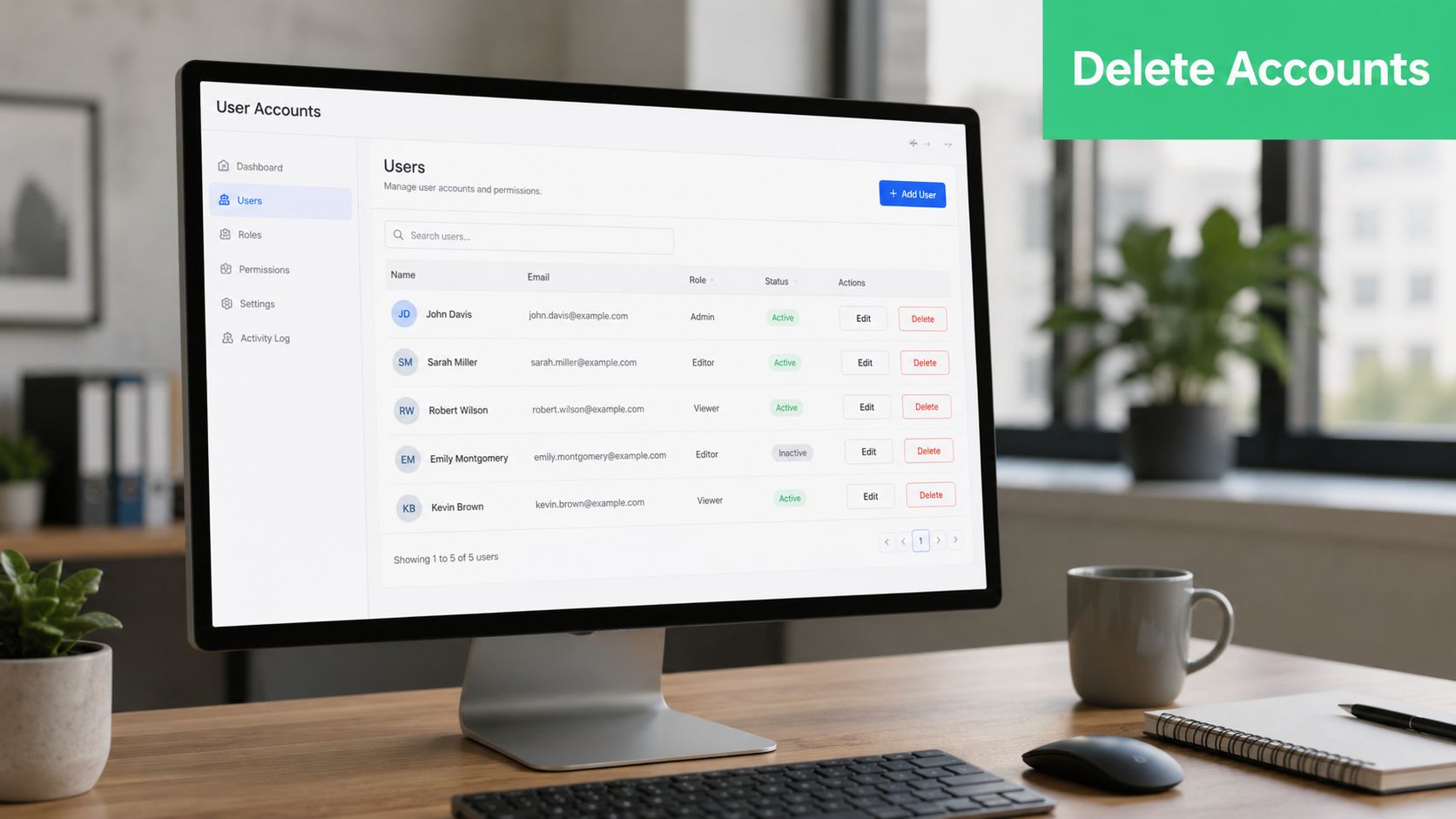
Deleting User Accounts Across Common Systems
Different platforms need different commands, but the principle stays the same. Disable first. Remove access. Wait if needed. Delete only when you're sure the account is no longer needed for operations, evidence, or rollback.
Active Directory Best Practice
In Active Directory, don't jump straight to deletion. The recommended methodology is a staged approach: first disable the account, reset the password, and move it to a 'Disabled' OU for a waiting period. This method reduces deletion-related errors by approximately 40% and prevents the loss of access to shared resources tied to the user's SID, based on this Active Directory guidance.
A practical flow looks like this:
Disable-ADAccount -Identity username -WhatIfSet-ADAccountPassword -Identity username -ResetMove-ADObject -Identity "CN=username,OU=Users,DC=example,DC=local" -TargetPath "OU=Disabled,DC=example,DC=local"Use -WhatIf first. That simple step catches avoidable mistakes before they hit production.
What to Do Before Final AD Deletion
Don't ignore groups and inherited access. Remove the user from security groups and distribution groups, then verify any shared mailbox, delegated access, or application binding tied to that account.
If your team wants a stronger review path for this environment, an active directory tester guide helps frame where weak AD hygiene usually turns into security findings.
In AD, immediate deletion is usually the lazy option, not the safe one.
Linux Account Removal Done Right
On Linux, locking the account is often better than deleting it right away. The practical command is:
usermod -L usernameThat approach preserves the account record and user data for review while blocking access. It also fits real-world audit needs better than a rushed userdel.
A sensible Linux workflow includes:
- Find inactive accounts: Review local users with
cut -d: -f1 /etc/passwdand check usage history withlast. - Set expiration when needed: Use
usermod -e [YYYY-MM-DD] usernameif you need a timed cutoff. - Group accounts by role: Review role-based account groupings with
getent groupbefore bulk actions.
Cloud and SaaS Need Special Handling
Cloud systems add a different problem. The login might be gone, but keys, tokens, automations, and external integrations can remain.
In AWS IAM and similar platforms, review access keys, console access, role assumptions, and any attached policies before deleting the user object. In SaaS apps, ownership and scheduling matter just as much as sign-in status. If the user owned account-linked assets across consumer-facing platforms too, this guide on how to delete online accounts is a useful reminder that account removal often extends beyond your primary directory.
Use this simple comparison:
| System | First move | Why |
|---|---|---|
| Active Directory | Disable and move to Disabled OU | Preserves rollback and avoids breaking shared access |
| Linux | Lock with usermod -L | Blocks access without destroying evidence |
| Cloud IAM | Disable keys and sessions | Stops active use before identity removal |
| SaaS apps | Reassign assets and revoke roles | Prevents broken workflows and ownerless records |
Deletion should be the final state, not the first action.
Verifying Deletion and Logging for Audits
If you can't prove the account was removed correctly, assume an auditor will treat it as incomplete.
Many teams struggle here. They disable or delete the user, close the ticket, and save nothing except a timestamp in the help desk. That's weak evidence. Compliance needs a trail that shows who approved the action, when it happened, what systems were checked, and what verification was performed.

What Auditors Want to See
Auditors usually care about three things. First, that access was removed promptly. Second, that the action matched policy. Third, that the result can be independently verified.
That means you should retain:
- Approval evidence: The manager request, HR trigger, and change record
- System action logs: Admin console logs, directory logs, or command history tied to the account action
- Verification output: Proof the user is disabled or absent, no longer in sensitive groups, and no longer active in connected systems
Verification Must Go Beyond the Account Record
A deleted user entry by itself doesn't prove much. You also need to confirm group membership is gone, admin roles are gone, and no related access path remains through a stale token, local account, or linked application.
For example, in Active Directory, verify the account is disabled during the hold period or absent after approved deletion. In Linux, confirm the account is locked and review authentication logs for attempted use afterward. In cloud and SaaS platforms, check that sessions, keys, and delegated access were revoked too.
Audit view: Evidence beats intent. A policy that says "we remove access" means nothing without logs that show you did it.
Regulation Is Moving Toward Verifiable Deletion
The pressure for proof isn't going away. In 2023, California enacted the DELETE Act, requiring a platform that lets consumers request deletion from over 500 data brokers through a single request, with the DROP platform launching on January 1, 2026, as described in this summary of the DELETE Act and DROP.
That's consumer privacy law, not employee offboarding, but the lesson is the same. Regulators increasingly expect deletion to be verifiable, centralized, and repeatable. Your internal user deletion process should meet that standard too.
Build an Evidence Pack Every Time
Don't make auditors hunt through five systems. Build a single evidence pack for each offboarding event.
Include the request, the approval, the execution log, the verification check, and any exception notes. When a penetration testing team or assessor reviews your controls, that package saves time and makes your process look mature because it is mature.
Hidden Dangers of Improper User Deletion
Teams often worry about the wrong thing. They worry a deleted account might somehow come back.
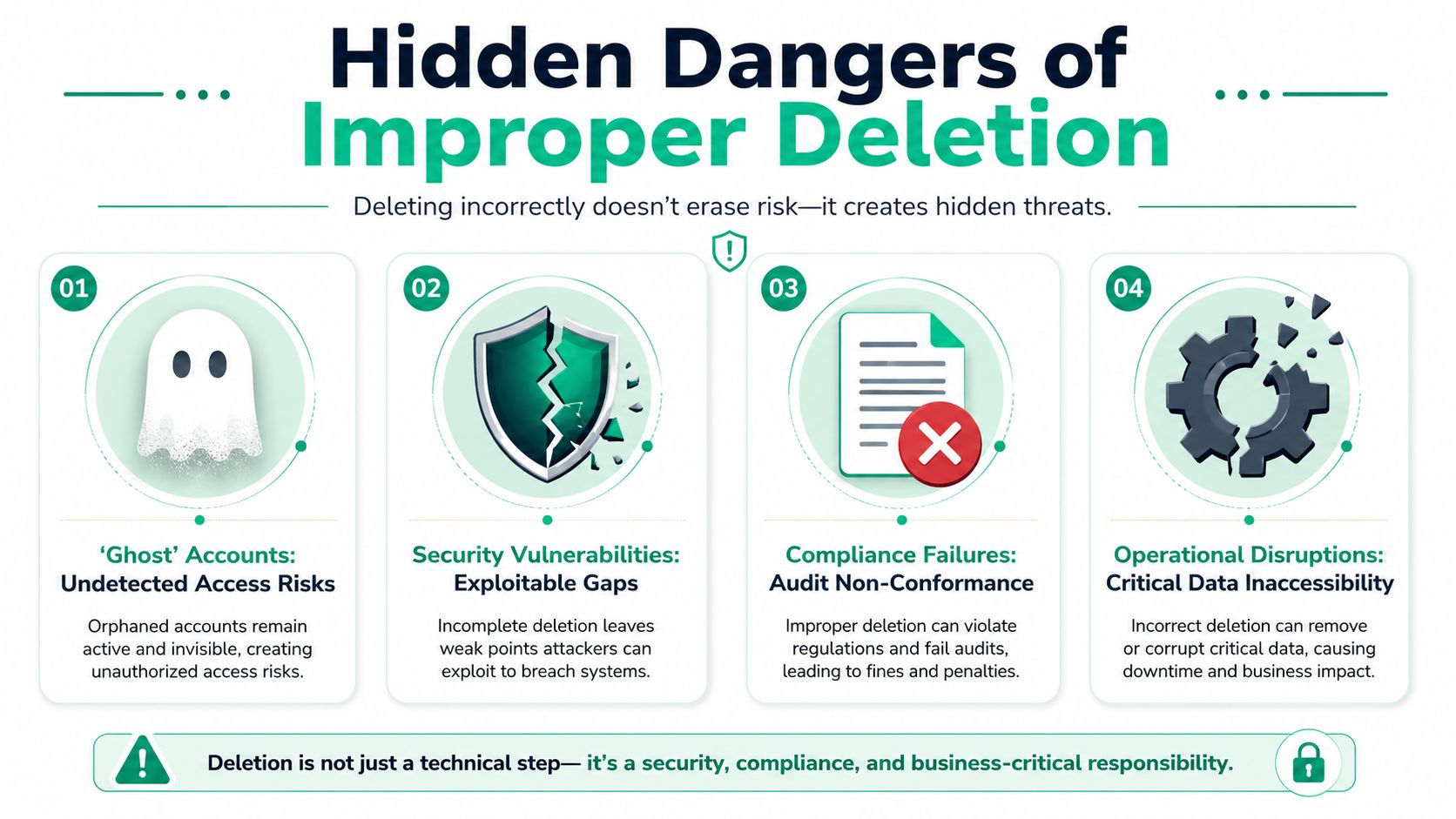
The bigger risk is what gets left behind. Bad offboarding creates remnants. Old access control entries, stale memberships, ownerless jobs, and forgotten integrations are the leftovers attackers love.
Orphaned Permissions Create Real Exposure
One of the nastiest examples is orphaned permissions. That's when you delete a user account but fail to remove its Security Identifier, or SID, from access control lists.
That isn't theoretical. It's a persistent security risk, and it's directly relevant to compliance because frameworks like PCI DSS and ISO 27001 require user access removal on termination, as explained in this discussion of orphaned permissions and access removal.
Why Scanners Miss This
Automated tools are useful, but they don't think like a person. A shallow scan may tell you the user object is gone. It may not tell you a folder ACL still references a SID, a scheduled task still runs under old credentials, or a third-party app still trusts a stale token.
That's why this class of issue often shows up during a manual pentest or penetration test. A good tester follows the chain. They check whether deleted users still cast a shadow in the environment.
Common Failure Patterns
These are the mistakes I see most often:
- Delete before transfer: Files, dashboards, and workflow ownership vanish into a support mess.
- Disable in one place only: The directory is updated, but SaaS tools and local systems still allow access.
- Forget permission cleanup: Groups are changed, but ACLs and inherited rights remain.
- Skip verification: The ticket closes with no proof that removal was complete.
A deleted user can still leave active risk behind if your process only removes the name and not the access.
Compliance Failure Starts Small
A single missed permission can become a major problem under audit. The control says terminated users lose access. Your evidence shows one account was deleted. The assessor asks whether access was removed from every relevant system. If you can't answer clearly, you're now debating scope, exceptions, and remediation timelines under pressure.
That's also where expensive security consulting gets wasteful. Plenty of firms will charge big money, move slowly, and hand over a report with limited useful findings. A strong pen test should uncover process flaws like improper offboarding, and it should do it in a way your team can act on fast.
Manual pentesting is where hidden access problems get found. Automated scan-only work won't reliably catch process-driven offboarding gaps, and offerings under $4,000 often lack the in-depth manual analysis needed for a true pentest, according to this overview of scan-only versus real pentesting.
Validate Your User Offboarding With a Pentest
You can write a clean offboarding procedure and still miss the core problem. What matters is whether the process holds up when someone actively tests it.
That is where a real pentest earns its keep. A proper pen test doesn't stop at software flaws. It checks whether former users still have access paths through stale permissions, forgotten apps, weak identity controls, or bad administrative habits.
Cheap Scans Aren't the Same Thing
If you're trying to validate security controls tied to SOC 2, HIPAA, or PCI DSS, don't confuse an automated scan with a manual penetration test. Manual web application penetration testing in 2026 typically costs between $5,000 and $30,000, while internal network tests range from $7,000 to $40,000, based on current pentesting pricing guidance.
That range matters because it tells you what real work looks like. It involves a human tester checking logic, permissions, and operational weaknesses. It isn't a checkbox scan.
Speed and Affordability Matter
A lot of teams delay pen testing because traditional firms are expensive, slow, and light on findings. That's a problem when you're under a compliance deadline and need results quickly.
You should expect a fast start, certified testers, and a report you can use within a week. Your pentesters should hold certifications like OSCP, CEH, and CREST because credentials don't guarantee quality, but they do show the tester has met recognized standards.
What a Good Engagement Should Confirm
Ask your penetration testing provider to validate offboarding controls directly. That includes checking for:
- Stale accounts: Disabled or deleted users that still authenticate somewhere
- Lingering permissions: Group, ACL, or role-based access that survived termination
- Residual secrets: Keys, tokens, or integrations tied to ex-employees
- Broken evidence trails: Offboarding actions that happened but weren't logged well enough for audit
A good penetration test saves money by finding these issues before an auditor, customer, or attacker does. That's the whole point.
If you need a fast, affordable way to validate user offboarding and broader access controls, Affordable Pentesting is built for exactly that. Their team helps startups, SMBs, and compliance-focused companies get real manual pentest, pen test, and penetration testing results without the bloated pricing and slow timelines of traditional firms. If you're preparing for SOC 2, HIPAA, PCI DSS, or ISO 27001 and want clear findings from certified pentesters, use the contact form to get a quote.